I Mined My Own Claude Code Config Files. Here's What I Found.
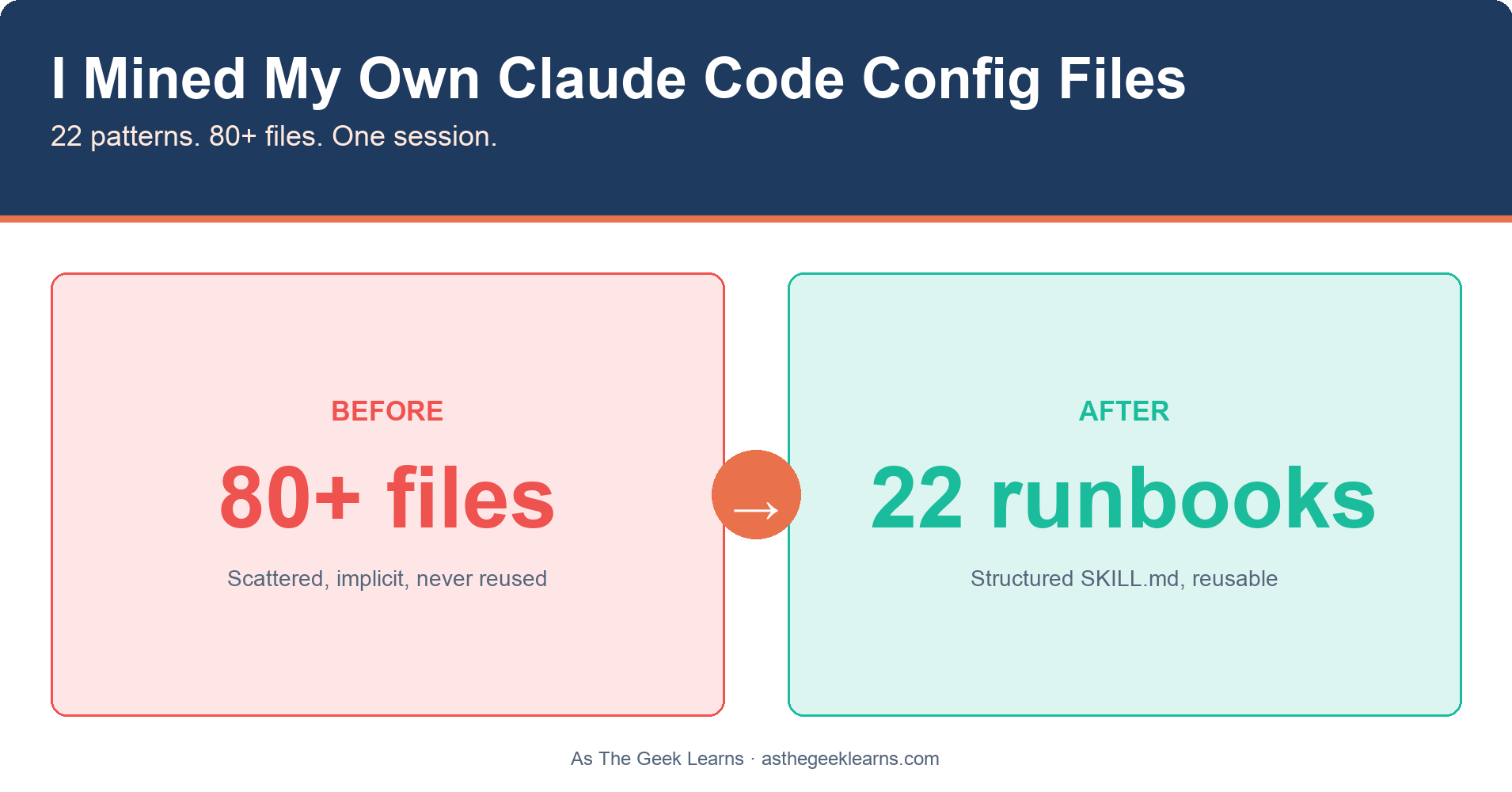
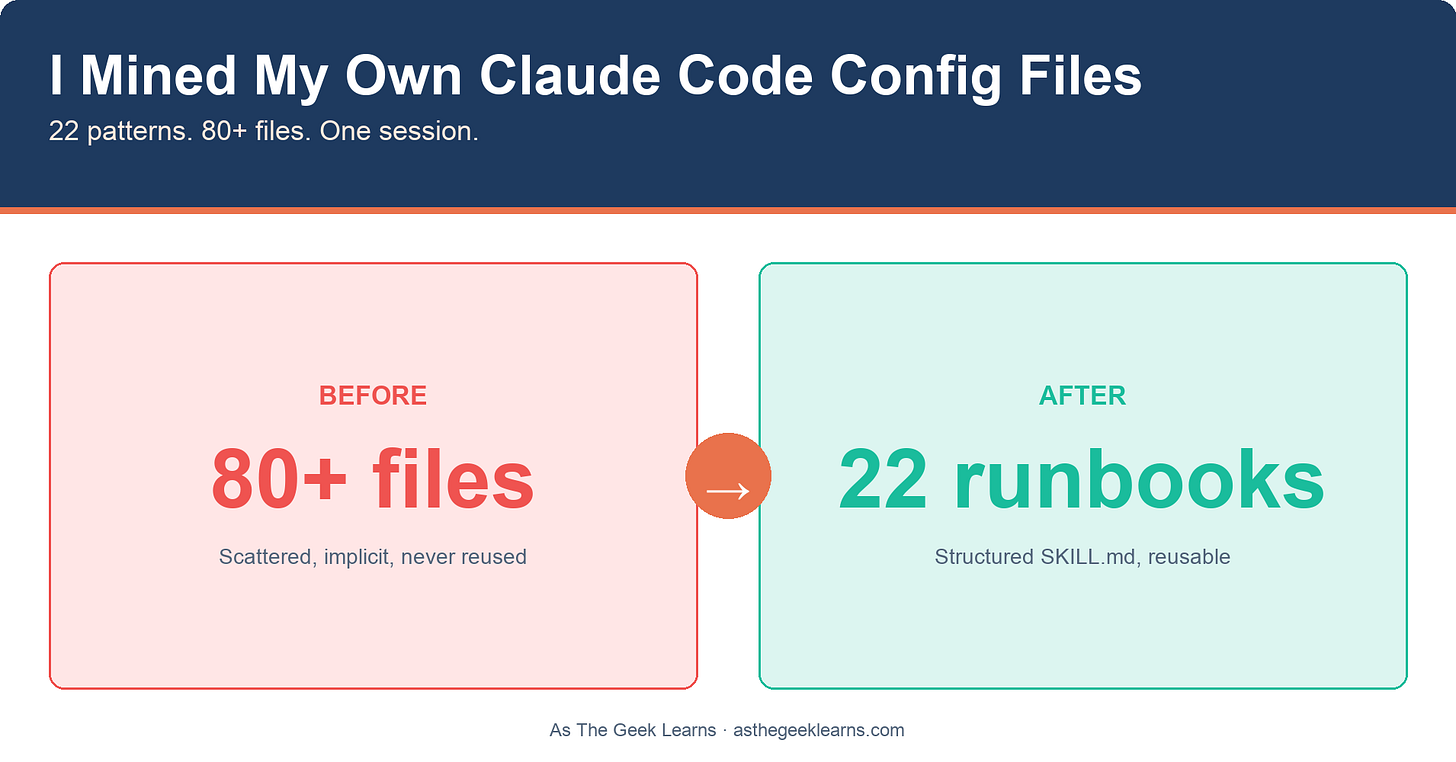
After months of using Claude Code, I had a confession to make: I had no idea what was in my own config files anymore.
A global CLAUDE.md. Ten project memory indices. A hundred individual memory files. Twenty-three project-level CLAUDE.md files. Eleven custom command files. Six rules files scattered across projects. Every one of them contained something I'd had to explain to Claude more than once. A workflow I repeated, a mistake that burned me, or a preference I'd had to correct. But none of it was organized. None of it was searchable. None of it was reusable in any deliberate way.
So I ran an experiment. I asked Claude to mine the entire thing.
The premise was simple: if I've been writing instructions to Claude for months, those instructions should contain patterns. The same workflows keep showing up. The same preferences get stated and restated. The same procedures get encoded in different files for different projects.
What if I treated my own config files as a dataset?
The goal: find every pattern that appeared in two or more source files, group them by domain, and generate a structured SKILL.md runbook for each one.
Source files to read:
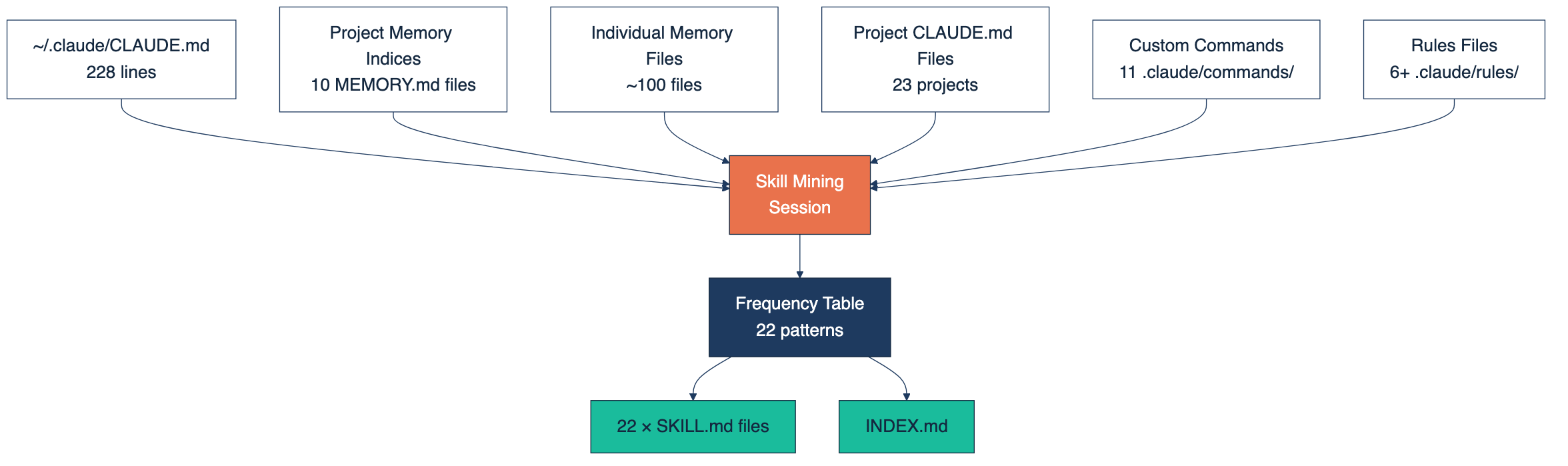
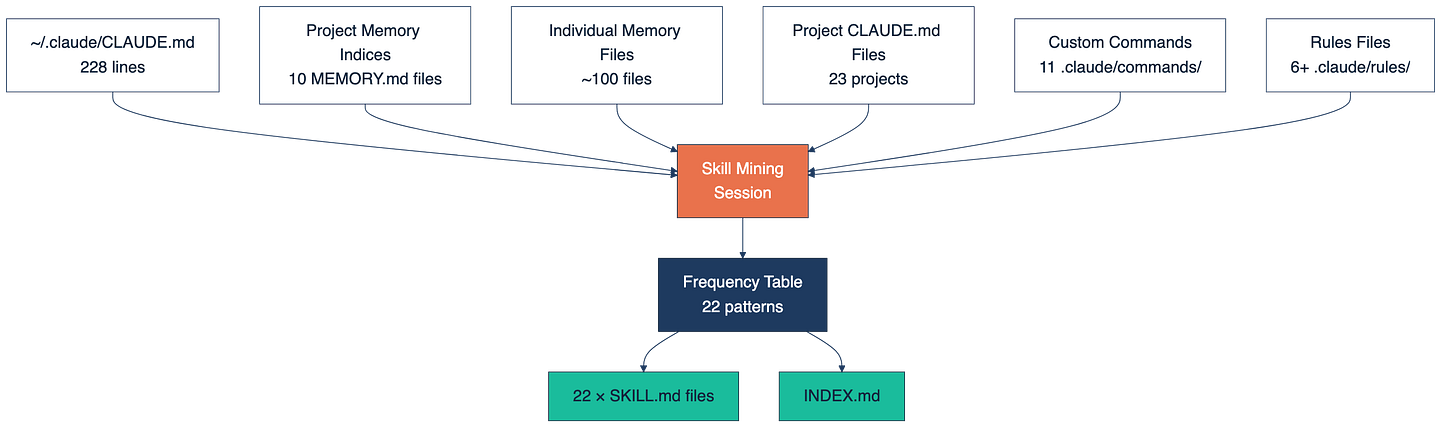
The 80+ source files, grouped by type.
- `~/.claude/CLAUDE.md` (228 lines of global instructions)
- All `MEMORY.md` index files across project memory directories
- All individual `memory/*.md` files (about 100 of them)
- All project `CLAUDE.md` files (23 across active projects)
- Custom commands in `.claude/commands/*.md`
- Rules files in `.claude/rules/*.md`
That's roughly 80+ files and several thousand lines of accumulated AI instructions.
Here's the thing about Claude Code config files that took me a while to internalize: they're not documentation. They're not notes to self. They're a pattern library in disguise.
Every `feedback_ _.md` memory entry represents a correction I had to make more than once. Every `project\__.md` entry encodes context that was load-bearing enough to write down. Every custom command I built was a workflow I ran often enough to automate.
The problem is that none of it is explicit. The patterns are implicit in the files. You wrote them under pressure, one at a time, solving immediate problems. You weren't thinking, **“This is the third time I've explained the auto-merge workflow."**You were just... explaining it again.
Skill mining makes the implicit explicit. It takes the accumulated knowledge in your config files and surfaces the signal: here are the things you keep doing, and here they are, written down properly so you can actually use them.
The mining session had four steps.
**Step 1: File discovery.** Find every source file using `find` and `wc -l`. List them. Count the lines. This alone is revealing—seeing 228 lines in your global CLAUDE.md and realizing you've written that many rules for yourself is a moment.
**Step 2: Read everything in parallel.** All MEMORY.md index files first, then the largest individual memory files, then project CLAUDE.md files, then custom commands and rules. Read them all, not to understand each one, but to see what keeps showing up.
**Step 3: Build the frequency table.** For each pattern identified, track what's the pattern, how many files mention it, and which files. The threshold is two occurrences. If a workflow or preference appears in two or more places, it deserves a dedicated runbook.
**Step 4: Write SKILL.md files.** One per pattern, grouped by domain, with a consistent structure: name, description, trigger conditions (when to use it), step-by-step instructions, and notes for edge cases.
**Twenty-two patterns** with two or more occurrences across the 80+ files. Here's the frequency table:
**The top tier**(6 occurrences each) had four patterns: the Ironclad Workflow (my 4-phase dev process: Plan-Execute-Verify-Ship), gstack skill routing, the ClaudeClaw agent architecture primitives, and the Cortex memory tagging system. These showed up in six different files each. They're the backbone of how I work.
**Below that:** conventional commits (5 files), the ASTGL publishing pipeline (5 files), auto-merge PRs (4), secrets management via pass-cli and Keychain (4), the Resist and Rise editorial workflow (4 command files defining a complete journalism process), and the ACA Council product pipeline (4).
**Then a cluster of patterns that appeared in three files each:** session logging convention, MCP server distribution strategy, LaunchAgent services for macOS background processes, knowledge base article creation, and subagent model selection.
**And a final tier at two occurrences:** the rule about replacing Markdown tables with `[GRAPHIC:]` callouts in Substack articles, the 1-to-15+ content repurposing workflow, embedding-based relevance scoring, the Crucible fiction writing system, two-phase fact-checking, idea pool submission, and the agent self-improvement methodology.
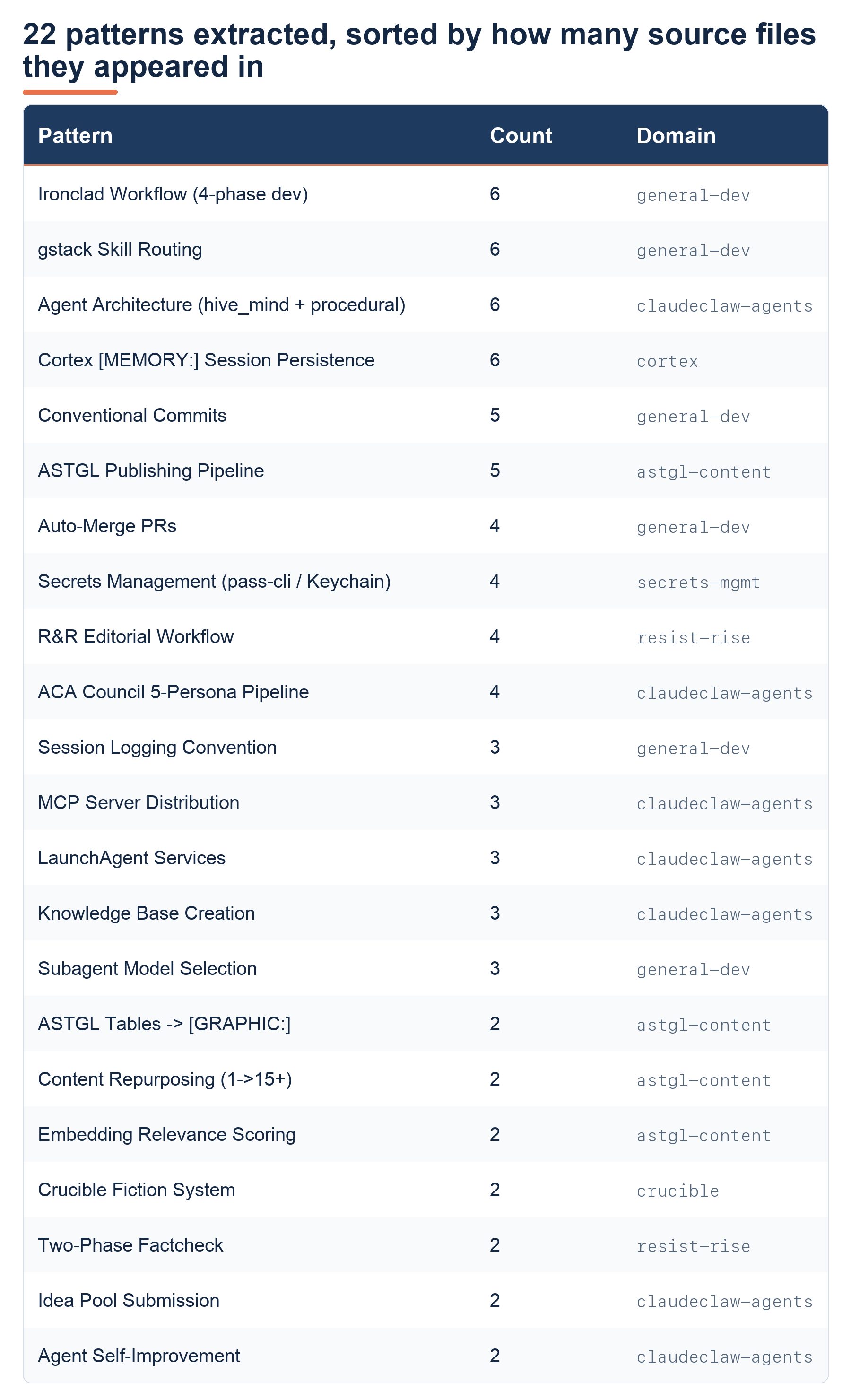
The 22 patterns extracted, sorted by how many source files they appeared in.
_**Twenty-two patterns. Twenty-two things I do repeatedly that I'd never looked at as a unified system**_
There are a few things that surprised me when I saw the results laid out.
**First, the coverage**. _**I had patterns across six distinct domains:**_ general dev workflow, ClaudeClaw agent configuration, ASTGL content, Resist and Rise journalism, secrets management, and fiction writing. I knew I worked across those areas, but seeing the patterns formalized across all of them in one place made the scope visible in a way it hadn't been before.
**Second, the consistency.** The Ironclad Workflow: ‘Plan-Execute-Verify-Ship’ showed up in six different project files. I never set out to teach it to six different projects. It crept in because it works, and I kept re-encoding it. That's the signature of a real pattern: it keeps appearing because you keep reaching for it, even when you're not thinking about it explicitly.
**Third, what was missing.** The domains I didn't find patterns in are equally informative. No PowerShell patterns. No VMware patterns. Those workflows exist, but they're not yet in my Claude Code config. That's a list of skills to mine next.
If you want to do this yourself, here's the structure:
**Source files to mine:**
- `~/.claude/CLAUDE.md` (global instructions)
- `~/.claude/projects/*/memory/MEMORY.md` (memory indices)
- `~/.claude/projects/_/memory/_.md` (individual memory files)
- All `CLAUDE.md` files in `~/Projects/*/`
- All `.claude/commands/*.md` files
- All `.claude/rules/*.md` files
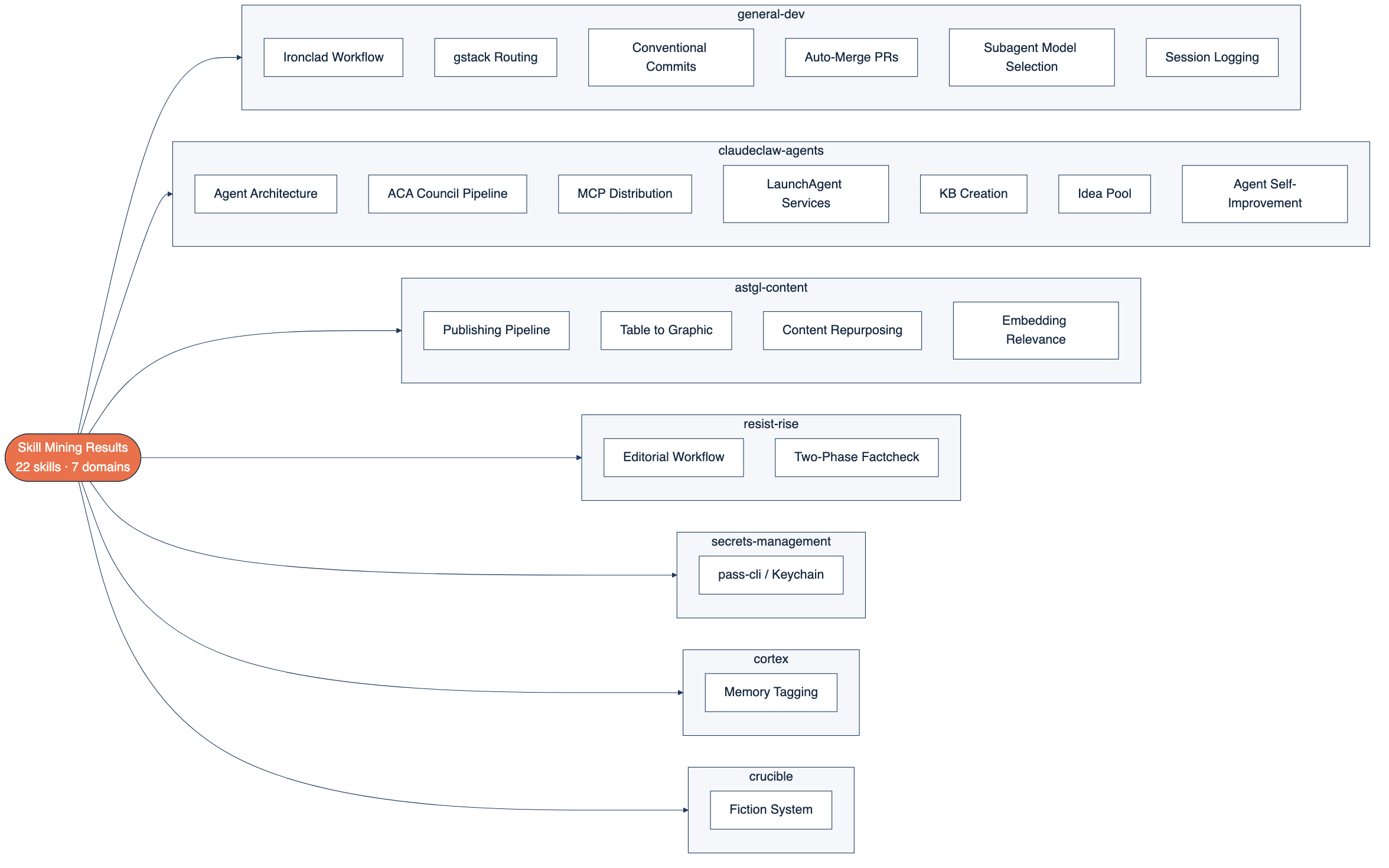
**Minimum frequency:** 2 occurrences to write a SKILL.md
**SKILL.md structure:**
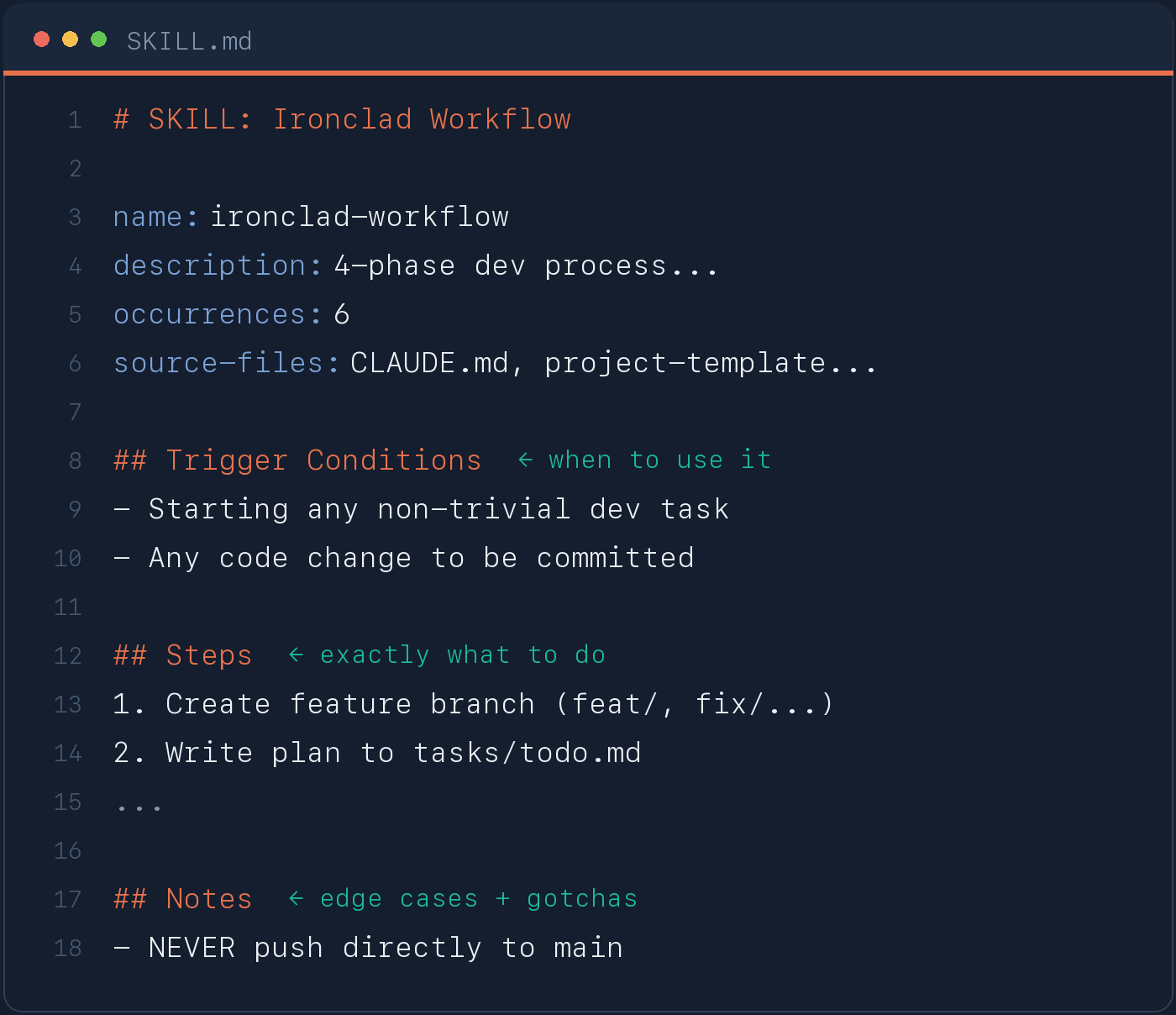
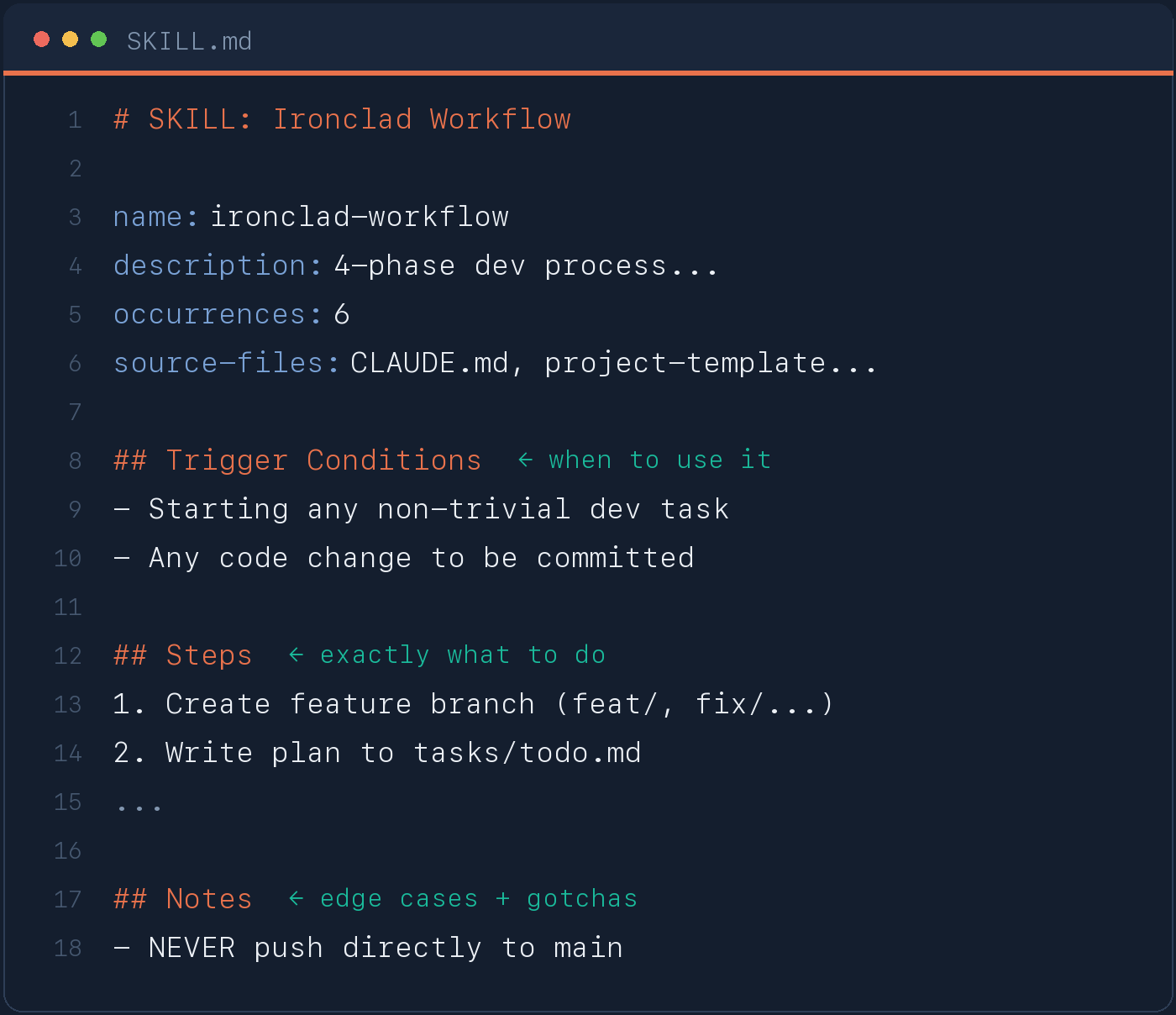
**Output location:** `~/skill-mining/mined/<domain>/<skill-name>/SKILL.md`
**The prompt:** Ask Claude to read all source files, build a frequency table (pattern name, occurrence count, source files), group by domain, and generate a SKILL.md for each pattern with 2+ occurrences. Generate an INDEX.md listing all skills with one-line descriptions and source evidence.
**The whole session takes less than an hour. The patterns were already there. You just needed to ask.**
_I write about partnering with AI to build real systems at As The Geek Learns. If you've been using Claude Code long enough to accumulate config files, you've already done the hard work. Mine them._
Skill mining is reading back your own accumulated Claude Code config—CLAUDE.md files, memory entries, custom commands, and rules—to find workflows you repeat, then writing each repeated pattern as a structured SKILL.md runbook. It makes implicit patterns explicit and reusable.
Two occurrences. If a workflow or preference shows up in two or more source files, it’s a real pattern worth a dedicated runbook. One-off instructions stay where they are.
Enough that you’ve lost track of what’s in them. In this run that was 80+ files—a 228-line global CLAUDE.md, ~100 memory files, 23 project CLAUDE.md files, 11 commands, and 6+ rules files—but the threshold is “I keep re-explaining things,” not a file count.
One file per pattern, grouped by domain—for example, `~/skill-mining/mined/<domain>/<skill-name>/SKILL.md`, plus an INDEX.md listing every skill with a one-line description and its source evidence.
The technique is config-agnostic—any AI tool where you accumulate written instructions has a mineable pattern library. This walkthrough uses Claude Code’s CLAUDE.md, memory, and command files specifically.
Under an hour. Discovery and reading are fast; the patterns are already written down. You’re surfacing them, not inventing them.