PHP2Shell, LiteLLM, GitLab: Find What You Need to Patch
Between October 16 and 23, 2026, PHP, Node.js, GitLab, LiteLLM, OpenCode and the eMudhra certificate authority all had serious security incidents. PHP, Node.js and GitLab shipped fixes on October 21, the same day the bad LiteLLM release went out. Every advisory ended with some version of upgrade, rebuild or rotate.
Doing the upgrade is the easy part. What takes time is working out, for your own accounts, where the affected thing runs, who owns it, and what it can reach. If you have an inventory you trust, that’s an afternoon. If you don’t, it’s a week of Slack threads, and this week didn’t give anyone a week. Amazon’s MadPot honeypots logged a PHP2Shell exploit attempt four days before the bugs were disclosed.
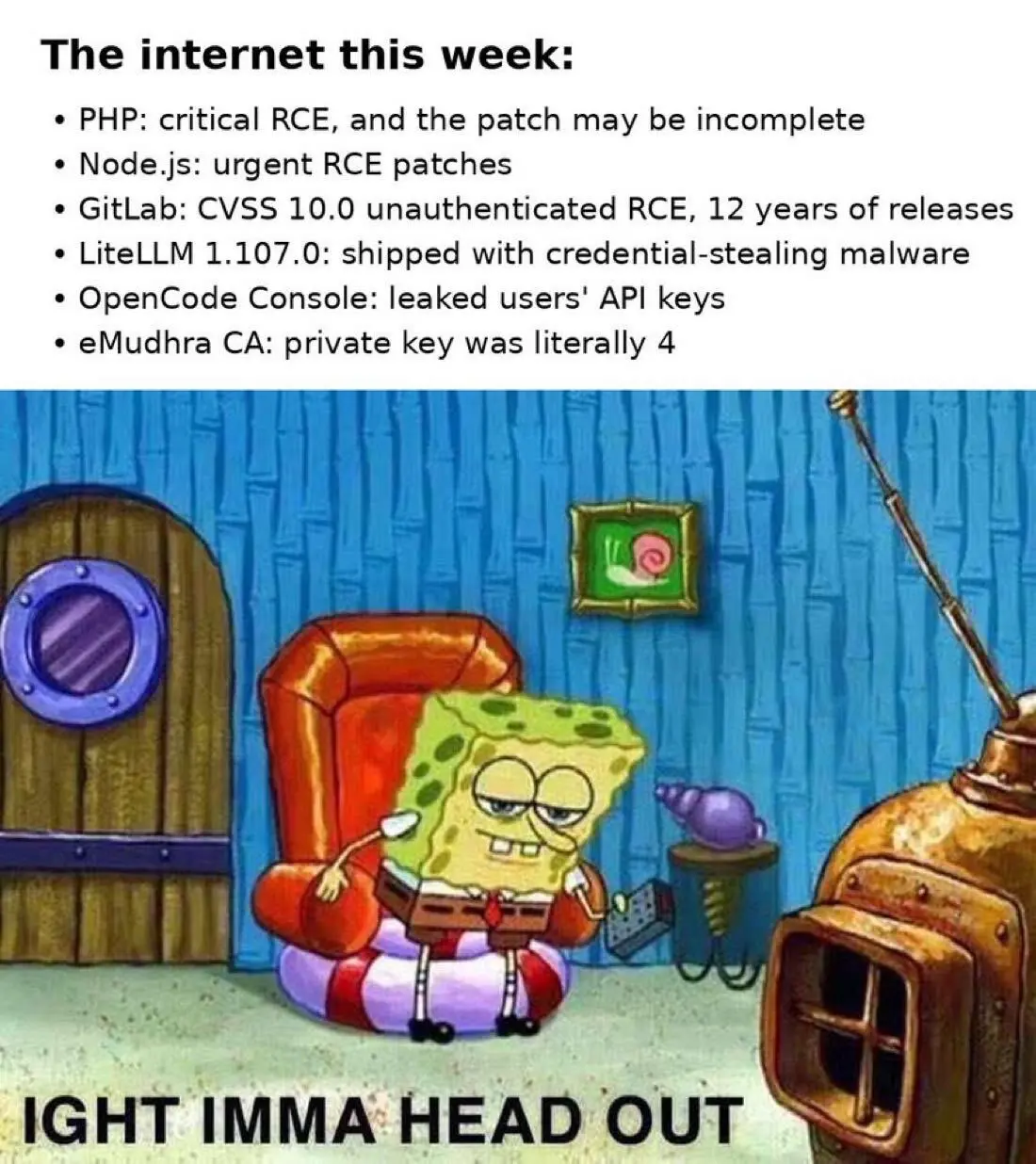
The internet this week. Tempting, but someone still has to find the servers.
The week’s incidents
| Incident | What happened | The fix | What you had to find out | | --- | --- | --- | --- |
| PHP2Shell (CVE-2026-109618, CVE-2026-109619) | Two pre-authentication remote code execution bugs in PHP, each rated 9.2. Exploit attempts came before disclosure. | PHP 8.5.12, 8.4.27, 8.3.36 or 8.2.35. The interim config workarounds don’t cover every variant, so upgrading is the only full fix. | Which instances, containers and App Service apps run PHP, and which are on 8.1 or older? |
| Node.js (CVE-2026-111497) | An out-of-bounds write in the bundled Brotli decoder that can lead to a crash, memory disclosure or remote code execution, plus nine other fixes. | 22.23.4, 24.22.1 or 26.12.1. End-of-life release lines get no fix. | Which Lambda functions, containers and VMs run Node.js, and which are on 20.x or older? |
| GitLab (CVE-2026-110264) | Unauthenticated remote code execution, rated CVSS 10.0, through an integer overflow in GitLab’s regular expression compiler. It reaches back to GitLab 7.0, released in 2014. | Patch releases on October 21. No workaround for self-managed instances. | Is there a self-managed GitLab nobody remembers, and can the internet reach it? |
| LiteLLM 1.107.0 (Microsoft’s analysis) | A malicious release on PyPI and in the official container images ran a credential stealer whenever Python started. | Rebuild from a verified version, then rotate every credential the environment could reach. | Where did it run, what identity did it run as, and what can that identity reach? |
| OpenCode Console (TechCrunch) | An intruder reached a legacy system, and AI provider keys that users had saved in the Console may have been exposed. Some users reported unauthorized charges. | Revoke and reissue the keys. | Where else is that key stored, and which workloads break when it’s revoked? |
| eMudhra (The Register) | Eight intermediate CA private keys were integers below 256. One was the number 4. | Browsers blocked the intermediates. | Do we hold certificates from this chain, and do our images still trust it? |
Nothing on that list is obscure. Two are runtimes that a large share of the web sits on, one is the source-control server plenty of companies still host themselves, and one is the AI gateway a lot of teams adopted in a hurry to route LLM traffic. If you run a reasonably sized estate on AWS or Azure, at least one of these was probably yours to deal with.
The exploit window keeps getting shorter
Mandiant tracks how long attackers take to exploit a vulnerability after disclosure. Its time-to-exploit analysis put the average at 63 days in 2018–2019, 44 days in 2020–2021 and 32 days in 2021–2022. In 2023 it was five days, and 70% of the exploited vulnerabilities Mandiant tracked that year were zero-days, exploited before a patch existed.
Drew Silcock’s post Is this the new cyber normal?, which reached the front page of Hacker News on October 23, argues that LLMs have compressed this further, so the gap between a bad RCE becoming public and automated attacks against it is now hours rather than weeks. PHP2Shell fits. The bugs were found with help from an AI model, patched binaries appeared before the advisory after an embargo dispute, and exploit attempts started before most people could install the fix.
Your exposure window is the time to find what’s affected plus the time to fix it. Most teams have spent years shrinking the second number with CI/CD, managed runtimes and automatic patching. The first number is still a spreadsheet, a Slack thread, and whoever remembers how the old GitLab box was set up.
This is why the frameworks put inventory first. The CIS Controls make inventory of enterprise assets and inventory of software Controls 1 and 2; vulnerability management doesn’t show up until Control 7. CISA’s BOD 23-01 requires US federal agencies to run automated asset discovery every seven days and vulnerability enumeration every 14. If you don’t know a server exists, you won’t patch it.
Working through an advisory with native tools
Here is how I’d answer each of those questions with what AWS and Azure give you out of the box, using this week’s incidents as examples. Every command below is read-only.
1. Where it runs
Start with Node.js. On Lambda, supported managed runtimes get runtime updates automatically by default, so most functions on a current Node.js runtime pick up the fix without a redeploy. Two groups don’t. Functions on the deprecated nodejs20.x runtime stopped getting security patches when Node.js 20 reached end of life in April 2026. Functions deployed as container images carry whatever Node.js was baked into the image. So what you actually need is the list of functions on an old runtime or packaged as an image:
```
Node.js and container-image Lambda functions in every enabled region
for region in $(aws ec2 describe-regions --query "Regions[].RegionName" --output text); do echo "== $region" aws lambda list-functions --region "$region" \ --query "Functions[?PackageType=='Image' || (Runtime && starts_with(Runtime, 'nodejs'))].[FunctionName, Runtime || PackageType]" \ --output text done ```
Image-based functions are in that output because the Lambda API can’t tell you what’s inside them. For those you need your image scanner, or a rebuild.
For PHP2Shell on Azure, App Service records each Linux app’s runtime stack, and Azure Resource Graph can search it across every subscription you can read:
``` az graph query -q " resources | where type =~ 'microsoft.web/sites' | mv-expand setting = properties.siteProperties.properties | where setting.name =~ 'LinuxFxVersion' and tostring(setting.value) startswith 'PHP' | project name, resourceGroup, subscriptionId, stack = tostring(setting.value) " --first 1000 -o table ```
Anything on PHP 8.1 or older gets no regular upstream fix, so put it at the top of the list.
VMs and containers are harder, because the cloud control plane doesn’t know what’s installed on them. That’s what AWS Systems Manager Inventory, Amazon Inspector and Microsoft Defender for Cloud are for, and each one only sees the machines it’s enabled on. That coverage gap is the one that hurts most, and I’ll come back to it.
2. Whether the internet can reach it
GitLab patched GitLab.com itself. Self-managed instances are on you, and short of upgrading there’s no workaround. The one that worries me is rarely the GitLab the platform team runs. It’s the one some team stood up in 2019, or the one that came along with an acquisition, still answering on 443.
Search by name and tag first, then look at exposure:
```
Instances that look like GitLab, with public IPs and security groups
aws ec2 describe-instances \ --filters "Name=tag:Name,Values=*gitlab*,*GitLab*" \ --query "Reservations[].Instances[].[InstanceId, State.Name, PublicIpAddress, join(',', SecurityGroups[].GroupId)]" \ --output text
Security groups with an inbound rule open to the whole internet
aws ec2 describe-security-groups \ --filters Name=ip-permission.cidr,Values=0.0.0.0/0 \ --query "SecurityGroups[].[GroupId, GroupName, VpcId]" \ --output text ```
In Azure, `az vm list -d --query "[?contains(name, 'gitlab')].{name:name, rg:resourceGroup, ips:publicIps}" -o table` gets you the same first pass.
Be careful with what this tells you. A name filter only finds servers someone named honestly, and an instance with no public IP can still be reachable through a public load balancer. Both make this hard to answer from the console in the middle of an incident. It’s much easier if you already have an inventory that holds the relationships.
3. Who owns it
Once you’ve found the server, somebody has to approve the downtime, and ideally that person knows how it was installed. Tags are the first place to look. If there aren’t any, CloudTrail can tell you who created the resource:
``` aws cloudtrail lookup-events \ --lookup-attributes AttributeKey=ResourceName,AttributeValue=i-0abc123example \ --query "Events[].[EventTime, EventName, Username]" \ --output table ```
Event history only goes back 90 days, and the same is true of the Azure Activity Log. For a server from 2019 you need your trail in S3 and an Athena query, which Who Created This AWS Resource? walks through. Even then the creator may have left. In one case we looked at, 89 idle Azure VMs came from an acquisition and nobody on the current team could say what they were for. Resources like that are exactly where an unpatched GitLab ends up living.
4. What it can reach
LiteLLM shows why a package finding is only the start. According to Microsoft’s analysis, the malicious release went after AWS, Azure and Google Cloud credential caches, Kubernetes service-account files, Docker configuration and mounted secrets. It also tried to pull credentials from the AWS and GCP metadata services, and on proxy hosts it read provider keys out of LiteLLM’s own database.
The bad package is what the scanner reports. What you actually have to respond to is the identity the host ran as. For every environment that installed 1.107.0, find the role it had and what that role is allowed to do:
```
The instance profile behind an EC2 instance
aws ec2 describe-instances --instance-ids i-0abc123example \ --query "Reservations[].Instances[].IamInstanceProfile.Arn" --output text
The role inside that profile, and the policies attached to it
aws iam get-instance-profile --instance-profile-name litellm-proxy \ --query "InstanceProfile.Roles[].RoleName" --output text aws iam list-attached-role-policies --role-name litellm-proxy-role aws iam list-role-policies --role-name litellm-proxy-role ```
On ECS the identity is the task role in the task definition. On EKS it’s the role mapped to the pod’s service account. Microsoft’s guidance is to investigate from a clean machine, rebuild from verified artifacts, rotate every reachable credential, and pin container images by digest instead of floating tags like `latest`. I’d underline the clean-machine part: their analysis says the payload runs when Python starts, so running pip inside a suspect environment to check for the package can trigger it.
5. Where else the secret or certificate lives
OpenCode told users to revoke and reissue the exposed keys. Revoking takes a click. Working out what breaks when you do is the real job, because AI provider keys end up in Secrets Manager or Key Vault, in Lambda and App Service settings, in CI variables and in developers’ `.env` files. On AWS, Secrets Manager at least records when each secret was last read and last rotated, and CloudTrail’s GetSecretValue events show which roles read it:
``` aws secretsmanager list-secrets \ --query "SecretList[].[Name, LastAccessedDate, LastRotatedDate]" \ --output table ```
eMudhra raises the same problem for certificates. With a private key that small, anyone could compute it and sign certificates that browsers would have trusted until the intermediates were blocked. Two checks are worth running. First, search the certificates you’ve imported for eMudhra or emSign issuers. ACM is regional, and certificates used by CloudFront live in us-east-1, so run this in every region you use, us-east-1 included:
``` for arn in $(aws acm list-certificates \ --includes keyTypes=RSA_2048,RSA_3072,RSA_4096,EC_prime256v1,EC_secp384r1,EC_secp521r1 \ --query "CertificateSummaryList[].CertificateArn" --output text); do aws acm describe-certificate --certificate-arn "$arn" \ --query "Certificate.[DomainName, Issuer, Type]" --output text done | grep -i -E "emudhra|emsign" ```
In Azure, Resource Graph covers App Service certificates across subscriptions:
``` az graph query -q " resources | where type =~ 'microsoft.web/certificates' | where tostring(properties.issuer) contains 'emSign' or tostring(properties.issuer) contains 'eMudhra' | project name, resourceGroup, subscriptionId, issuer = tostring(properties.issuer), expires = properties.expirationDate " -o table ```
Second, software with its own trust store keeps trusting a CA until that store is updated. Old AMIs, base images and runtimes that bundle their own CA list are where a blocked chain keeps working long after browsers have dropped it.
Where scanners and consoles stop
Amazon Inspector and Defender for Cloud are good at telling you whether a package version on a given machine is vulnerable. The AWS and Azure consoles are good at telling you what’s in one account in one region. Neither is what you need the morning an advisory lands.
The first problem is coverage. A scanner sees the accounts, subscriptions and machines it’s been enabled on, and the GitLab server from the acquisition is usually sitting in the account nobody onboarded. The second is ownership. Findings land in a shared queue where nobody has the authority to restart someone else’s server, so they sit there. A finding with no owner attached is just one more alert. The third is context. The scanner says the package is bad. It doesn’t say the host’s role can read every S3 bucket in the account, or that three other teams’ services call it. With LiteLLM, that context was most of the incident.
What fills those gaps is an inventory that stays current and records what exists, who owns it and how it connects to everything else. That’s the thing we’re building Cloud Sleuth to be.
What this looks like in Cloud Sleuth
Cloud Sleuth maps your AWS and Azure resources, assigns an owner to each one whether it’s tagged or not, and keeps both up to date. Here’s the GitLab question asked the way Cloud Sleuth is designed to answer it.
_Illustrative example - commands and output not final:_
``` $ sleuth ask "gitlab servers the internet can reach, and who owns them"
ec2 scm-legacy-01 account acquired-prod · eu-west-1 image GitLab CE 13.12 AMI, launched 2021-06-02 exposure internet → alb-scm (public) → target group scm-https → :443 owner team-devex confidence 88% created by role/terraform-ci (CloudTrail, 2021-06-02) managed by github.com/acme/legacy-infra (terraform state) role scm-legacy-instance → read on 4 S3 buckets, 2 secrets findings no owner tag · public ingress ```
That one result covers exposure, ownership and reach: the server, the path from the internet to it, the team to page along with the evidence for that answer, and what the server’s role can touch. Without it you’d be in four consoles and a CloudTrail search, and you’d be doing it again for every account, including the one from the acquisition.
Inventory search puts AWS and Azure resources in one schema you can query with SQL or plain English, so the region-by-region Lambda loop above becomes a single query across both clouds with owners already attached:
_Illustrative example - schema not final:_
``` select cloud, account, type, name, runtime, owner from resources where runtime in ('nodejs18.x', 'nodejs20.x') order by owner; ```
The cloud map draws network paths, load balancer targets, attachments and IAM relationships from your real accounts, which is how you see what sits in front of a forgotten server and what its role can reach before you start rotating. The ownership model infers owners from CloudTrail and the Azure Activity Log, IaC state, naming and account structure, and shows a confidence score and the evidence behind it. Guardrails flag unowned, untagged and orphaned resources, and in Cloud Sleuth Cloud findings can be routed to the owning team in Slack or Jira, with custom policies like “no function on a deprecated runtime” running continuously. There’s also a read-only MCP server, so you can ask an agent like Claude or Cursor “which of our functions run Node.js 20, and who owns them?” during an incident.
Given that this week included a vendor console leaking keys customers had stored in it and a popular package shipping a credential stealer, the trust model matters. The Cloud Sleuth CLI is read-only by default, installs nothing on your servers, and runs on your machine or in your VPC. If you want to try it, join the early-access list.
A one-hour drill
Pick one of this week’s advisories and time how long it takes your team to do the following. List every place Node.js and PHP run, including Lambda runtimes, App Service stacks, container images and VMs. Find every self-managed GitLab, and any other self-hosted developer tool, and check whether the internet can reach it. Put an owner’s name next to each one. For any environment that installed LiteLLM 1.107.0, list the roles it ran as and rotate everything those roles could reach. Write down where your AI provider keys are stored and which workloads use them. Search your certificates for eMudhra or emSign issuers.
If that took more than an hour, expect the next advisory to take about as long.
Frequently asked questions
Was my AWS Lambda function affected by the Node.js Brotli vulnerability?
Only code that decompresses Brotli data from untrusted sources with `node:zlib` is exposed. Lambda rolls out runtime updates to supported managed runtimes automatically by default, and the `INIT_START` line in a function’s logs shows the runtime version it’s running. Functions on the deprecated nodejs20.x runtime no longer get security patches, and container-image functions carry whatever Node.js version is in the image, so upgrade or rebuild those.
Is GitLab.com affected by CVE-2026-110264?
GitLab patches GitLab.com and GitLab Dedicated itself, and coverage of the release says both were already running fixed versions. Self-managed GitLab Community and Enterprise Edition instances need to upgrade to a patched release. There’s no workaround.
What should I do if an environment installed LiteLLM 1.107.0?
Treat it as compromised. Investigate from a clean machine, rebuild from a verified version, confirm that `cook.pth`, `cook.py` and `sitecustomize.py` are gone from the Python library path, and rotate every credential the environment could reach: cloud roles, CI/CD secrets, SSH keys and model provider keys. Microsoft’s analysis lists the indicators to search for.
How does Cloud Sleuth help when a new vulnerability is announced?
It answers the questions that decide how fast you can respond: which of your AWS and Azure resources are in scope, which ones the internet can reach, who owns each one, and what each one can reach. Owners come with the evidence behind them, so the fix goes to a team that can actually make it. The CLI runs read-only on your machine, and you can join the early-access list now.