Wolfpack — your agents. your machines. your tailnet.
PRIVATE CONTROL ROOM FOR CODING AGENTS
Wolfpack keeps long-running Claude Code, Codex, Gemini, and shell sessions within reach—from your laptop, your workstation, or your phone.
`$ curl -fsSL raw.githubusercontent.com/.../install.sh | bash`
wolfpack / sessions LIVE
!Image 1: Wolfpack session dashboard showing connected coding agent sessions
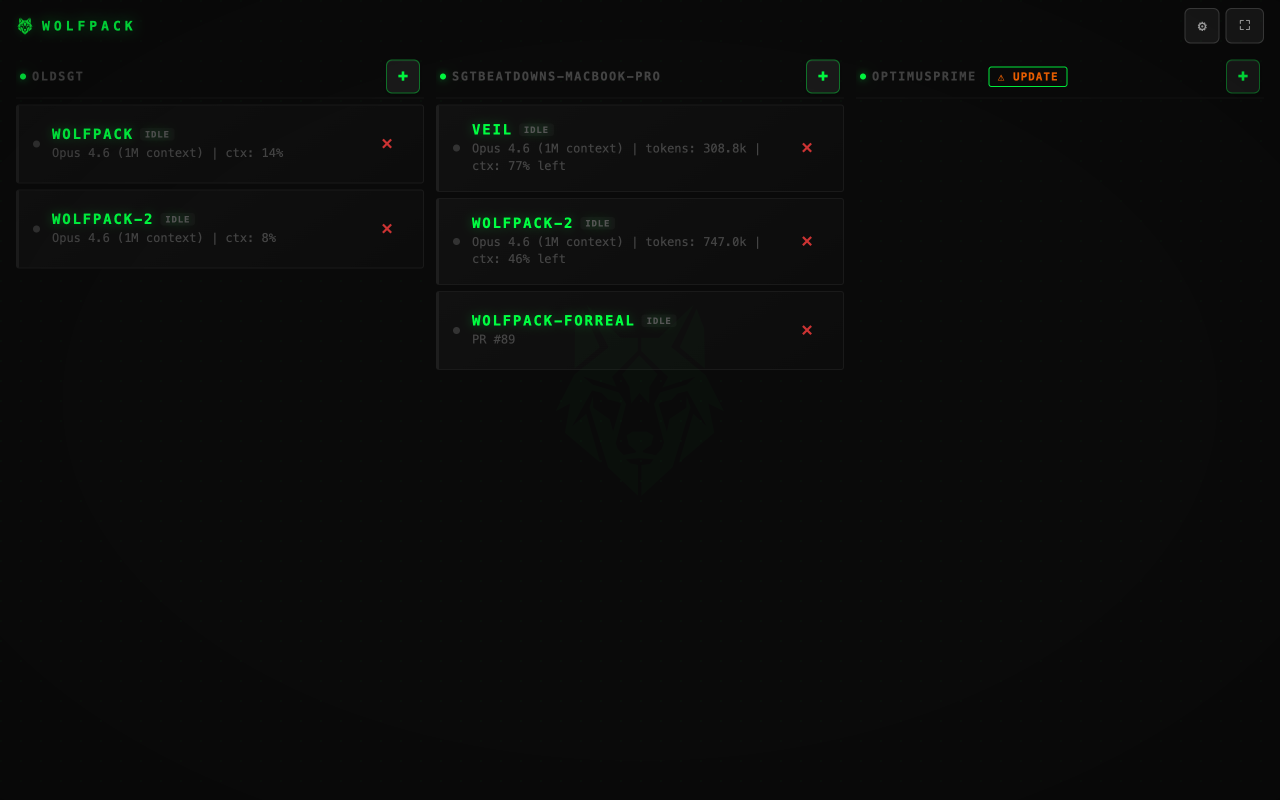
● tailnet connected **3 machines**
BUILT FOR THE MOMENT BETWEEN MACHINES NO ACCOUNT · NO HOSTED RELAY · MIT LICENSE
01 / THE WORKFLOW
Start here.
Finish anywhere.
Wolfpack is the missing control layer between your agents and the machines they run on.
01
⌘
Run it where the work is
Install beside your existing tools. Your projects, credentials, terminals, and agents stay on your machine.
02
↔
Connect over your tailnet
Tailscale gives your machines a private route. No Wolfpack account. No Wolfpack-hosted relay or prompt upload service.
03
◉
Take the session with you
Open the PWA from another machine or your phone. Read output, send input, and keep the loop moving.
your phone laptop workstation W
02 / YOUR INFRASTRUCTURE
Private by
construction.
Wolfpack is self-hosted software for machines you control. Remote access normally travels through your Tailscale network—not through us.
- **Direct connections**Use your tailnet as the trust boundary.
- **Persistent PTY sessions**Keep agents alive through tabs, drops, and context switches.
- **Auditable surface**Open source, local config, explicit service lifecycle.
03 / THE CONTROL ROOM
Less SSH juggling.
More momentum.
See every session, project, and machine at a glance. Jump into the terminal when the agent needs you.
!Image 2: Wolfpack terminal view with a persistent agent session
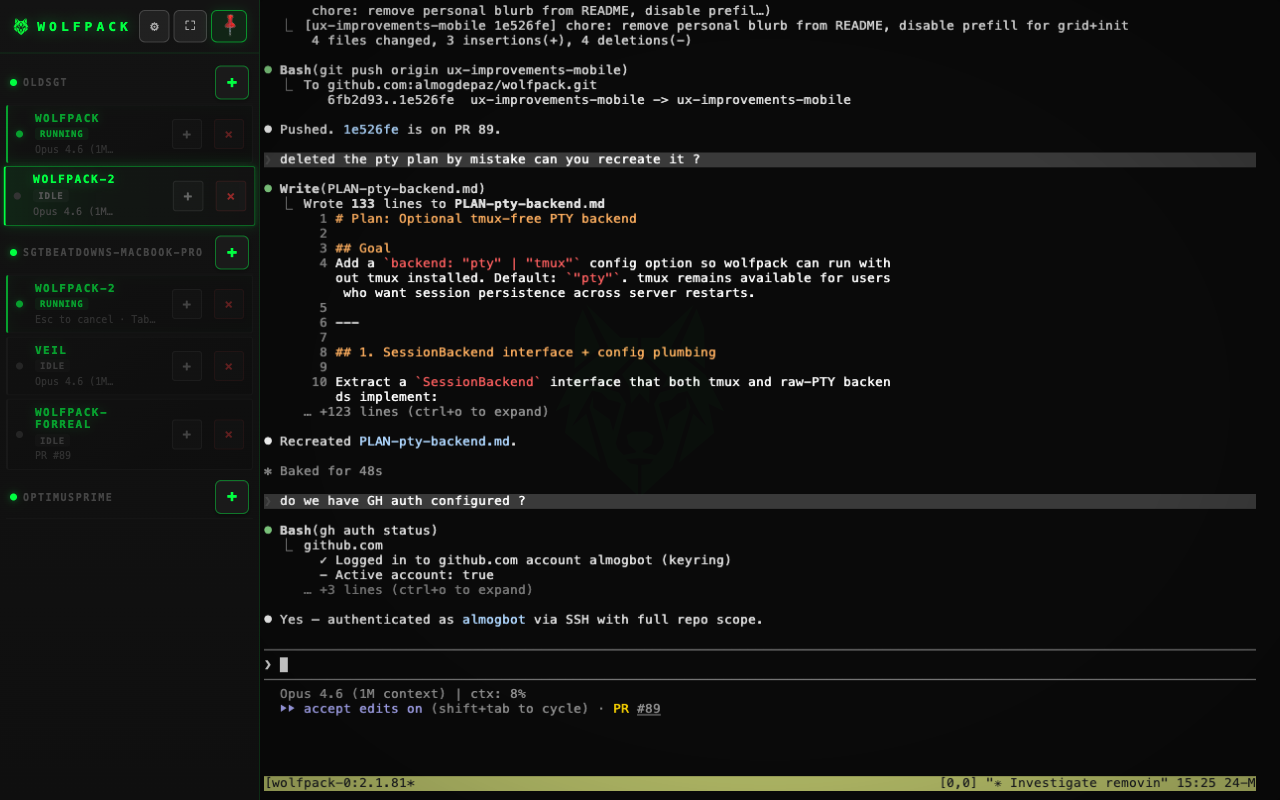
LIVE TERMINAL / MACHINE: DEV-01
READY FOR YOUR STACK
Bring the agents
you already use.
Claude Code Codex CLI Gemini CLI Shell Custom wrappers
THE FIRST REMOTE SESSION
Put the pack
_to work._
Install in minutes. Scan the QR code. Pick up the session from wherever the next thought happens.