GitHub - mskrasnov/FSM: FSM is a simple GUI program to get information about software and hardware of Linux PC


Ferrix System Monitor — Swiss Knife for Linux Hardware Diagnostics
[](https://github.com/mskrasnov/FSM#ferrix-system-monitor--swiss-knife-for-linux-hardware-diagnostics) **A modern program for getting information about computer hardware and installed software.**

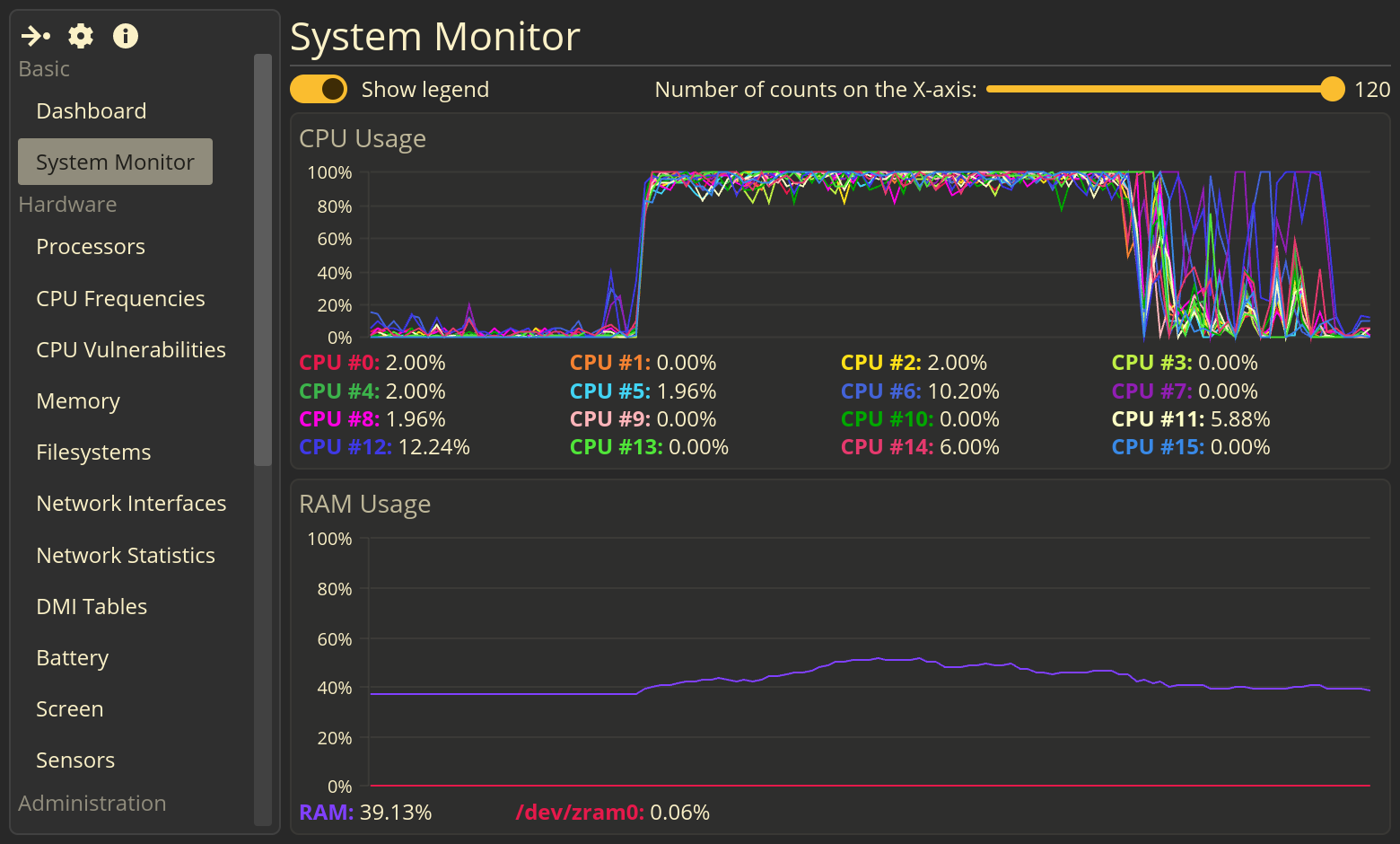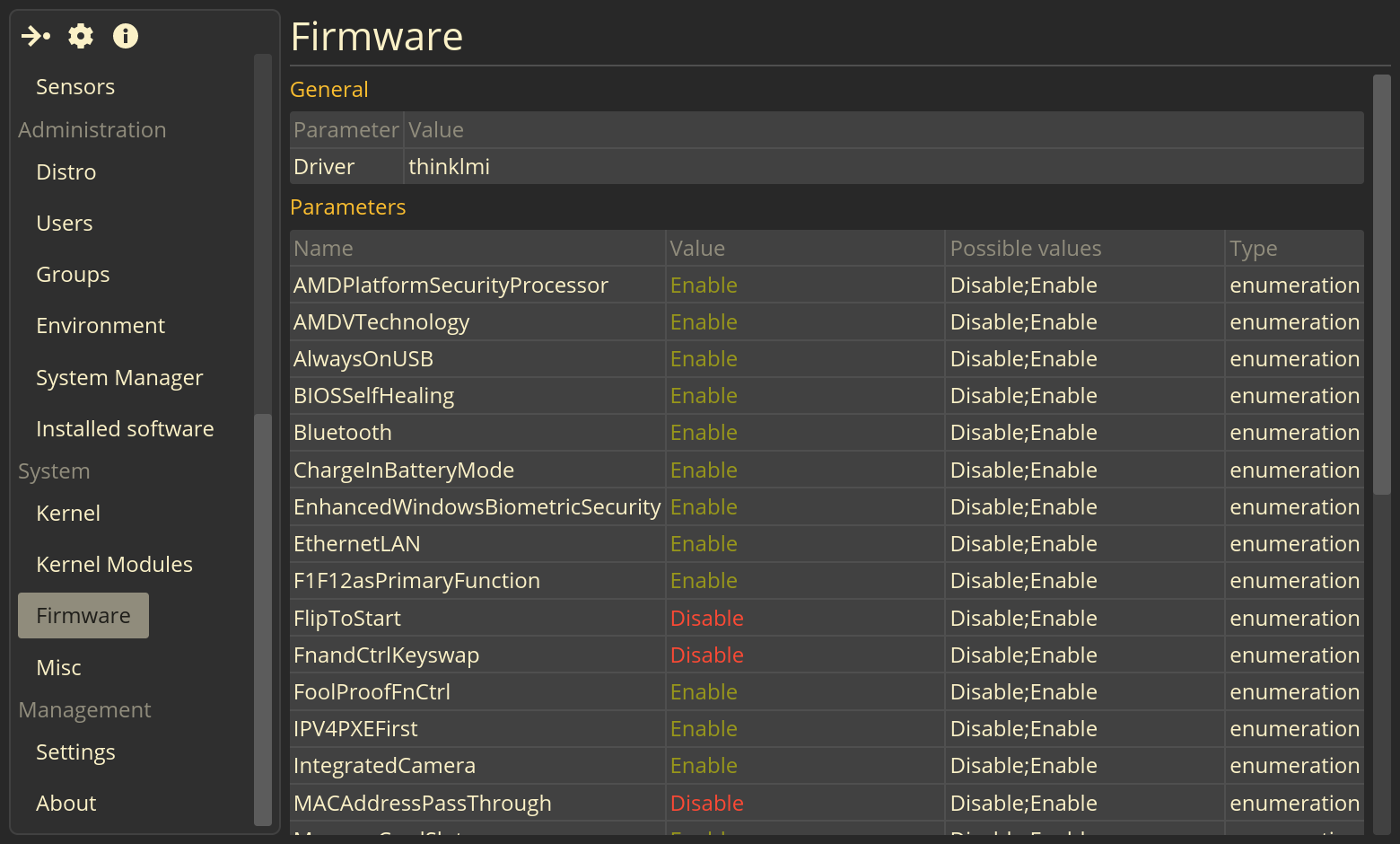Other screenshots
What is FSM?
[](https://github.com/mskrasnov/FSM#what-is-fsm) FSM is a modern system profiler. Is a program for obtaining information about computer hardware and software. It is designed to work in modern GNU/Linux systems.
Functions
[](https://github.com/mskrasnov/FSM#functions)
- Beautiful CPU and RAM utilization charts (System Monitor page);
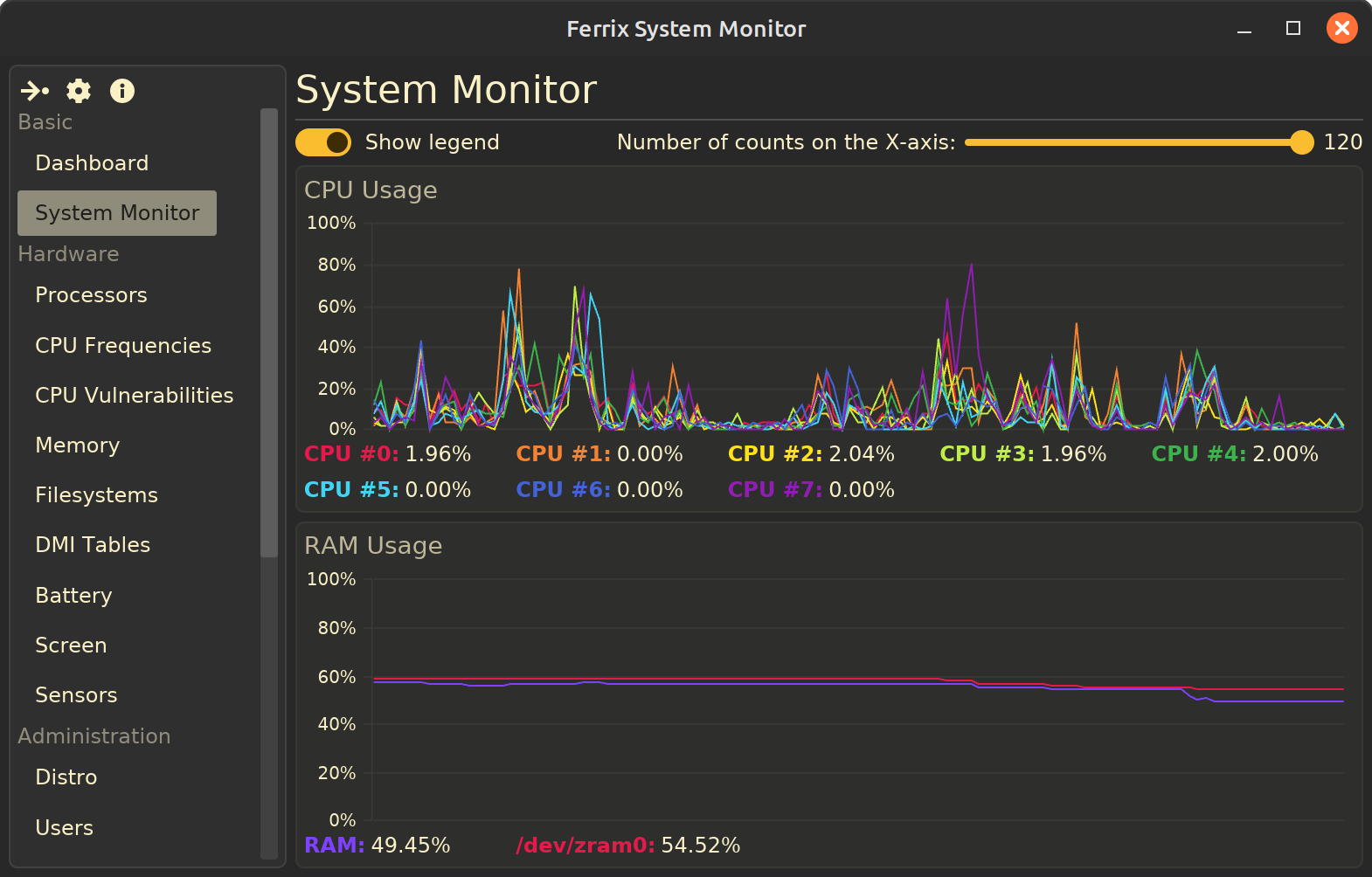
- Hardware:
- Information about installed CPUs: name(s), model(s), topology, frequencies, vulnerabilities;
- Filesystems: mount point and mount options, total and used size, file system type;
- Memory: total, free, used memory, cached memory, buffers, swap(s), etc.;
- Network interfaces list;
- Some data from the DMI tables (BIOS, System, Baseboard, Processors) - WIP;
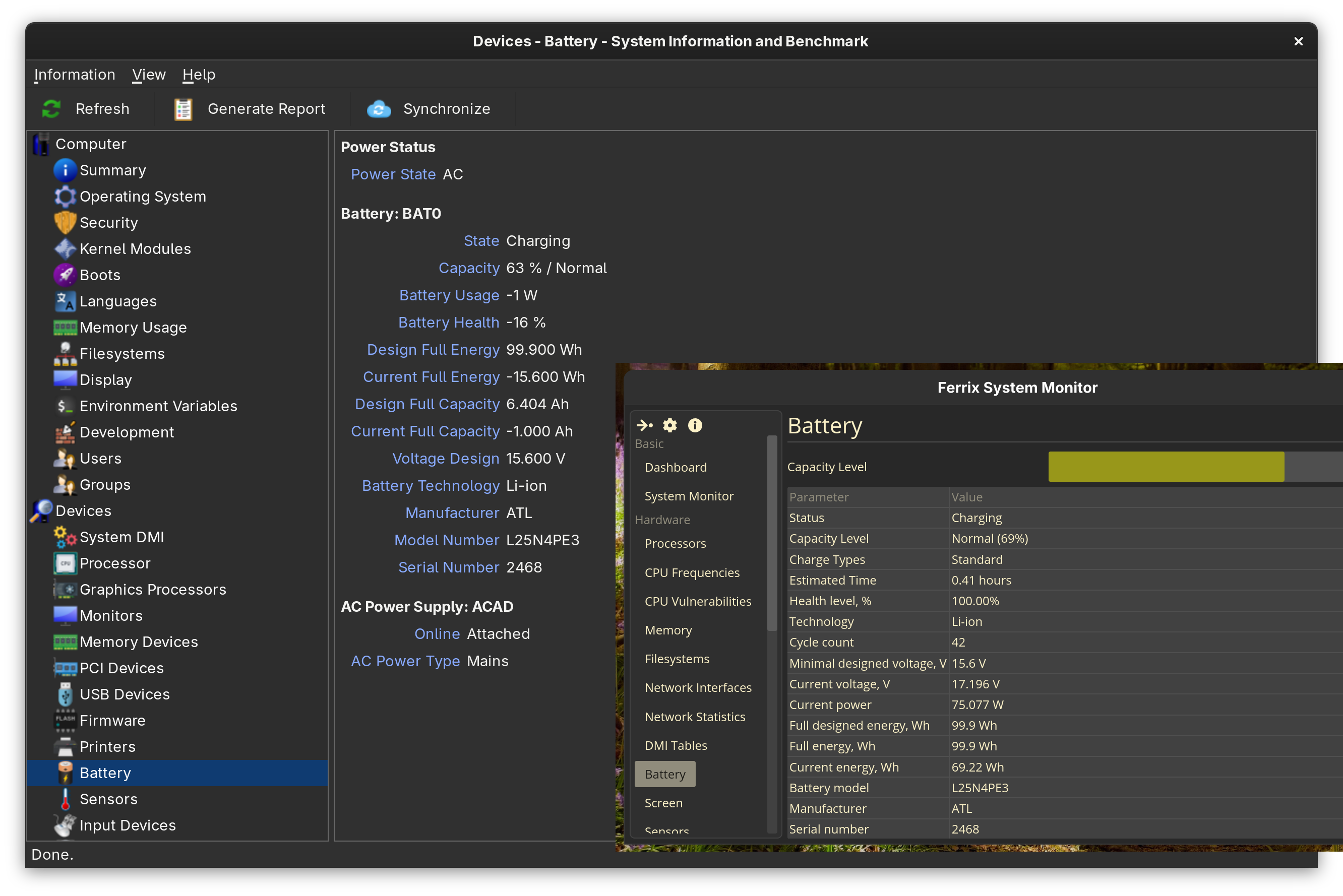
- Installed notebook battery(es) - status, capacity, battery health, technology, voltage, power, energy, battery manufacturer, battery model and serial number;
- Screens - supported modes and some data from EDID;
- Software:
- Information about installed GNU/Linux system: name, version, maintainer/developer, homepage URL, etc.;
- Users and groups list;
- Environment variables list;
- `systemd` services list;
- Installed software list (only `deb` and `rpm` packages is displayed yet);
- Linux kernel information;
- Kernel modules list;
- Desktop environment name;
- UEFI Settings (tested on Lenovo ThinkBook);
**TODO:**
- More information about environment (name and version of DE, WM, DM);
- Information about media: name of video- and soundcard, information about Pulseaudio/PipeWire and Xorg/Wayland;
- I/O utilization charts;
- Process monitor;
- More information about network;
- Sensors information;
Difference from analogues
[](https://github.com/mskrasnov/FSM#difference-from-analogues) | Criteria | Ferrix System Monitor | Hardinfo2 | Stacer/Nexis | | --- | --- | --- | --- | | Programming language | Rust | C | C++ | | Program type | System profiler | System profiler & hardware benchmark | System optimizer and monitor | | GUI | `iced` | GTK3 | Qt5/Qt6 | | License | GNU GPLv3 | GNU GPLv3 | GNU GPLv3 |
| Key features | * **Deep system analisys:** systemd services, installed packages, DMI, EDID, etc.; * Beautiful CPU and RAM utilization charts; * Simple and clean UI; | * **Hardware benchmarks:** CPU, GPU, disks, memory; * Hardware ratings; * Export data to HTML/plain text; | * System cleaner (caches, logs, packages); * Real-time resource monitoring; * systemd-services management; | | Data accuracy | 🟢️ | ⚪️ (incorrect battery information) | ⚪️ (stacer is outdated software) |
| Target audience | Advanced users who need detailed information about software and hardware | Enthusiasts and overlockers interested in benchmarks and system comparisons | Beginners and regular users who want a simple tool for configuring and cleaning up their system | | Processor topology | 🟢️ | 🟢️ | 🔴️ | | Processor frequencies | 🟢️ | ⚪️ | ? | | Processor vulnerabilities | 🟢️ | 🟢️ | 🔴️ | | Real-time monitoring | 🟢️ | ⚪️ | 🟢️ | | Hardware info panel | 🟢️ | 🟢️ | 🟢️ | | Battery health | 🟢️ | 🔴️ | 🟢️ | | systemd services list | 🟢️ | 🔴️ | 🟢️ | | DMI Tables | ⚪️ (more data than Hardinfo) | ⚪️ (less data than FSM) | 🔴️ | | UEFI Settings | 🟢️ | 🔴️ | 🔴️ | | Official AppImage builds | 🟢️ | 🔴️ | 🟢️ |
- 🟢️ - yes;
- 🔴️ - no;
- ⚪️ - partial;
Build & Install
[](https://github.com/mskrasnov/FSM#build--install)

git clone https://github.com/mskrasnov/Ferrix cd Ferrix
make build
If you use Debian, perform:
make deb
And install `deb`-package:
sudo dpkg -i ./target/${TARGET_ARCH}/debian/ferrix-app_${VERSION}-${BUILD_NUM}_${ARCH}.deb
If you use other Linux system, perform:
make run # to run Ferrix...
... or
make install # to install Ferrix.
Perform:
make uninstall # to uninstall Ferrix from your system.
Running in WSL
[](https://github.com/mskrasnov/FSM#running-in-wsl)
export XDG_SESSION_TYPE=xorg export DISPLAY=':0' export WAYLAND_DISPLAY= ferrix-app
Cross compilation (Debian 12 x86_64 glibc -> i686/AArch64 glibc)
[](https://github.com/mskrasnov/FSM#cross-compilation-debian-12-x86_64-glibc---i686aarch64-glibc) Install the cross-compilator:
sudo dpkg --add-architecture {arm64/i686} sudo apt update
For AArch64:
sudo apt install gcc-aarch64-linux-gnu binutils-aarch64-linux-gnu libc6-dev-arm64-cross rustup target add aarch64-unknown-linux-gnu
For i686:
sudo apt install gcc-12-i686-linux-gnu binutils-i686-linux-gnu rustup target add i686-unknown-linux-gnu
Build Ferrix:
cargo build [--release] --target={i686/aarch64}-unknown-linux-gnu
or:
make TARGET={i686/aarch64}-unknown-linux-gnu build
Docker build
[](https://github.com/mskrasnov/FSM#docker-build) Prepare for `*.deb` or `*.AppImage`:
docker build -t fsm-builder .
Build `*.deb` packages for `amd64`, `i686` and `aarch64` targets:
docker run --rm \ -v "${PWD}:/workspace" \ fsm-builder \ packaging/debian/build.sh
Build `*.AppImage` package (only for `amd64` target):
docker run --rm \ -v "${PWD}:/workspace" \ fsm-builder \ packaging/debian/appimage.sh
Prepare for `*.rpm`:
docker build -t fsm-rpm -f packaging/fedora/Dockerfile
Build `*.rpm` package (only for `amd64` target):
docker build -t fsm-rpm -f ./packaging/fedora/Dockerfile docker run -- rm \ -v "${PWD}:/workspace" \ fsm-rpm \ packaging/fedora/build.sh
Technology stack
[](https://github.com/mskrasnov/FSM#technology-stack)
- **OS:** Linux with `glibc`, `dbus` and `systemd`;
- **Programming language:** Rust 1.88+ (2024 edition);
- **GUI:**`iced`;
- **Hardware:** modern PC or laptop;
❤️ Support Ferrix System Monitor
[](https://github.com/mskrasnov/FSM#%EF%B8%8F-support-ferrix-system-monitor) Developing Ferrix System Monitor takes time and passion. If you find it useful, please consider supporting its development:
- **Star ⭐ this repo!** It helps others discover FSM;
- **Write comments, questions, bug reports, or suggestions** for new functionality in issues.
- If you are from Russia, **send me a donation 💰** in Boosty. This will help me keep my enthusiasm alive, as well as pay my internet bills so that I can continue working on FSM.
- **Spread the world!** Tell friends, post on forums.
License
[](https://github.com/mskrasnov/FSM#license) Ferrix System Monitor is free and open-source software distributed under the **GNU General Public License v3.0**. See LICENSE file for details.