IKANDY: see your music.
LIVE RENDER, NOT A VIDEO· CONTAINS MOVING, PULSING VISUALS
AUDIO-REACTIVE VISUALIZER FOR WINDOWS
See your music
IKANDY listens to whatever your PC is playing and paints it across your screen, live. A deep library of MilkDrop presets and hand-built scenes, an AI that writes new ones, and outputs that run from your desktop wallpaper to a full VJ rig. This page is running the engine's little cousin right now. Grab a knob.
It really grabs you by the **i BALLS.**
Scene
Trim
React 50
Glow 50
Speed 50
Hue 0°
Display
Sound
Vol 80
**U1** THE ACTUAL APP
Built to disappear into the show.
These are current captures from IKANDY itself: the full-screen visualizer, the visual library, and the Stage performance console. No concept art and no simulated interface.
!Image 1: IKANDY full-screen visualizer rendering a blue and violet Aurora scene
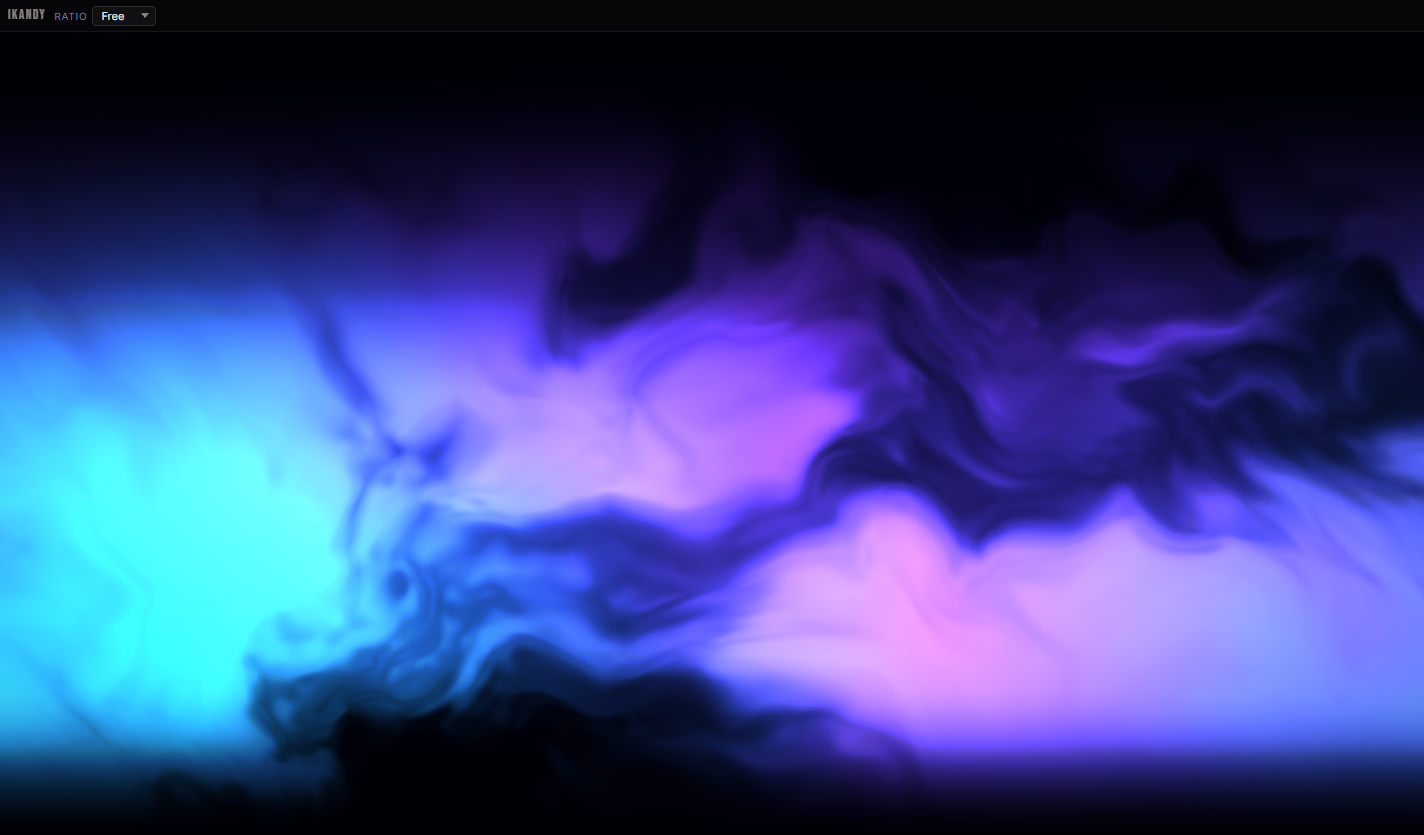
**Full-screen visualizer**The interface gets out of the way while the HDR scene fills the display.
!Image 2: IKANDY visual library showing scene categories, filters, and visual cards
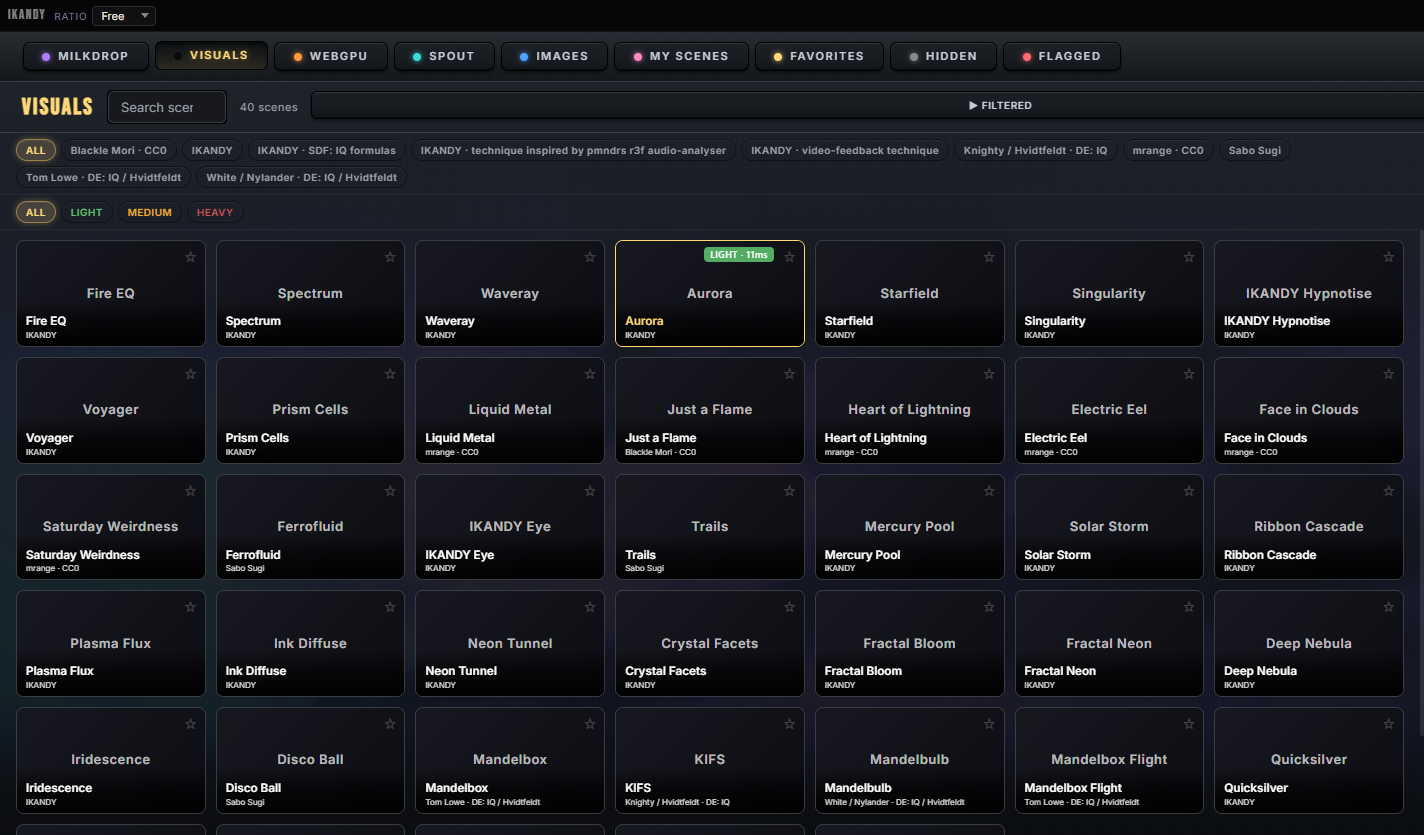
**Visual library**Browse MilkDrop, GLSL, WebGPU, Spout, images, favorites, and your own scenes in one place.
!Image 3: IKANDY Stage console showing Now and Next decks, outputs, hot cues, and live effects
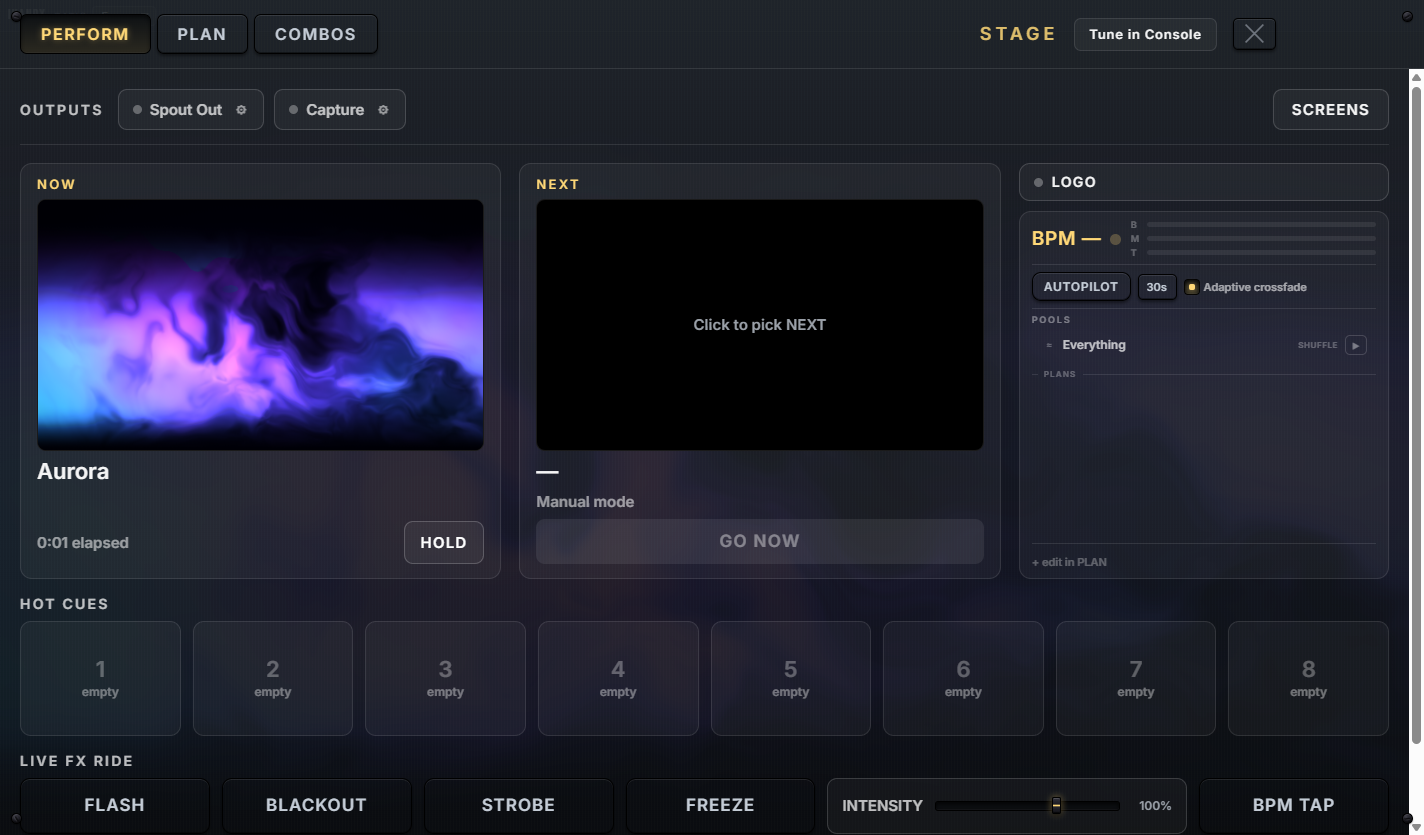
**Stage console**Prepare the next look, crossfade, hit cues, route outputs, and keep performing from one surface.
Captured from the July 2026 desktop build.
**U2** SIGNAL PATH
An instrument, not a screensaver.
IKANDY is built like the gear it sits next to: an audio engine that can focus on the source you choose (one app, the whole mix, or a line-in), a render pipeline with an HDR post chain, and outputs that connect to the rest of your rig. Core visual playback runs locally on your GPU. Optional online features, including provider-based AI and metadata services, require an internet connection.
And when you do want wallpaper, it's a music-reactive wallpaper mode built into the same visual pipeline. Supported presets can run as your Windows desktop, moving with your music behind your icons while you work. One library of presets, wherever you point it: your desktop, a second monitor, an OBS overlay, a projector wall, or a stage.
**U3** WHO IT'S FOR
One app. Three rooms.
CH 1
Listeners
Open it on a second monitor, start a supported audio source such as Spotify, MusicBee, YouTube, foobar2000, or VLC, and walk away. IKANDY auto-cycles through hundreds of scenes, scrolls synced lyrics, and reacts to your music, not your Discord pings.
CH 2
DJs & VJs
A node in the rig, not a walled garden. Send Spout output to compatible receivers such as Resolume or OBS, or bring a Spout feed in for live effects. Per-app audio capture can focus on a booth signal, and line-in, audio interfaces, and virtual cables can use the same engine. MIDI, OSC, and a console built to be performed.
CH 3
Shader artists
Import compatible GLSL or WGSL fragments with audio uniforms and mouse input, then shape the result with the HDR post chain. Your work can run fullscreen with the credit you choose.
Read the larger idea behind IKANDY →
**U4** ENGINE SPEC
The sheet.
Included presets a deep library across the included engines
Built-in scenes hand-built scene library
Render engines GLSL · WebGPU compute · MilkDrop
Post chain multi-pass HDR, bloom to grain
Audio capture per-app WASAPI, true 7.1 downmix
Line-in / interfaces mixer-direct capture, tempo from signal
Spout in + out, live effect scenes
Shader import compatible GLSL and WGSL scenes
AI generation bring your own key, _at cost_
Control MIDI · OSC · gamepad flight
Ableton Link tempo & beat sync with Link-enabled apps
Displays multi-monitor span + desktop wallpaper
Lyrics synced, drawn on screen
Core playback runs locally; optional online features need internet
**U5** PRICING
Buy once. No subscription.
IK-0
Base
Watch and listen.
$0
IK-1
Pro
Create and stream.
$7.99
IK-2
Studio
The full VJ rig.
$39.59
Coming soon · 14-day deal at release · $59.99 after
**No subscription.** AI generation is bring-your-own-key: provider charges and availability vary, and IKANDY does not sell separate AI credits.
**U6** FOOTAGE
Nineteen seconds, in motion.
Player not loading? Open on YouTube
**U7** BEFORE YOU PATCH IN
The useful answers.
**What it needs:** Windows 10 or 11 (64-bit), Steam, 8 GB RAM, 2 GB of free storage, an audio output device, and a DirectX 12 GPU with WebGPU support (NVIDIA GTX 900 series, AMD RX 400 series, or Intel UHD 600 and newer). Core visual playback runs locally. Internet access is used for installation, updates, and optional online features.
Does it require Spotify?
No. IKANDY can react to system audio, a chosen app, line-in, an audio interface, or a virtual cable. Spotify works like any other media app: IKANDY reads its track info through Windows media controls, with no account connection and nothing to set up.
Will Discord trigger the visuals? Only if you choose the whole system mix. Per-app capture can listen to one selected music app while ignoring Discord, notification sounds, and everything else.
Is the AI a subscription? No. AI scene generation is optional and bring-your-own-key. You pay the supported provider directly at its published rates; IKANDY sells no AI credits.
What is the difference between Pro and Studio?
Pro adds creation, wallpaper on any of your monitors, Steam Workshop publishing and subscriptions, a second-screen output window, and OBS output. Studio adds multi-monitor span, simultaneous mirrors across displays, live capture, higher-performance Spout output, MIDI and OSC, and the performance console.
Can it run as wallpaper? Yes. Supported visuals can run behind your Windows desktop icons using the same visual pipeline as the full-screen app.
Does it upload my music? No. Core playback and audio analysis run locally. Optional metadata, AI, updates, and enabled diagnostics use online services as described in the privacy policy.