Segmenting Robot Video into Actionable Subtasks
- We introduce WGO‑Bench, a new benchmark for testing robotics subtask annotation performance across **100** egocentric and robot-video episodes with **743** annotated segments spanning **62** unique high-level task instructions.
- We ran over **60** experiments to find the best subtask annotation pipeline: the best subtask segmentation method reaches **0.306 F1**, subtask labeling reaches **61.0% accuracy**, and the best end-to-end pipeline reaches **0.168 F1**.
- Gemini models are undisputed best for this task, with the best model (**Gemini 3.5 Flash**) outperforming the best non-Gemini model (GPT-5.5) by **24.5%**.
- Our best end-to-end method uses contact sheets to keep inference cheap, costing **$2.64 per hour of video** (batch pricing), or roughly **19x less than human annotation**.
- The full pipeline is open source and implemented in Refiner; see the ready-to-use subtask annotation example to run it on your own videos.
Imagine walking into a kitchen you have never seen before with an instruction: "Make me goulash." If you have never cooked it, you will need to learn it. To do so, you need more than the final instruction; you need the steps, the objects, and where to find them: open the left-most shelf, take out the cutting board, place it on the counter, pick up an onion, peel it, put it on the board, chop it, and so on.
Robot learning has a similar problem. To teach robots new long-horizon tasks, we need more than weak high-level instructions. For a robotics demonstration video, the useful signal is which subtask is happening at each moment, and where one subtask ends and the next begins.
Subtasks are becoming a central learning signal in recent robotics work. Zawalski et al. (2025)Michał Zawalski, William Chen, Karl Pertsch, Oier Mees, Chelsea Finn, Sergey Levine. (2025). **Robotic Control via Embodied Chain-of-Thought Reasoning.**https://arxiv.org/abs/2407.08693 uses subtasks together with chain-of-thought reasoning between plans and actions. The recent π series (Physical Intelligence et al., 2025Physical Intelligence, Kevin Black, Noah Brown, James Darpinian, Karan Dhabalia, Danny Driess, et al. (2025). **$\pi_0.5$: a Vision-Language-Action Model with Open-World Generalization.**https://arxiv.org/abs/2504.16054) and RT‑H (Belkhale et al., 2024Suneel Belkhale, Tianli Ding, Ted Xiao, Pierre Sermanet, Quon Vuong, Jonathan Tompson, et al. (2024). **RT-H: Action Hierarchies Using Language.**https://arxiv.org/abs/2403.01823) use semantic subtask prediction alongside low-level action learning, with both showing substantial gains from this extra supervision. Subtasks are also useful beyond direct policy training: SARM (Kim et al., 2025Changyeon Kim, Minho Heo, Doohyun Lee, Jinwoo Shin, Honglak Lee, Joseph J. Lim, et al. (2025). **Subtask-Aware Visual Reward Learning from Segmented Demonstrations.**https://arxiv.org/abs/2502.20630) uses them for reward modeling.
In π0.5, the VLA first predicts a semantic subtask from the observation and overall prompt, then predicts a low-level action chunk conditioned on that subtask through the flow-matching action expert.
As robotics data collection continues to scale, we need annotation pipelines that can keep up. Paying human annotators to watch every hour of video quickly stops being feasible. Despite the promising results, there is little public material on how to mine subtask annotations at scale. The closest public writeup we found is Scale's dense video captioning post (Choghari et al., 2026Choghari, Jade, Sansone, Agustin, Pasqualis, Nicolas, Mader, Conrado, Tiupikov, Aleks, Sivapurapu, Mouli. (2026). **The Path to Large Scale Dense Video Captioning.**https://labs.scale.com/blog/path-to-large-scale-dense-video-captioning), but it focuses on hand/egocentric manipulation videos only and starts from already separated clips. For robotics, that skips two harder problems: taking a raw episode and deciding where one subtask ends and the next begins, and testing whether the same methods transfer from egocentric video to robot-camera settings. To fill this gap, we created a scalable pipeline to have models annotate subtasks without any human intervention, costing **$2.64** per hour of video (batch pricing), making it roughly **19x cheaper than humans**. This post shares the lessons we learned from this effort, including the best end-to-end method we found for mining subtasks from both egocentric and robot videos, as well as our new benchmark for robotics subtask annotation: WGO‑Bench (What's Going On Bench).
The full pipeline is open-sourced in Refiner, our robotics data processing framework. To run it on your own data, see the ready-to-use example code.
To iterate and choose the best approach, we needed a benchmark. Instead of directly training and evaluating robot policies on every candidate method, which would be very slow and expensive, we built a new benchmark, WGO‑Bench, to directly measure how close VLMs can get to human annotator performance, which are still employed for most of the current industrial efforts.
We collected and manually annotated 100 episodes spanning head-camera recordings from Galaxea World (Jiang et al., 2025Tao Jiang, Tianyuan Yuan, Yicheng Liu, Chenhao Lu, Jianning Cui, Xiao Liu, et al. (2025). **Galaxea Open-World Dataset and G0 Dual-System VLA Model.**https://arxiv.org/abs/2509.00576), third-person camera views of station-arm manipulation from DROID (Khazatsky et al., 2025Alexander Khazatsky, Karl Pertsch, Suraj Nair, Ashwin Balakrishna, Sudeep Dasari, Siddharth Karamcheti, et al. (2025). **DROID: A Large-Scale In-The-Wild Robot Manipulation Dataset.**https://arxiv.org/abs/2403.12945), and egocentric videos from HomER (Toloka, 2026Toloka. (2026). **HomER v2: Home Egocentric Robotics Dataset.** Hugging Face.) to create WGO‑Bench, a diverse subtask annotation benchmark. In total, it contains **743 annotated segments** across **62 unique high-level task instructions**.
| Section | Type | Viewpoint | Samples | Unique tasks | Total duration | Avg ep len | Resolution | Segments | | --- | --- | --- | --- | --- | --- | --- | --- | --- | | HomER | Human | Egocentric | 25 | 17 | 39.2 min | 94.0s | Mixed, mostly 1920x1080 / 848x480 | 470 | | DROID | Robot | External robot camera | 50 | 26 | 24.9 min | 29.9s | 320x180 | 150 | | Galaxea | Robot | Robot head camera | 25 | 19 | 7.4 min | 17.7s | 1280x720 | 123 | | **Total** | Mixed | Mixed | **100** | **62** | **71.5 min** | **42.9s** | Mixed | **743** |
WGO-Bench sample breakdown
We manually annotated WGO‑Bench demonstrations following a strict annotation protocol: segments are atomic manipulation events, boundaries follow object-state changes, and labels must be self-contained enough to train policies without relying on previous actions.
Atomic event
#### One subtask should describe one completed manipulation event.
1/3
clip
0 02.8 05.7 08.1
Wrong
Pick, move, place
Correct
Pick Place
now
Subtasks should be atomic: one completed pick, one completed place, not a combined pick-move-place motion.
Annotation policy examples from galaxea_069
Annotation protocol details+
The episodes were segmented into atomic manipulation events rather than motion fragments. A subtask ends when the event is complete, not when the robot hand returns to a neutral pose. Unless there is a clear pause, the next subtask starts immediately after the previous one.
Boundaries are placed at object-manipulation changes: when an object becomes held, is released, reaches a new location, or a door or lid changes state. Camera motion, hesitation, and tiny hand adjustments are not separate subtasks.
Labels are self-contained. They do not refer to previous human or robot actions, and they describe the manipulated object and target location as precisely as possible: not "put the cup on the table", but "put the cup on the table next to the bowl." This prevents ambiguity because most robotic policies do not take past frames or actions as input.
For the annotations themselves, we first tried existing tools like CVAT and Labelbox, but found them too inflexible. Instead, we built a simple API for manipulating datasets and calling generative models on our platform, then connected it to Codex. Annotators can point it at a dataset, describe what needs to be labeled, and generate a custom interface on demand, with model calls wired in for pre-segmentation or pre-labeling. All edits go through the same data layer, allowing parallel work, while keeping the data consistent. This interface is currently in closed beta; if you would like access, request it here.
WGO-Bench annotation interface in Macrodata Annotations.
Even with a clear annotation protocol and a purpose-built UI, subtask annotation is difficult and slow for humans. The most obvious issue is time: without prefilled model suggestions, one minute of video easily takes **more than ten minutes** to annotate carefully.
Egocentric videos are usually the most time-consuming. Hands move quickly, subtasks are often much shorter than in robot videos, and both hands can act at once. For example, picking up a knife with the left hand while moving a tomato with the right. Even deciding where one action ends and the next begins can become ambiguous, such as whether sliding a container across a table should be split into pick -> slide or treated as one slide action.
The labels themselves are also hard to write precisely. Locations can be difficult to describe when there is no clear object to anchor them to, and manipulated objects are not always easy to recognize, especially in lower-resolution video. Fast egocentric motion makes this worse because a pick can happen in only a few frames, leaving little visual evidence for where the pick ends and the next action begins.
Hard localization
#### Locations are difficult to describe when there is no stable anchor.
1/5
Example
How would you describe which glass is being placed and where it's being placed?
Good labels need enough spatial detail to stand alone, even when the scene does not provide clear names for every location.
Annotation difficulty examples
For grading, we define three related tasks: **segmentation**, **labeling**, and **end-to-end annotation**. Segmentation tests whether a model can find the right time boundaries. Labeling tests whether a model can name a segment when the correct time window is already given. End‑to‑end annotation tests the full setting: the model must both find the segment and label it correctly.
For **segmentation**, the model predicts timestamped subtask boundaries. Labels can be included, but they are ignored for this score. We use Segment F1 and count a predicted segment as matching a gold (human annotated) segment when `IoU >= 0.75`. Before scoring, we snap the first predicted start time and the last predicted end time to the human annotation boundaries, since the outer edges of an episode are often ambiguous (it is not always clear whether the first action starts at the beginning of the video, when the robot first appears, or when the robot starts moving; the same issue applies at the end).
For **labeling**, the model receives the gold segment boundaries and predicts one label per segment. We use a Scale‑style LLM‑as‑judge rubric, adapted for subtask labels, with `gemini-3.5-flash` as the judge.
Prompt: Label judge rubric+
``` You are judging whether a predicted subtask label matches a gold subtask label.
Gold label: {gt_label}
Predicted label: {pred_label}
Episode instruction: {instruction}
Accept if:
- It describes the same manipulation event or world-state change.
- The main action is correct.
- The main manipulated object is correct.
- Source, destination, direction, or spatial relation is correct when central to the event.
- Wording can differ; synonyms are fine.
- It may be slightly less detailed than the gold label if it is still useful.
Reject if:
- The action is wrong.
- The main object is wrong.
- Source, destination, or direction is flipped or wrong.
- It describes a different event.
- It is too vague to identify the subtask.
- It hallucinates an important object or action.
Ignore:
- Grammar.
- Minor wording differences.
- Timing; timing is evaluated separately.
Return only JSON: {"match": true} ```
Finally, we evaluate the **end-to-end setting**. It uses the same setup as segmentation, but a predicted segment also has to pass the labeling test in order to be considered a match.
Since we split annotation into boundary detection and labeling, the first question is how to find the subtask boundaries. Some methods can use extra robot state, such as gripper position, joint state, or end-effector motion. We intentionally do not assume access to that signal, because egocentric video and many scraped robot-video datasets only provide pixels.
As a sanity-check baseline, we ignore the video content and task instruction entirely. We simply split each episode into consecutive segments that are exactly `5.77s` long, the mean gold segment duration in WGO‑Bench, and score the resulting boundaries against the human subtask boundaries. This reaches `0.070` Segment F1 on the full 100-episode benchmark.
Our first non-trivial approach follows prior work on VLM captioning for subtask segmentation (Suzuki et al., 2026Kanata Suzuki, Shota Shimizu, Tetsuya Ogata. (2026). **Proprioception Enhances Vision Language Model in Generating Captions and Subtask Segmentations for Robot Task.**https://arxiv.org/abs/2512.20876). We ask a VLM (Gemini 3.5 Flash) to caption frames from the video, embed those captions, then split segments when the cosine similarity between neighboring caption embeddings drops far enough. Unfortunately, the threshold suggested in the paper heavily over-segments, and even after sweeping many similarity thresholds this method only barely beats the fixed-length baseline, reaching `0.081` F1.
One frame through the pipeline
frame > caption > vector
sampled frame
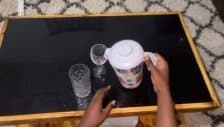
caption from VLM
twist open the pitcher lid
caption embedding
0.18
-0.42
0.77
0.09
-0.31
0.56
dense high-dimensional vector
Similarity to previous caption
paper cutoff
0.65
keep cut, sim < 0.65
Caption embedding
0.108
Segment F1
Direct frame embeddings
0.109
Segment F1
Fixed-length baseline
0.070
Segment F1
The caption-embedding method converts frames into text, compares neighboring caption embeddings, then cuts whenever adjacent-caption similarity drops below the paper's 0.65 threshold. In our benchmark this over-segmented the episode and reached 0.108 Segment F1.
One possible issue is the unnecessary conversion through text: image -> caption -> embedding. In the hope that this was the bottleneck, we skipped captioning and embedded the frames directly with Gemini Embedding 2. Unfortunately, this made things much worse, resulting in `0.007` F1.
Prompt: Gemini embedding+
`Represent this robot video frame based on the current sub-goal the robot or human is pursuing. Focus on what object is being manipulated, what state change is underway, where the object is moving, and whether the current sub-goal appears different from nearby moments. Do not describe the image; produce an embedding useful for grouping frames that belong to the same ongoing sub-goal.`
Instead of relying on embedding heuristics, we next fed frames directly into the model and asked it to segment the video. The key representation problem was how to represent time, as the model needed to know which frame corresponded to which timestamp.
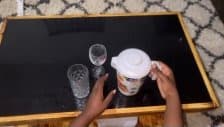
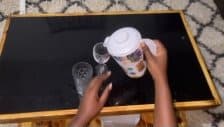
Most approaches give the model time information through special temporal tokens (Li et al., 2025Zeqian Li, Shangzhe Di, Zhonghua Zhai, Weilin Huang, Yanfeng Wang, Weidi Xie. (2025). **Universal Video Temporal Grounding with Generative Multi-modal Large Language Models.**https://arxiv.org/abs/2506.18883) or text. We used the simplest text-based version: interleave each sampled frame with its timestamp, use an instruction close to the one given to human annotators, and pack all frames into one prompt.
Because the model is already generating a structured segment list, we also ask it to include a short subtask label for each segment. That adds no meaningful extra cost and makes the outputs easier to inspect, but the experiments in this section are scored on boundary quality.
In this setup, the model receives a long sequence of separate images. Each frame is paired with timestamp text, and the prompt asks the model to use those timestamps when choosing subtask boundaries.
Part 1: prompt text
Total parts
647
Input tokens
361,186
Reconstruct the sequence of manipulation events in this robot video from chronological frame images.
Return only JSON with this shape:`{"segments":[{"start_sec":0.0,"end_sec":1.0,"subtask":"short action description"}]}`
How to read the images+
- The images are individual video frames sampled in chronological order.
- There are no timestamps drawn on the images.
- The first image is at 0.0 seconds.
- Each next image is 0.5 seconds later than the previous image.
- Therefore image number N is at time_sec = (N - 1) * 0.5.
- Use this image-number-to-time mapping for start_sec and end_sec.
- Boundaries should normally land on or near one of those sampled times.
Rules+
- Treat each segment as one world-state change.
- Good boundaries happen when objects become held, are released, reach new locations, change open/closed state, or contents visibly move.
- Choose start_sec at the first frame where causal motion is underway, and end_sec at the first frame where the resulting world state is achieved.
- Keep continuous gradual actions as one event.
- Output separate repeated events for the same action on different objects or target locations.
- Skip idle time, camera motion, hesitation, and tiny hand adjustments.
Task instruction
use pitcher to pour water into tall glass and wine glass
Repeated frame text + image pairs
4 pairs shown /
323
pairs sent
Part
2
(`text`)
Frame 000 at time_sec=0.000
Part
3
(`inline_data`)
Part
4
(`text`)
Frame 001 at time_sec=0.500
Part
5
(`inline_data`)
Part
6
(`text`)
Frame 002 at time_sec=1.000
Part
7
(`inline_data`)
Part
8
(`text`)
Frame 003 at time_sec=1.500
Part
9
(`inline_data`)

The frame-sequence setup sends one instruction text part, then one frame-index timestamp text part before each separate image input. The frames themselves have no timestamp overlay, which makes the request easy to build but expensive for Gemini's visual token accounting.
This resulted in a score of `0.193` F1, easily clearing the fixed-length baseline.
The frame-based approach has two problems: it is expensive, and the performance is still weak. In our setup the Gemini API cost is `$0.188` per minute of video while only reaching `0.193` F1.
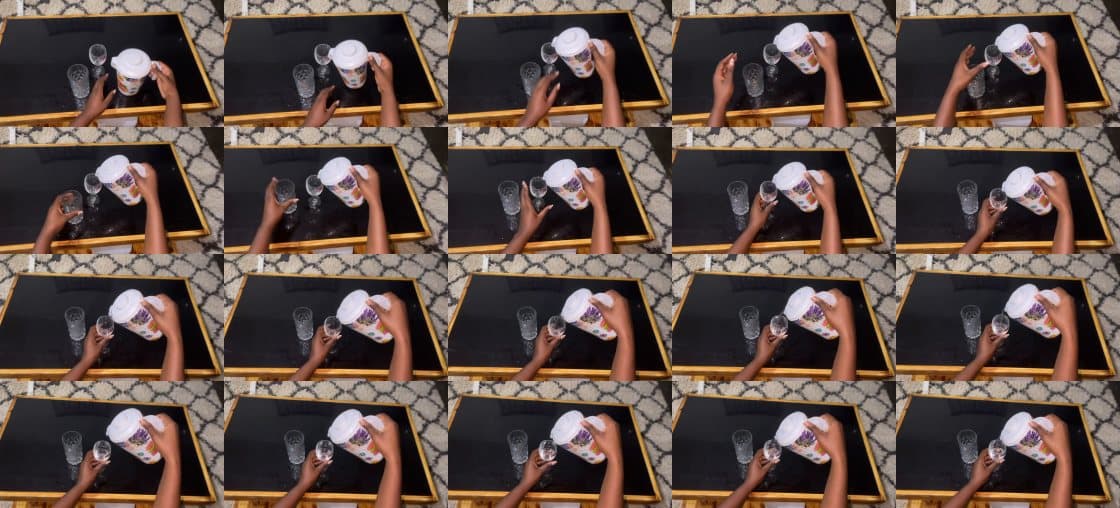
We take inspiration from Scale's contact sheets and pack multiple frames into one large image. In our case, each sheet contains 20 frames in a 4-row by 5-column layout, sampled every 0.5 seconds, such that one sheet spans 10 seconds of video.
To encode timestamps, we use the same basic strategy as the frame setup, but describe the contact-sheet map instead of attaching one timestamp to each separate frame.
This contact-sheet setup compresses 10 seconds of video into one image, with timestamps supplied separately in the prompt text.
This only gives a small quality bump to `0.201` F1. The bigger win is cost: roughly 12x cheaper, dropping to `$0.0158` per minute of video.
The cost drop from contact sheets mostly comes from how Gemini counts image inputs. Images up to 384 pixels in both dimensions count as `258` tokens, and larger images are split into `768x768` tiles, with each tile also counted as `258` tokens. Sending frames one by one pays that image cost for every sampled frame. Packing frames into one contact sheet pays for the sheet tiles instead, which amortizes the visual token cost across many frames. We also suspect contact sheets can be slightly better for quality because they reduce the number of separate images in the prompt; most models are trained with only a few images at a time, so a single composed image may be closer to the training distribution than a long list of individual frames.
Input budget
sampled frames 220
40 360
frames per sheet 20
6 30
Contact sheets
12.5x
cheaper
Image reduction
20.0x
220 -> 11
Scaled from measured HomER runs:
323
frame inputs vs
17
sheets. Token ratio for this setting:
16.2
x.
Per-frame images
220 separate image inputs
246,009 input tokens
$0.1280 per minute
Timestamped contact sheets
11 sheet images, 20 frames each
15,154 input tokens
$0.0102 per minute
Contact sheets reduce the image count by packing many sampled frames into one timestamped image. Move the controls to see how the image count changes the token and price multiplier.
The auxiliary labels made the failure mode easy to inspect. Even though label quality is not the metric here, the generated labels are usually reasonable: the model knows that an object was picked up, placed, opened, or moved. The weak point is boundary placement. It can describe the broad event, but still misses finer subtasks and struggles to place the start and end times in the right place.
Boundary comparison / homer_1
now 0s / 42s
Instruction: use pitcher to pour water into tall glass and wine glass
HomER clip used for boundary comparison 0s / 42s
Method
0
s
10
s
20
s
30
s
40
s
The model can often name the broad event while missing finer subtask boundaries. This compares the same HomER clip against the human labels, per-frame inputs, and the simple contact-sheet setup.
We initially avoided engraving timestamps directly into the frames because several works (Singh et al., 2019Singh, Amanpreet, Natarajan, Vivek, Shah, Meet, Jiang, Yu, Chen, Xinlei, Batra, Dhruv, et al. (2019). **Towards VQA models that can read.** The IEEE Conference on Computer Vision and Pattern Recognition (CVPR).; Liu et al., 2024Liu, Yuliang, Li, Zhang, Huang, Mingxin, Yang, Biao, Yu, Wenwen, Li, Chunyuan, et al. (2024). **OCRBench: On the Hidden Mystery of OCR in Large Multimodal Models.** Science China Information Sciences.10.1007/s11432-024-4235-6), as well as the Scale blog (Choghari et al., 2026Choghari, Jade, Sansone, Agustin, Pasqualis, Nicolas, Mader, Conrado, Tiupikov, Aleks, Sivapurapu, Mouli. (2026). **The Path to Large Scale Dense Video Captioning.**https://labs.scale.com/blog/path-to-large-scale-dense-video-captioning), warn against relying on visual text. Still, we decided to try it. Beyond plain timestamps, we also tried different encodings: replacing timestamps with IDs like `{A-Z}_{1-20}`, where the letter marks the sheet and the number marks the tile inside the sheet, combining textual and visual cues, and changing where the timestamp is rendered.
Timestamp cue rendering
Timestamp cue rendering
Text timestamp map
tile 01 -> 10.0s
tile 02 -> 10.5s
tile 03 -> 11.0s
...
Prompt payload
No in-image cue; timing only appears in text.
A contact sheet with no visual cue relies on the prompt text to map tile order back to timestamps. This reached F1 0.201.
Visual cues worked surprisingly well, pushing segmentation to `0.263` F1. Unfortunately, replacing timestamps with ID codes did not help, and combining visual cues with a text timestamp map made the result worse. So we kept the simple version: visual timestamps directly on the contact sheet.
Because visual cues worked so well, we also tried a few timestamp renderings: a yellow box in the top-right of each frame with black timestamp text, a white side strip with the frame time, and a large black box at the bottom-center with white timestamp text. None of them beat the original in-tile timestamp.
Timestamp rendering style
Style sweep
Timestamp rendering style
!Image 7: Contact sheet with yellow timestamp labels in the top-right of each tile.
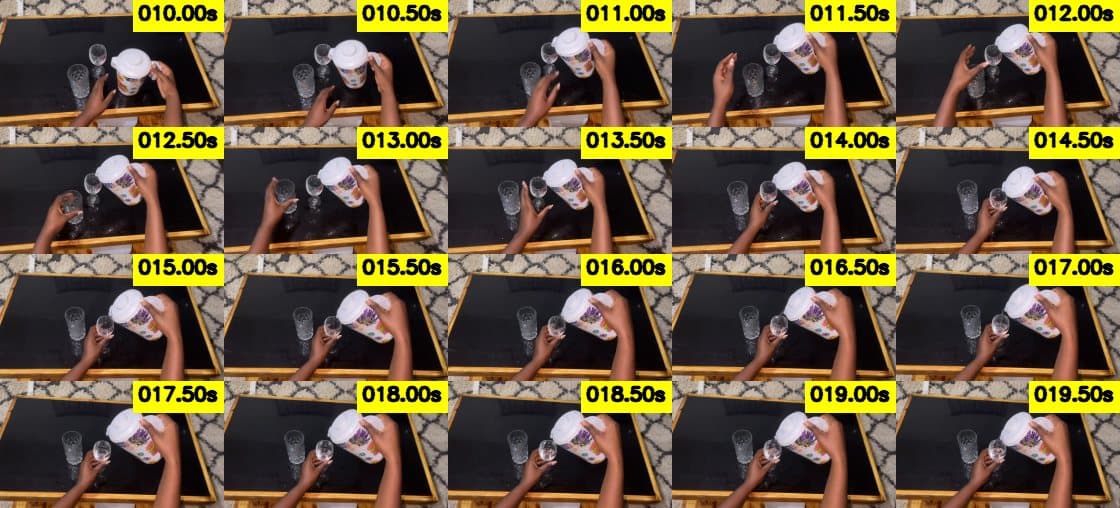
A yellow top-right timestamp box remained readable but did not beat the original in-tile timestamp style.
After the timestamp sweep, the obvious next question was whether the rest of the contact-sheet design mattered too. We therefore swept resolution, sampling rate, and the number of frames per sheet.
Contact sheet design sweep
0.0
0.5
1.0
1.5
2.0
2.5
3.0
3.5
4.0
4.5
5.0
5.5
6.0
6.5
7.0
7.5
8.0
8.5
9.0
9.5
Best setup
224px
F1
0.290
160px
small
0.264
224px
best
0.290
320px
larger
0.231
448px
larger
0.237
640px
largest
0.259
The contact-sheet sweep keeps converging on the same compact setting: 224px tiles, 0.5s sampling, and 20 frames per sheet.
**Resolution**
Surprisingly, scaling up the resolution did not help. It is not obvious why. When we resize benchmark videos down to 224px, even humans start to have more trouble annotating them, so we would expect normal-resolution sheets to help much more than they do. One possible explanation is that very large contact sheets hit practical limits in the model image pipeline, such as resizing, cropping, or less reliable attention over huge tiled images.
**Sampling rate and sheet size**
Again, the sweep did not improve over the original contact-sheet setting. Sampling more densely seemed to add noise or make the prompt harder to parse, while larger sheets did not provide enough extra context to justify the added visual complexity.
One reason we suspected the model might struggle was input size. For the longest episodes in our benchmark, a single full-episode call would send roughly 343 frames across 18 contact sheets, totaling around 20k input tokens. Since increasing context size and the number of separate input images typically degrades performance, we expected splitting segmentation into multiple smaller calls might help.
In each call, we sent one contact sheet with visual cues and additionally asked Gemini to emit whether the first segment was a continuation. We then postprocessed the results by merging continuations if either Gemini emitted the continuation flag or the segments matched exactly. We tried this both with a 2-frame overlap, to improve continuity matching, and with no overlap. To improve continuity further, we also tried adding textual information about the last unfinished segment from the previous call.
The main failure mode was that the model treated those artificial split points as real boundaries, ending segments there far more often than the gold annotations do:
No overlap
Predicted boundary ends
85 / 383 (22.2%)
Gold boundary ends
66 / 743 (8.9%)
Overlap 2
Predicted boundary ends
135 / 410 (32.9%)
Gold boundary ends
92 / 743 (12.4%)
Overlap 2 + last segment
Predicted boundary ends
162 / 417 (38.8%)
Gold boundary ends
92 / 743 (12.4%)
Sequential contact-sheet calls tend to invent boundaries at sheet edges, especially when extra continuity context is added.
Unfortunately, none of these methods beat the simple strategy of sending all contact sheets in one call. Still, some form of decomposition will likely matter when scaling to much longer episodes.
The results were fairly surprising: we thought adding overlap or last-segment context would reduce this split-boundary bias, but the opposite happened.
Prompt: Input decomposition+
``` Segment the current timestamped contact sheet from one continuous robot video.
Return only JSON with this shape: {"segments":[{"start_sec":0.0,"end_sec":1.0,"subtask":"short action description","continues_previous":false}],"end_state":"short description of what may continue after this sheet"}
Context:
- This is sheet {sheet_index} of {sheet_count}.
- Current sheet visible time range: {start_sec:.2f}s to {end_sec:.2f}s.
- Only output segments that overlap emit range: {emit_start_sec:.2f}s to {emit_end_sec:.2f}s.
- Frames before emit_start_sec are overlap context only.
- Each sheet has 4 rows and 5 columns. Time runs left-to-right, then top-to-bottom.
- Every tile has a timestamp in the top-left corner. Use those visible timestamps.
- Episode instruction: {instruction}
- Previous accepted segments: {previous_segments_json}
Rules:
- Treat each segment as one manipulation event that changes the world state.
- Good boundaries happen when an object becomes held, is released, reaches a new location, a lid/door changes state, a tool starts/stops affecting a surface, or contents visibly move.
- If the first visible event continues the final previous accepted segment, set continues_previous=true on that first segment and use the same subtask wording if possible.
- Do not create a boundary just because this contact sheet starts.
- Avoid idle time, camera motion, hesitation, and tiny hand adjustments.
```
Given that we had converged on image inputs, we next checked whether the bottleneck was the model itself. We benchmarked Google models alongside other proprietary and open-source models.
Model sweep
F1
Gemini 3.5 Flash baseline
645
predicted
0.290
Gemini Robotics ER 1.6
556
predicted
0.245
GPT-5.5 low
602
predicted
0.233
GPT-5.4 low
529
predicted
0.233
Gemini 3.1 Pro Preview
586
predicted
0.232
Gemini 3 Flash Preview
685
predicted
0.210
Claude Opus 4.8
733
predicted
0.168
Claude Sonnet 4.6
698
predicted
0.146
Gemini 2.5 Pro
662
predicted
0.145
Qwen 3.5 Plus
763
predicted
0.141
Claude Haiku 4.5
570
predicted
0.128
Gemini 3.1 Flash Lite
757
predicted
0.119
Qwen 3.6 Flash
715
predicted
0.110
GPT-5.4 mini
317
predicted
0.106
Gemini 2.5 Flash
855
predicted
0.059
Gemma 4 26B
1,080
predicted
0.057
The model sweep shows Gemini 3.5 Flash as the strongest setting, while several models either under-segment or produce many extra segments.
Gemini was clearly ahead of the other frontier labs in this setup. We were also surprised that Gemini Robotics ER did not do better, given that it should be tuned for spatial and robotics tasks. The open-source models were weaker here and often over-predicted segments.
At this point, the failures had a pattern. The model could often see the manipulation, but it applied the wrong granularity. It treated approach, grasp adjustment, hesitation, retreat, and tiny repositioning as separate events, while our annotations only count completed manipulation events.
Instead of continuing to hand-tune prompts, we used GEPA (Agrawal et al., 2026Lakshya A Agrawal, Shangyin Tan, Dilara Soylu, Noah Ziems, Rishi Khare, Krista Opsahl-Ong, et al. (2026). **GEPA: Reflective Prompt Evolution Can Outperform Reinforcement Learning.**https://arxiv.org/abs/2507.19457) on a separately annotated 15-episode validation set. The goal was to search for prompts that make the model follow the annotation protocol described above: segment atomic manipulation events, ignore incidental motion, and place boundaries at completed world-state changes.
The base prompt, `event_reconstruct_contact_sheets_v1`, already described the right kind of boundaries: objects becoming held, released, moved, opened, closed, affected by tools, or visibly changing state. What it did not do strongly enough was constrain granularity. The best GEPA‑found prompt, `completed_events_duration_prior_v1`, keeps the same event vocabulary but adds stricter counting rules: only completed manipulation events, no separate approach/grasp-adjustment/retreat segments unless the world state changes, no merging of distinct pick/place/open/close/pour/wipe events, and a light duration prior for the expected segment length.
Prompt search trajectory
F1
Prompt: GEPA variants completed_events_duration_prior_v1+
`Reconstruct the sequence of manipulation events in this robot video from the timestamped contact sheets.`
`Return only JSON with this shape:`
`{"segments":[{"start_sec":0.0,"end_sec":1.0,"subtask":"short action description"}]}`
`Rules:`
`- Segment only completed robot manipulation events, not every visible movement.`
`- Good boundaries happen when a held object changes, an object is placed or released, a tool starts/stops changing a surface, a container/door/lid opens or closes, or contents move between containers.`
`- Do not split approach, grasp adjustment, small repositioning, and retreat unless the world state changes.`
`- Do not merge separate pick/place/open/close/pour/wipe events when they complete different states.`
`- Most segments should be 2-10 seconds. Shorter segments are okay only for fast pick, place, open, close, or release events.`
`- Use the visible timestamps for start_sec and end_sec.`
`- Ignore label wording quality; prioritize temporally correct boundaries.`
GEPA improves the prompt by tightening the event granularity: fewer incidental segments and better F1.
The best prompt predicted fewer segments than the base prompt (`550` vs. `645`) and improved overall F1 by removing many incidental-motion boundaries without losing too many real subtasks.
After running 54 segmentation experiments, spanning everything from `0.007` F1 to `0.306` F1, we converged on the following recipe:
- sample frames every `0.5s`
- render them as `224px` tiles
- pack `20` frames per contact sheet in a `5`-column layout
- draw visual timestamps directly on the frames
- use Gemini 3.5 Flash with a completed-events prompt
The prompt itself was less about describing the image and more about enforcing the annotation protocol. It asked for completed manipulation events, not every visible movement; it split when objects were picked up, released, moved, opened, closed, affected by tools, or transferred; and it explicitly told the model not to split approach, grasp adjustment, retreat, hesitation, or tiny repositioning unless the world state changed.
The second part of subtask annotation is labeling: given a fixed segment, describe the subtask happening inside it. This is considerably easier than boundary discovery because the model no longer has to reason over the whole episode at once; most subtasks are shorter than `10s`.
As described in Measuring Progress: WGO‑Bench, we evaluate labels with an LLM judge rather than exact string matching. A predicted label is correct if it describes the same manipulation event as the human annotation. Unlike boundary detection, this task does not have an obvious trivial baseline: there is no simple way to generate meaningful subtask labels without looking at the video.
We start from what worked best in our boundary experiments, with Scale's dense video captioning post (Choghari et al., 2026Choghari, Jade, Sansone, Agustin, Pasqualis, Nicolas, Mader, Conrado, Tiupikov, Aleks, Sivapurapu, Mouli. (2026). **The Path to Large Scale Dense Video Captioning.**https://labs.scale.com/blog/path-to-large-scale-dense-video-captioning) as a useful reference point for compact video inputs. Once the segment boundaries are fixed, we only need to figure out how much visual evidence and surrounding context the model needs to name the event correctly.
As with segmentation, the first question is how to represent the video to the model. Labeling is easier because the input is already a short fixed segment, not a full episode, but it was still worth checking whether the same input-format lessons hold.
For most labeling experiments, we used the following prompt, based on what worked in segmentation.
Prompt: Labeling+
``` Annotate the fixed robot video segment shown in the contact sheet.
Return only JSON: {"label":"short descriptive subtask label"}
Focus on the state change caused by the segment.
Rules:
- The frames are chronological and timestamped.
- The segment boundaries are fixed; do not create, split, merge, or move segments.
- Compare the beginning and end of the segment, then describe the completed visible change.
- Use one concise imperative phrase.
- Name the manipulated object and the action/state change.
- Include source, destination, side, direction, final placement, opened/closed state, filled/cleaned/cut/drawn/folded part when visible.
- If the segment is a continuous process, describe the process and its target, e.g. "wipe the wooden table with the cloth" or "dice the onion on the cutting board".
- Do not mention timestamps, frame numbers, uncertainty, or invisible intent.
Episode instruction: {instruction} ```
We treat labeling as a state-change question: given a fixed time window, compare the beginning and end, then name the completed manipulation event. The prompt stayed the same across these runs; only the visual input changed.
We tried different ways to feed visual information to the model: an MP4 video clip of the complete target segment, a single contact sheet made from three sampled frames, and the same three frames sent as separate image inputs.
MP4 clip
One short video file covering the target window.
Accuracy
40.4%
300/743
3-frame contact sheet
Three sampled frames packed into one image.
Accuracy
52.9%
393/743
3 separate frames
The same three frames sent as individual image inputs.
Accuracy
54.1%
402/743
We kept the labeling prompt fixed and changed only the visual payload: video clip, composed contact sheet, or separate image inputs.
Surprisingly, separate frame inputs were slightly better than contact sheets for labeling. We still continued with contact sheets because they are about 12x cheaper, and the gap was small enough that cost mattered more.
The next question was how many frames to put inside the contact sheet. Unlike segmentation, labeling starts from well-bounded segments, so we can sample only a few frames uniformly and still capture most actions. In many cases, the start and end state already carry the useful signal.
We therefore ablated the number of frames per target sheet.
Target sheet frame count
Accuracy
3 frames
Target sheet only
-
393 / 743
52.9%
5 frames
Target sheet only
-
417 / 743
56.1%
8 frames
Target sheet only
-
396 / 743
53.3%
16 frames
Target sheet only
-
389 / 743
52.4%
For fixed gold segments, adding more target frames did not improve label accuracy. Five uniformly sampled frames was the best target-only setting.
The best target-only setting uses only 5 frames. Beyond that, adding more frames does not meaningfully improve accuracy. However, this depends on how well the segments are split: with noisier or less precise boundaries, the model might need more frames to recover what happened.
The third ablation asks whether the model benefits from context beyond the target segment itself. Many actions are easier to name when you see what came immediately before or after: after picking up a cup, the next state often tells you where it was placed; after opening a door, the following segment can clarify whether the action was entering, closing, or repositioning.
We tested the following context variants:
- whole-episode overview (one contact sheet sampled uniformly across the full episode)
- local +/-1s context around the target segment
- local +/-2s context around the target segment
- previous/current/next fixed-segment context
- previous/current/next fixed-segment context plus episode overview
Context ablation
Inserted visual information
target
Visual payload
Just the target-segment contact sheet, without any extra visual context.
For labeling, the strongest representation is not a denser target sheet; it is structured context from the previous, current, and next segment.
Adding context helps, but only when it is structured as whole neighboring segments. A local `+/-1s` or `+/-2s` window is often too narrow: boundaries frequently sit near grasp or release events, so the padding does not show enough of the previous or next state. Whole‑episode overview also does not help much, likely because the global instruction already provides most of that high-level context.
For labeling, the final recipe is simple:
- use the fixed segment boundaries
- render three small contact sheets: previous segment, current segment, next segment
- sample up to `5` frames per segment uniformly
- ask Gemini 3.5 Flash to label only the current segment
- use the neighboring segments only to disambiguate what changed
This gave our best raw-labeling result: `453/743 = 61.0%` accuracy. This is broadly consistent with Scale's finding that past/current/future visual context is the strongest representation for clip-level labeling (Choghari et al., 2026Choghari, Jade, Sansone, Agustin, Pasqualis, Nicolas, Mader, Conrado, Tiupikov, Aleks, Sivapurapu, Mouli. (2026). **The Path to Large Scale Dense Video Captioning.**https://labs.scale.com/blog/path-to-large-scale-dense-video-captioning). The main difference is that we use compact contact sheets instead of their hand-collage setup, which keeps the same temporal contrast while making the pipeline substantially cheaper to run.
After finding the best segmentation and labeling recipes, the final question is whether the full task should be done in one pass or split into two steps: segment first, then relabel the predicted segments.
Our first experiments were just combining the best segmentation setup with the best labeling setup, but to our surprise this performed **worse** than taking the labels directly from segmentation. Thus we ran one more experiment: use the original segment label as a strong prior, then ask the model to verify and minimally correct it using the previous, current, and next segment images.
| Method | | | | | | | --- | --- | --- | --- | --- | --- | | best segment -> label | `0.302` | `71.5%` | `0.184` | `0.132` | `0.154` | | one-pass segmentation labels | `0.302` | `73.7%` | `0.190` | `0.136` | `0.158` | | segment ->**seeded relabeling** | `0.302` | `78.1%` | `0.201` | `0.144` | `0.168` |
End-to-end segmentation and labeling results
Prompt: Seeded relabeling+
`Annotate one fixed segment from a longer video.`
`Return only JSON:`
`{"label":"short descriptive subtask label"}`
`Inputs:`
`- The first image is the previous fixed segment, if it exists; otherwise it is blank/context only.`
`- The second image is the current target segment.`
`- The third image is the next fixed segment, if it exists; otherwise it is blank/context only.`
`- Each image is timestamped with absolute video time.`
`Episode instruction:`
`{instruction}`
`Target segment:`
`{segment_index} of {segment_count}`
`Target time:`
`{start_sec:.2f}s to {end_sec:.2f}s`
`Original predicted label for this exact segment:`
`{seed_label}`
`Rules:`
`- Label only the current target segment.`
`- Use previous/next images only to disambiguate what changed during the current segment.`
`- Treat the original predicted label as a strong prior, not as ground truth.`
`- Verify and minimally correct the original label using the current target segment.`
`- If the original label describes the same action and main object, keep it, only improving grammar or adding clearly visible essential details.`
`- If it is too vague but directionally correct, make it more specific.`
`- If it describes the previous/next segment, the wrong action, wrong object, wrong destination, or wrong state change, replace it.`
`- Do not describe the previous or next segment.`
`- Do not split or merge the fixed segment.`
`- Do not introduce a new action unless it is clearly visible in the current target segment.`
`- Do not make the label broader than the fixed segment.`
`- Use one concise imperative phrase.`
`- Include the exact action and manipulated object.`
`- Include source, destination, side, direction, final location, opened/closed/filled/cleaned state, or affected part when visible and central.`
`- Do not mention timestamps, frame numbers, uncertainty, candidates, or invisible intent.`
That finally beat the one-pass segmentation method and raised label accuracy on temporal matches to `78.1%` and semantic E2E F1 to `0.168`.
The tradeoff is cost. Seeded relabeling improves semantic accuracy, but it can get expensive because each predicted segment triggers another model call and the relabeling prompt often incurs a lot of thinking tokens. Batch pricing cuts this roughly in half, but segmentation-only is still the cheaper default when cost is the priority. If label quality matters more and the budget allows it, running segmentation followed by seeded relabeling gives the best end-to-end result.
| Stage | Calls | Cost / hour | Batch cost / hour | | --- | --- | --- | --- | | segmentation | `100` | `$0.86/h` | `$0.43/h` | | **seeded relabeling** | `532` | `$4.41/h` | `$2.21/h` | | total end-to-end | `632` | `$5.27/h` | `$2.64/h` |
End-to-end cost breakdown for the seeded relabeling pipeline
Table 2 separates the two failure modes: label accuracy on temporal matches reaches `78.1%`, while Segment F1 is still only `0.302`. Clearly the main bottleneck is segmentation.
The largest segmentation failure mode is short subtasks. This mirrors the human annotation problem described in the manual labeling section: quick pick, place, and adjustment events can span only a few frames or seconds, making their boundaries hard to place. The same issue shows up in the pipeline. Segments shorter than `2s` have by far the lowest recall, only `0.074`. This is most pronounced in HomER, the egocentric subset with the lowest F1, both because it has the highest concentration of short segments and because it contains the concurrent-subtask issues described in the labeling section.
Temporal bottleneck
Segmentation errors
Recall by duration
Recall
<2s
7.4%
13/176 matched
2-5s
23.7%
68/287 matched
5-10s
45.8%
82/179 matched
10-20s
35.3%
24/68 matched
>=20s
33.3%
11/33 matched
Per dataset F1
F1 / matched
Galaxea
0.589
66 matches
DROID / RoboInter
0.292
48 matches
HomER
0.227
84 matches
Segmentation failures are dominated by ego-centric HomER and short events.
Once the model lands on the correct temporal segment, labeling is much less broken than segmentation. Interestingly, segments with correctly predicted boundaries are easier to label than all gold segments, with label accuracy increasing from `61%` to `70.8%`. When it comes to errors, the action itself is mostly correct (`92.0%` slot accuracy), but the problem is grounding. Most error cases come from underspecification of state (`pour water into glass` vs `pour water into glass until it's full`) or initial/final location (`pick up the plate below the table` vs `pick up a plate`).
Semantic grounding
Labeling errors
Failure mode share
Share
Wrong target or direction
42.5%
failure share
Right verb, wrong object
25.0%
failure share
Complete miss
15.0%
failure share
Wrong verb
12.5%
failure share
Too vague
2.5%
failure share
Hallucinated detail
2.5%
failure share
Slot accuracy
Accuracy
Verb
92.0%
slot accuracy
Tool / surface
94.2%
slot accuracy
Object
89.1%
slot accuracy
Target / direction
76.6%
slot accuracy
State change
73.0%
slot accuracy
Matched-label failures are mostly grounding errors: object identity, target location, and resulting state.
Refiner end-to-end pipeline
Sampling 0.5s
Sheet layout 4 x 5
Tile width 224px
Default one pass
1: episode
Video
Raw robot or egocentric demonstration.
2: sampled input
Timestamped sheets
0 s
2.5 s
5 s
7.5 s
Contact sheets carry visual evidence and timing.
3: one call
Gemini prompt
instruction
+ timestamped sheets
+ JSON schema
Boundaries and labels are predicted together.
4: normalized output
Subtask rows
0.000-7.709 twist open the pitcher lid
7.709-21.712 pour water into the wine glass
21.712-26.514 twist the lid to close it
Refiner sorts, validates, and writes the rows.
The default end-to-end pipeline sends timestamped contact sheets to Gemini in one pass, then normalizes the returned segments into start, end, and label rows.
We have shown that VLMs can pull useful subtask annotations out of raw robot videos, but the way we show the video to the model matters more than we expected. The best setup was also the simplest one. Timestamped contact sheets were cheaper and worked better than long sequences of individual frames. Prompt wording and model choice still changed the results a lot, and labeling worked best when the model could see what happened just before and just after the segment.
WGO‑Bench is still a small benchmark, but it gives us concrete tools to measure this problem end-to-end, including boundary discovery, segment labeling, and the combined semantic score. We are releasing it because subtask annotations are becoming an important training signal for long-horizon robot learning, and the community needs public evaluation targets for how to produce them at scale.
This is also the broader reason we are building Macrodata Labs: **better data for better robots**. Robotics teams should be able to turn raw physical-world experience into inspectable, enriched, reusable training signal without rebuilding the same data plumbing for every project or relying on hard-to-scale human annotation. Subtask annotation is one example of that larger problem, and we will keep tackling common robotics-data bottlenecks so more teams can turn real-world demonstrations into real-world progress.
Interested in collaborating on this topic or improving physical AI data pipelines?