Printable Calendar Maker
Design a monthly, weekly, daily or yearly calendar, then print it or download a PDF. Free, with no sign-up.
Dates
From To
Small calendars of last and next month Always show six weeks
**1 page** · Letter · Portrait
Popular printable calendars
How to make a printable calendar
1. ### Pick a calendar type
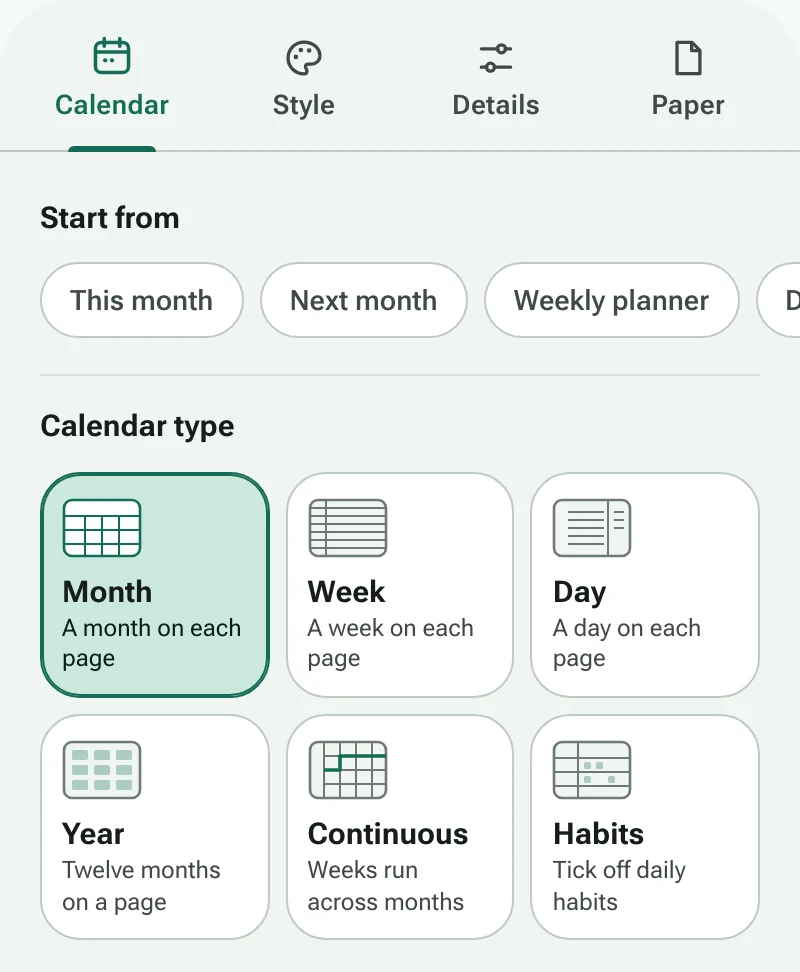
Choose Month, Week, Day, Year, Continuous or Habits. The Start from shortcuts set up common planners in one tap. !Image 1: The Calendar tab of the calendar maker, with shortcuts and the six calendar types 2. ### Set the dates
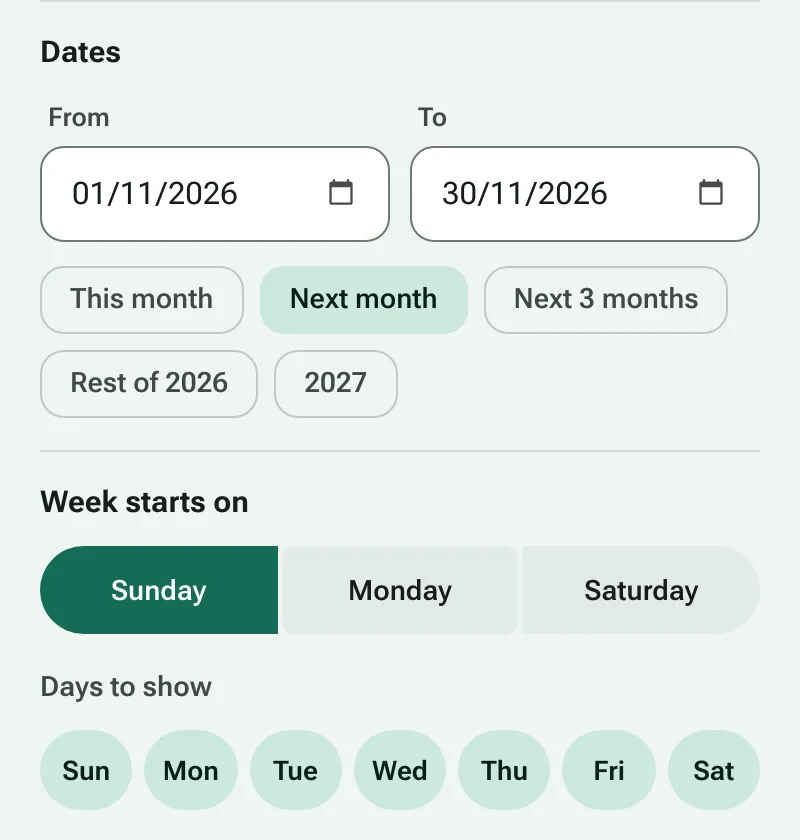
Enter a start and end date, or tap a shortcut such as Next month. Every month, week or day in the range gets its own page. !Image 2: Start and end dates with date shortcuts, and the choice of first day of the week 3. ### Choose a design and color
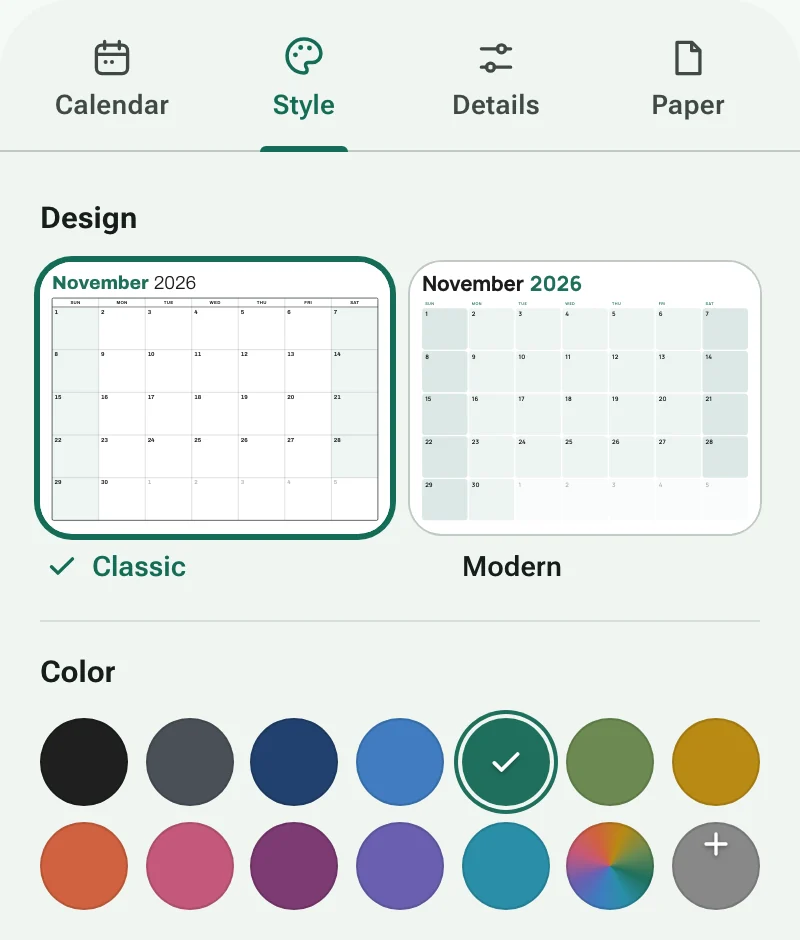
Seven designs and twelve print-friendly colors, or mix your own. Add lines, dots, a grid or hourly slots inside each day. !Image 3: The Style tab with calendar designs and color swatches 4. ### Fit it to your paper
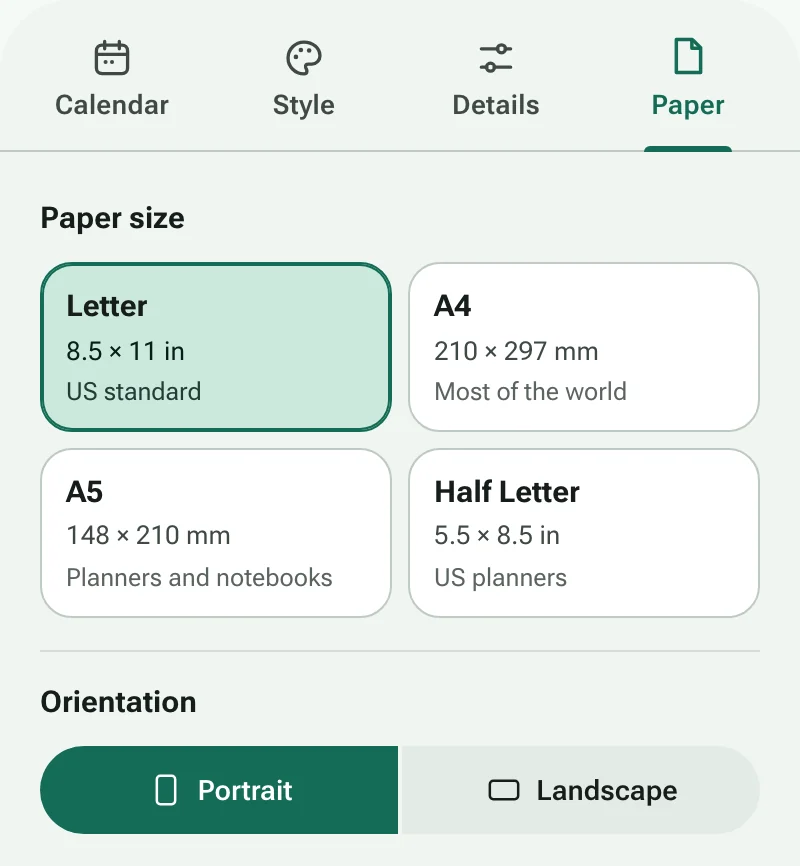
Choose Letter, A4, A5 or a custom size, set the orientation and margins, and add a writing area for notes. !Image 4: The Paper tab with paper sizes and page orientation 5. ### Print or download
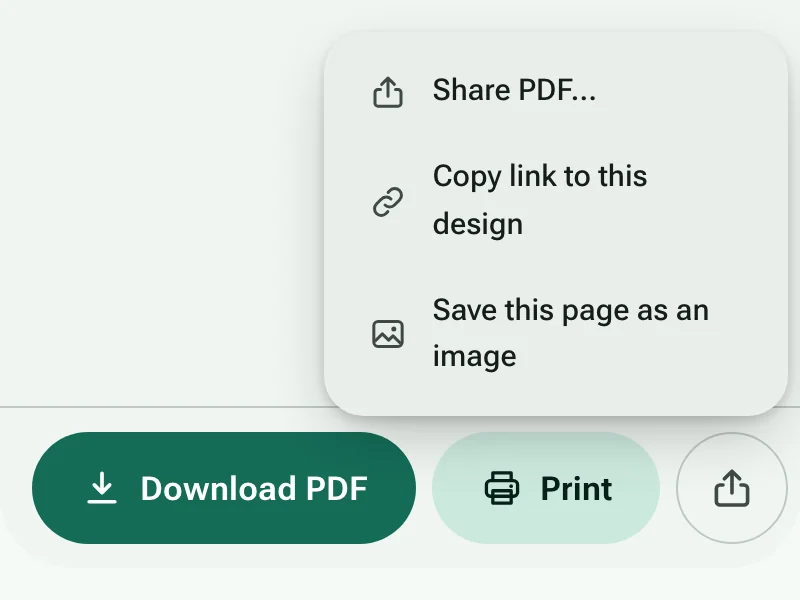
Print straight from your browser, download a PDF, or share the file to your phone. Set your printer to Actual size (100%) so the margins come out exactly as shown. !Image 5: The Download PDF and Print buttons, with the share menu open
Printable calendars that fit the way you plan
A paper calendar does one thing a phone can't: it stays in view. On the fridge, beside the desk or in a binder, it shows the whole month at a glance and leaves room to write. MakeCalendars builds that page for you. Pick a layout, set the dates and print. There's nothing to install and no account to create.
Which layout should you choose?
- **Month** is the classic wall or fridge calendar: one month per page with space for appointments.
- **Week** puts seven days on one page, as rows or columns, for meal plans, shifts and school weeks.
- **Day** gives you an hour-by-hour schedule with a to-do list beside it.
- **Year** shows all twelve months on one sheet, or a linear planner with a row per month for holidays and deadlines.
- **Continuous** lets weeks run on without breaking at month ends, which suits project timelines and term planning.
- **Habits** gives each habit a row and every day of the month a box to tick.
Getting a clean print
Choose the paper your printer actually uses: Letter in the US and Canada, A4 almost everywhere else. In the print dialog, set scaling to Actual size or 100% rather than Fit to page so the margins stay even. Heavier paper (100–120 gsm, or 24–32 lb) stops ink showing through and holds up better on a wall. If you plan to punch holes or bind the pages, add a binding edge so nothing lands in the gutter, and switch on Ink saver when you print a whole year at once.
Share it as a PDF
Download a PDF to print later, email to family or keep on a tablet for handwriting apps. On a phone, Share sends the PDF straight to messaging apps or cloud storage. Copy link gives you an address that reopens your exact design, so a teacher can send the same planner to a whole class.
Your settings stay on your device
Calendars are drawn in your browser. Nothing you type, such as titles or habit names, is sent to a server, and your last design is saved in this browser so it's waiting for you next time.
Questions
Is MakeCalendars free?
Yes. Every layout, design and paper size is free to print and download. The small credit line on each page can be switched off in Details.
Can I start the week on Monday?
Yes. Under Calendar, set Week starts on to Sunday, Monday or Saturday. You can also hide days, for example to print a five-day school week.
How do I print on A4 paper?
Open the Paper tab and choose A4, then print with scaling set to Actual size or 100%.
Can I make a calendar in another language?
Yes. In the Details tab, choose a calendar language. Month and weekday names, date formats and right-to-left layouts follow that language.
What's the difference between Print and Download PDF?
Print sends the calendar to your printer, or to your browser's Save as PDF, with text kept as sharp vector shapes. Download PDF creates a ready-made 300 dpi file you can email, store or print later.