Trama — the map of your app, next to your code
For VS Code and omp
Your AI agent writes code fast. Trama makes sure it's the code you meant.
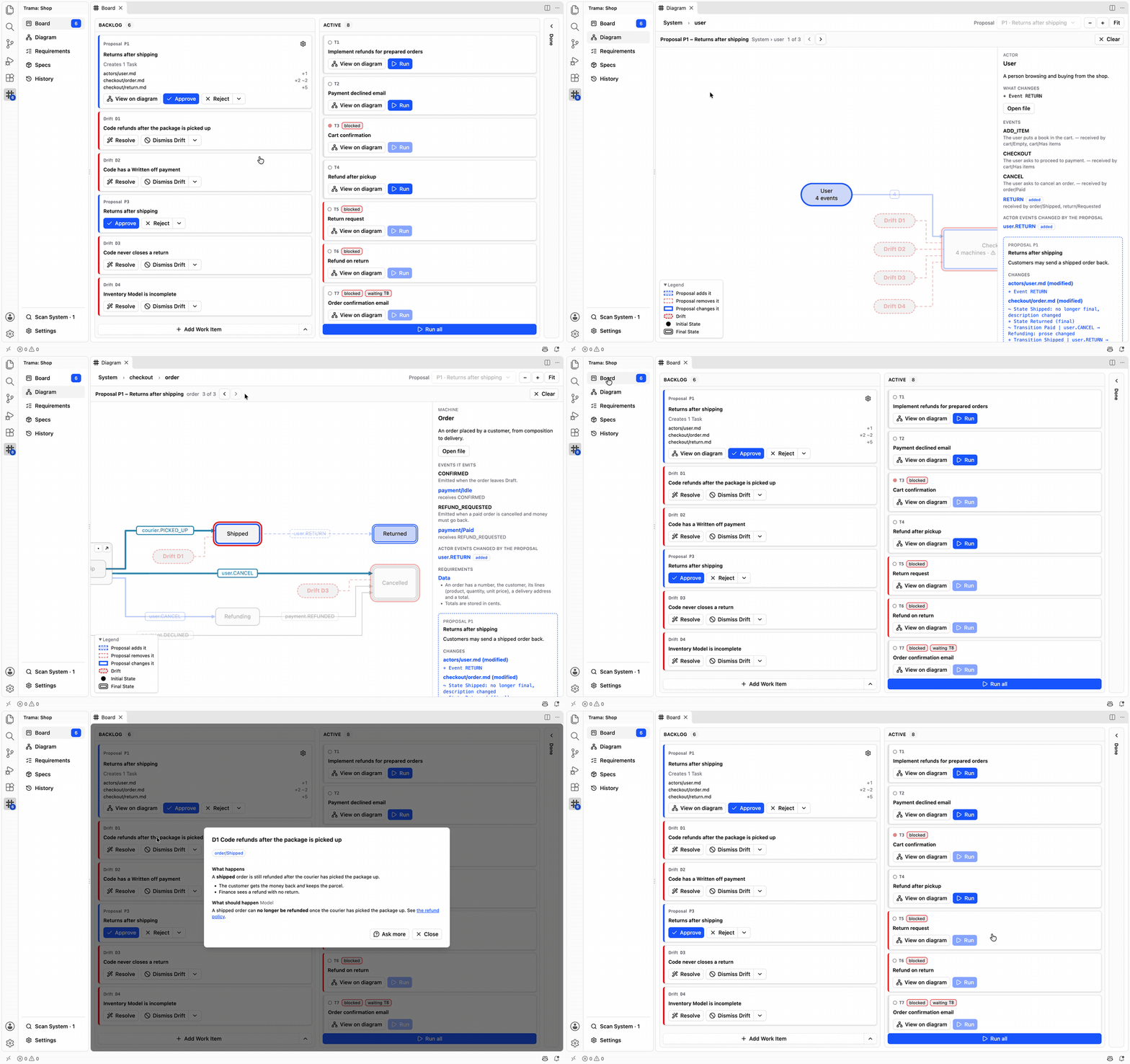
Trama keeps a map of your app next to your code, as plain Markdown in `.trama/` drawn for you as a diagram. Your agent reads the map before it writes a line, and every change arrives as a Proposal you approve before any code exists.
 Read the guideInstall
The loop, in five steps
From a sentence to running code, with you deciding at every turn.
1. ### Step 1: Describe a change
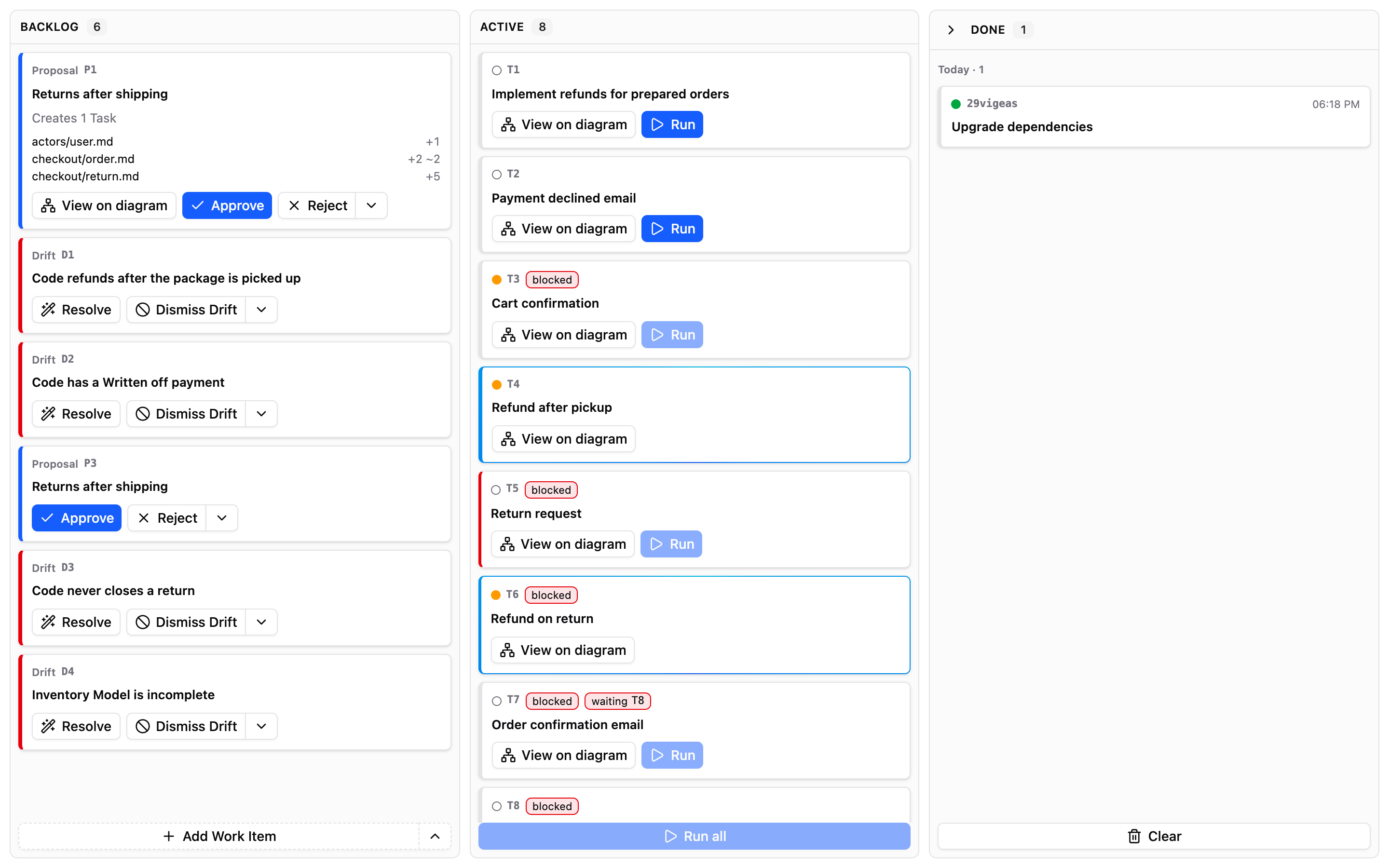
Say what you want in plain words, as you'd tell a colleague. The request lands on the Board, ready for the agent. !Image 2: The Trama Board in VS Code, with the Backlog, the active Tasks and the Add Work Item button 2. ### Step 2: Answer the agent's questions
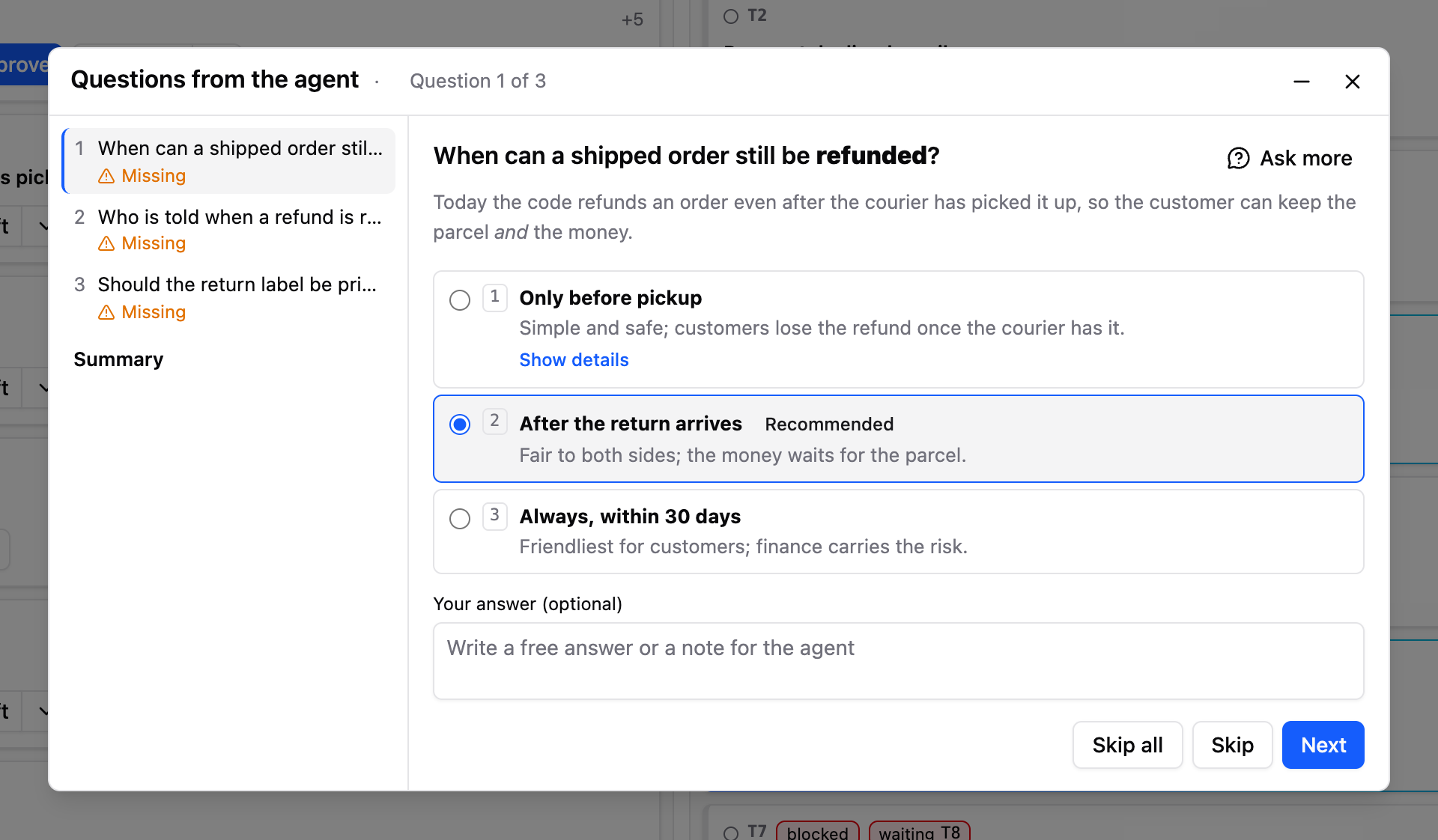
Only what it can't decide alone, with its recommendation already selected. Pick an option, or say something else. !Image 3: The Questions from the agent dialog: three options for one question, the recommended one selected 3. ### Step 3: Approve the Proposal
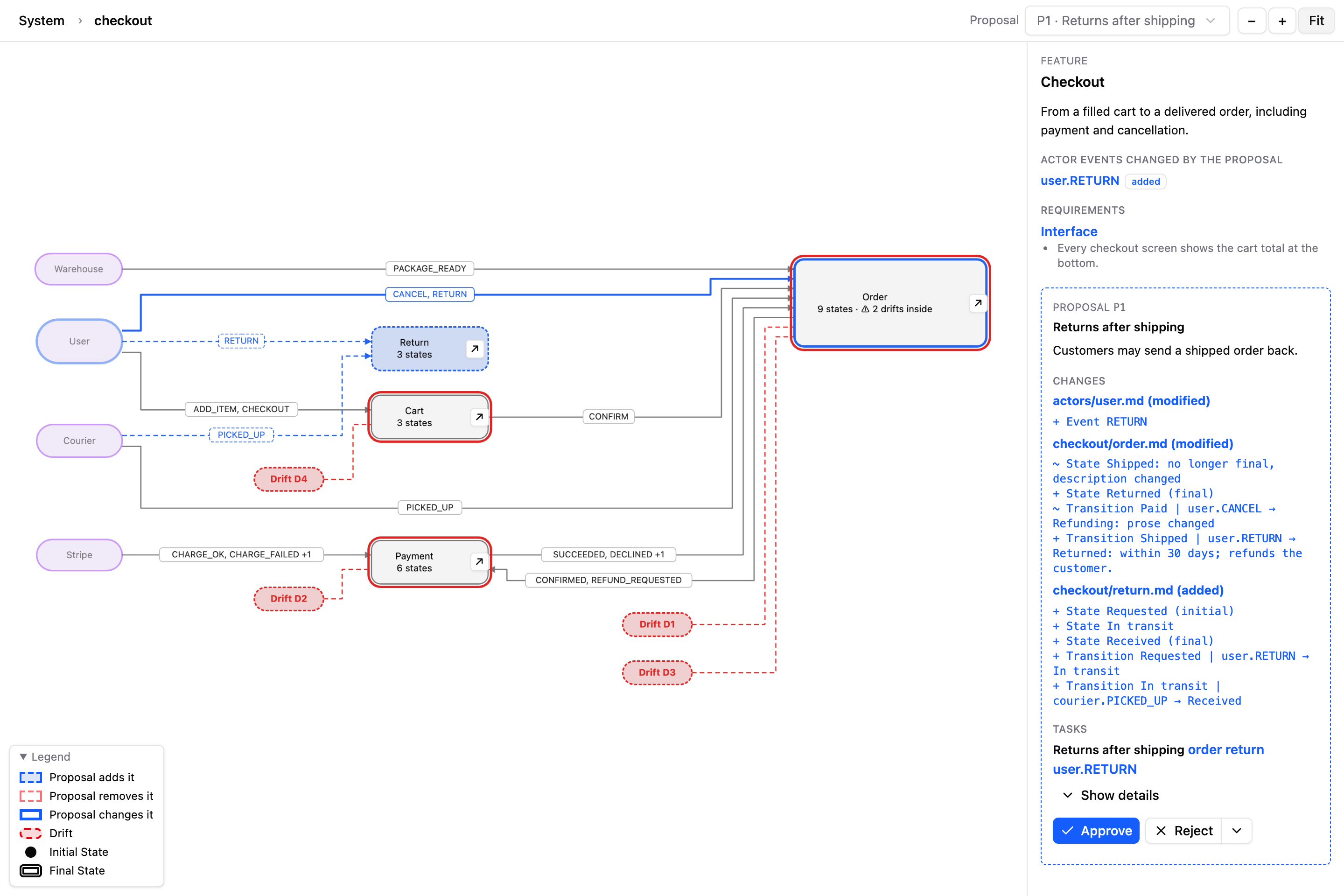
The change drawn on the map, with every decision and assumption beside it. Nothing is built until you approve. !Image 4: A Proposal drawn on the diagram: the new and changed states in blue, and its list of changes in the side panel 4. ### Step 4: Run the Tasks
The agent builds what you approved, one Task at a time or all together, while you follow along on the Board. !Image 5: The diagram of one Feature: its states, the events between them and the details of the selected state 5. ### Step 5: Resolve the Drifts
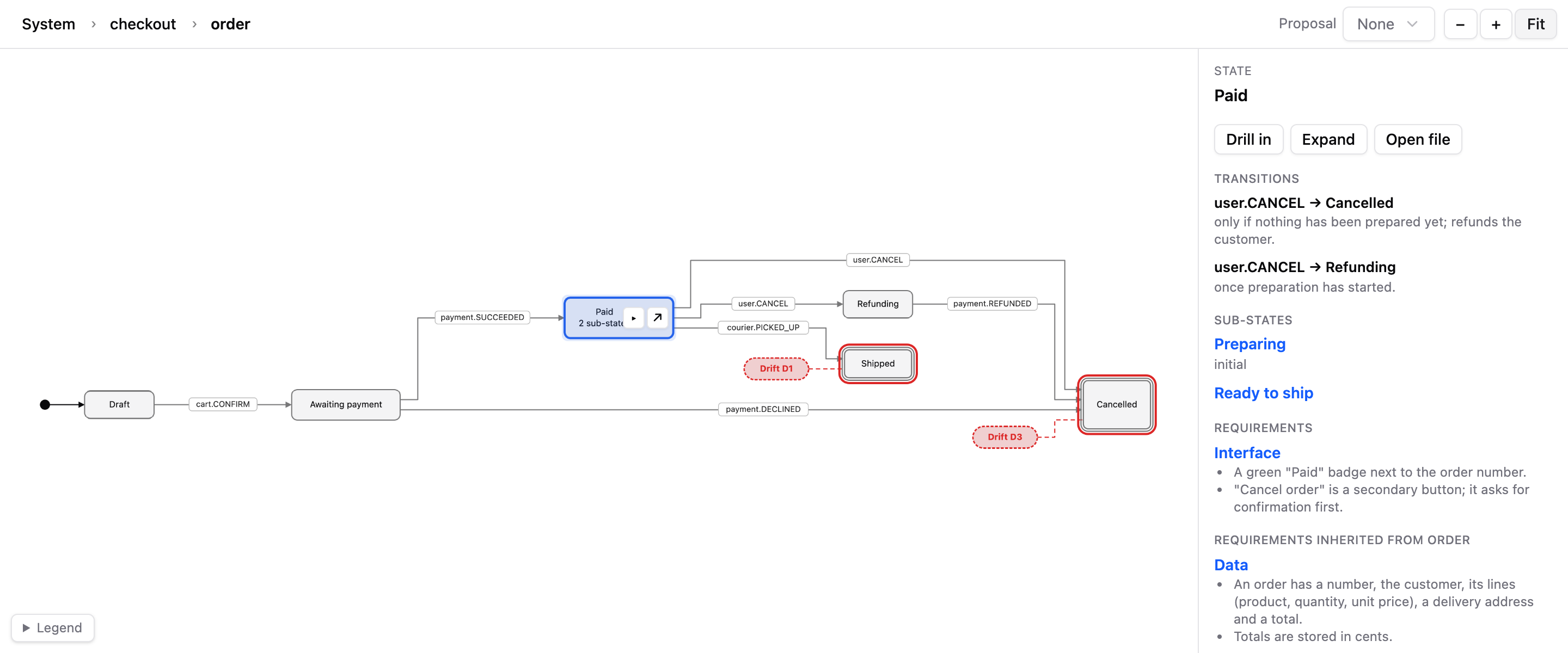
When the code and the map stop telling the same story, Trama raises a Drift. Fix the code, or keep it and update the map: you decide which one is right. 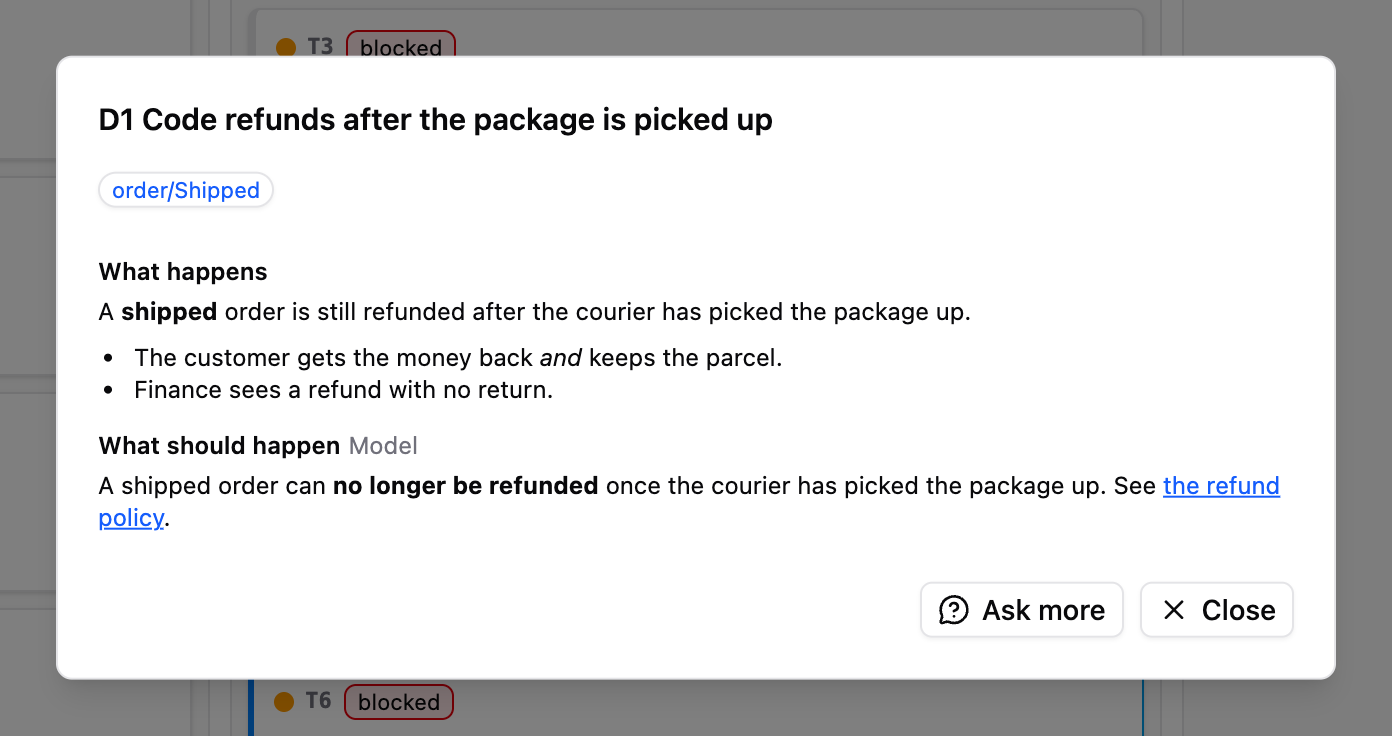
Requirements and install
What you need
- VS Code 1.106 or later, the only editor Trama supports.
- Linux (x64), macOS (Apple silicon) or Windows (x64, in preview).
- omp, the only agent Trama supports.
- The GitHub CLI (`gh`), only for Team.
Install
Install Trama from the VS Code Marketplace, or download the `.vsix` for your platform from Releases and run **Extensions: Install from VSIX…** from the command palette.
Windows is in preview: `trama.exe` is not signed, so SmartScreen or an antivirus may warn the first time it runs.