Track Your Brand Across LLMs


- Demo
- Features
- Docs
- GitHub
Open Source
Track your brand
across every LLM
See where ChatGPT, Perplexity, and Gemini mention your brand. Find the gaps. Run real prompts against real models.
// supported models
Six models. Two transports.
Browser-based for surfaces that only exist in a browser. API-based for surfaces that don’t.
ChatGPT
chatgpt.com
Perplexity
perplexity.ai
Google Gemini
gemini.google.com
Google AI Mode
google.com (AI Overviews)
Coming soon
Claude AI
claude.ai
OpenAI API
gpt-4o · web_search
Anthropic API
Claude · web_search
// live demo
Try the live demo
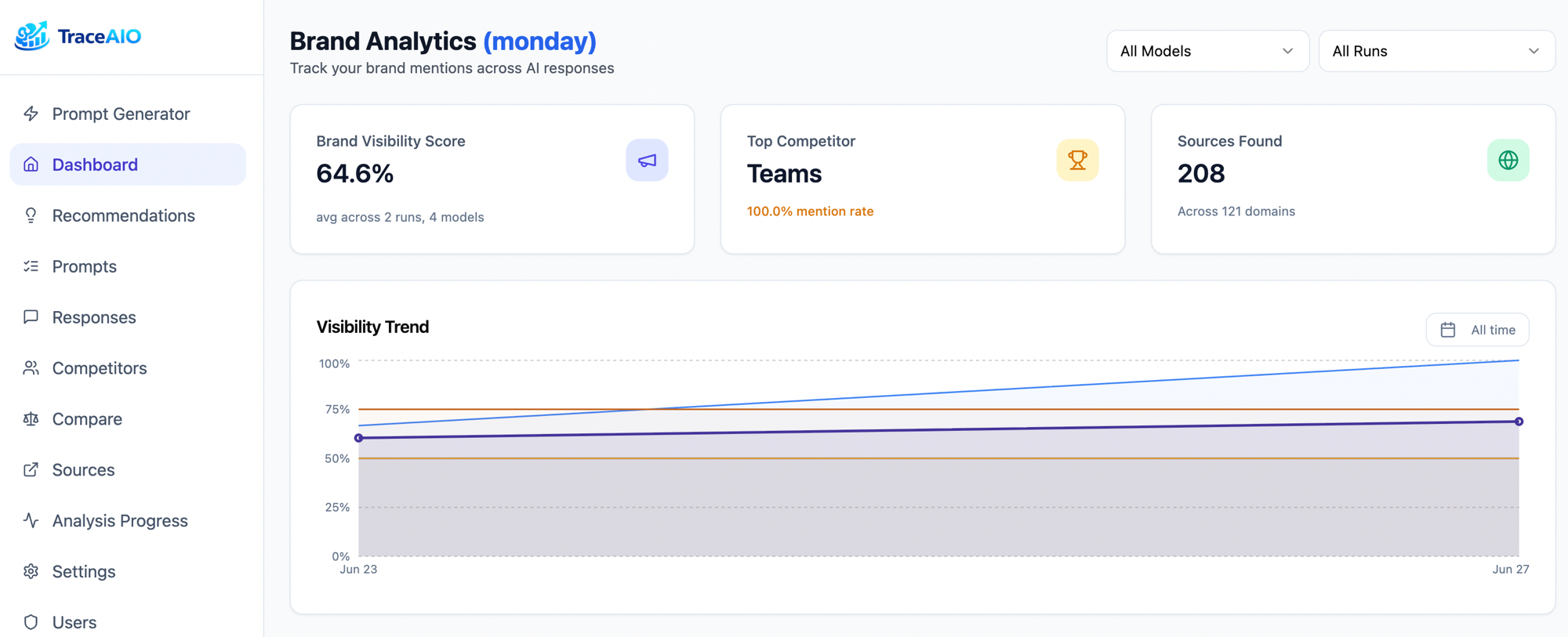
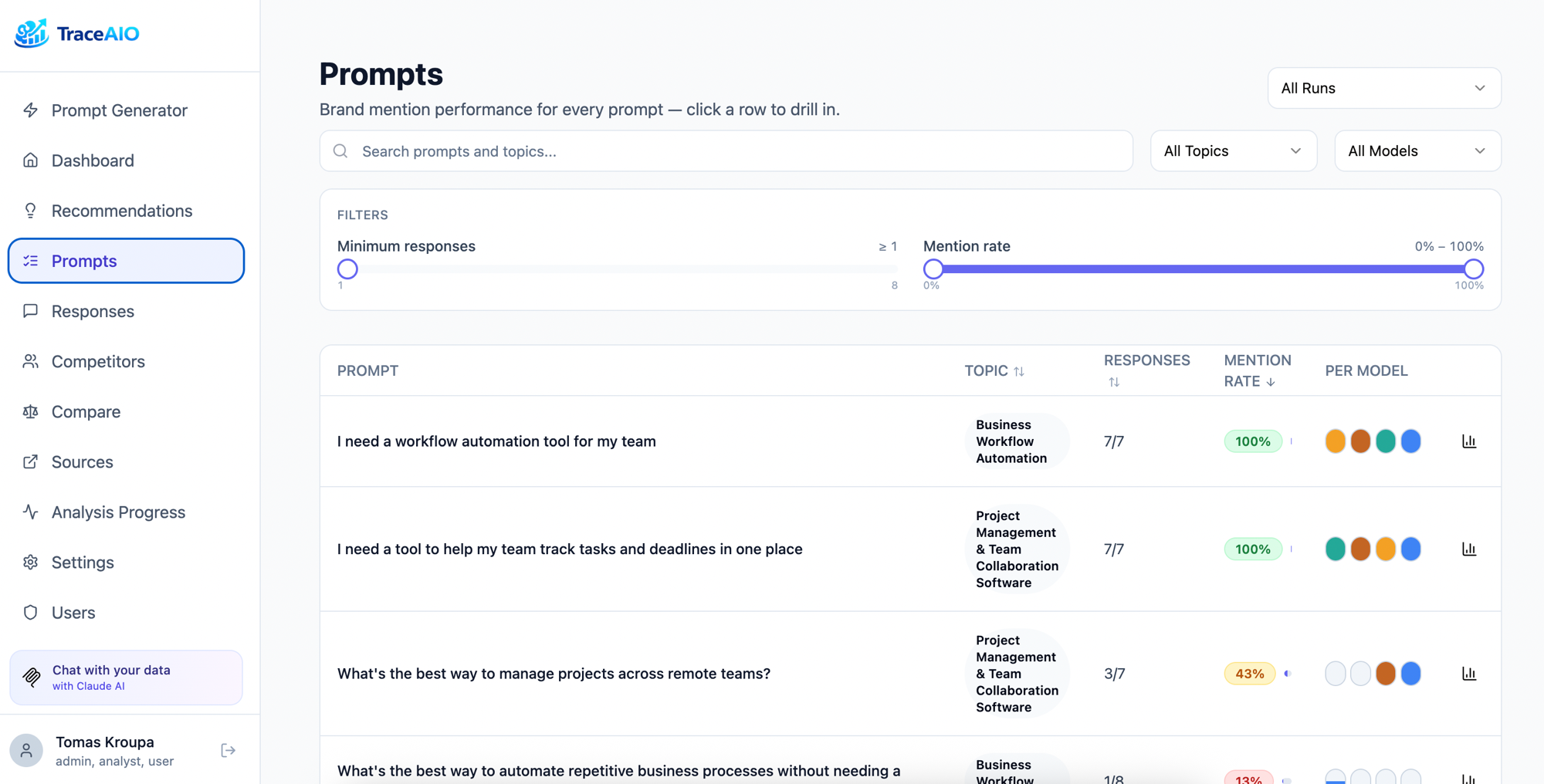
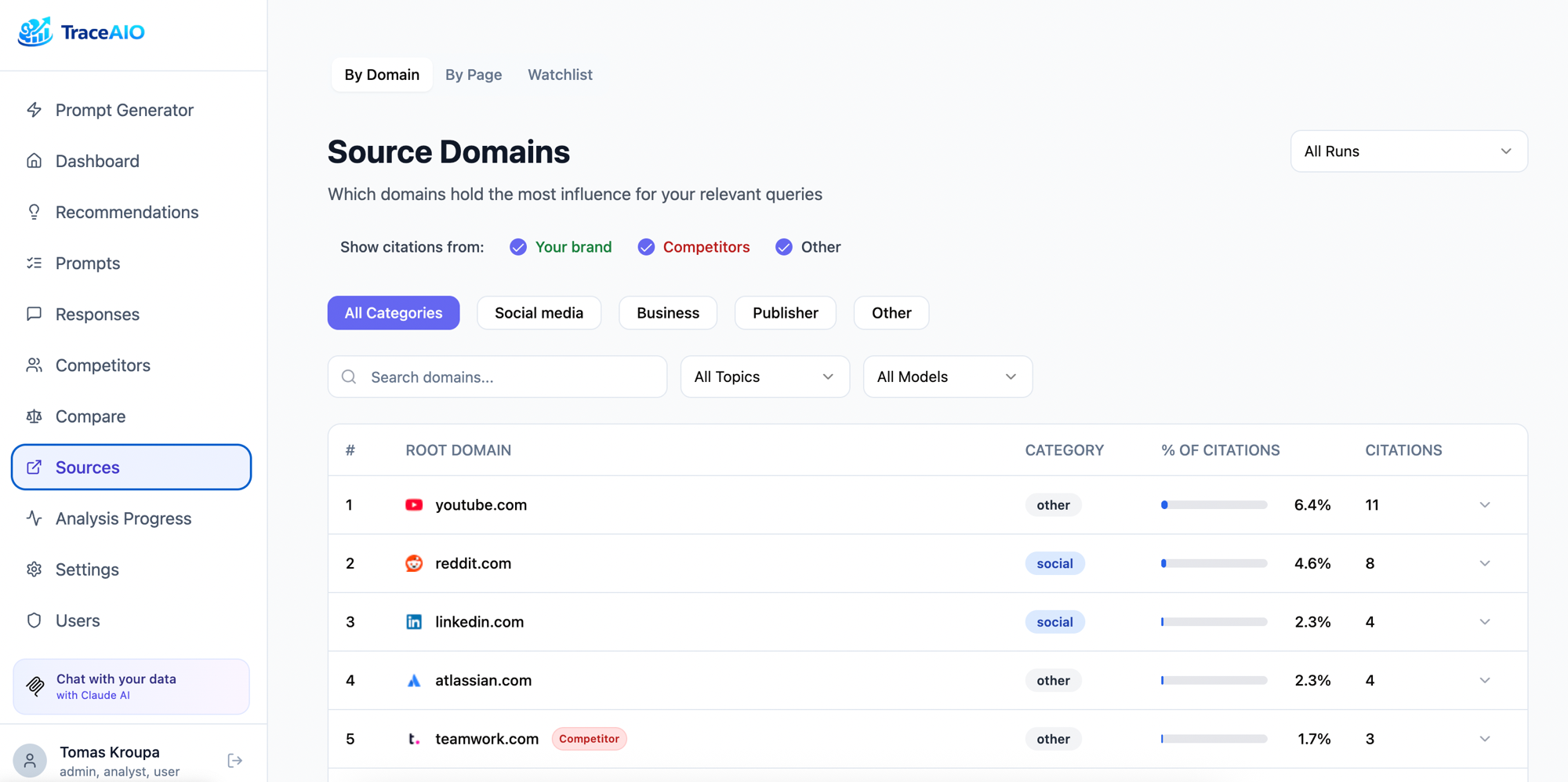
A real, running TraceAIO instance loaded with sample data — explore the dashboard, prompts, competitors, and sources. No signup required.
[!Image 2: TraceAIO dashboard showing brand visibility score, top competitor, sources found, and a visibility trend chart](https://demo.traceaio.org/)

// how it works
Real models. Real responses.
1
Generate prompts
AI creates brand-neutral prompts on topics that matter in your industry, the kind of questions your potential customers actually ask. Add your own custom prompts too. Prompts are saved and reusable across runs.
2
Ask each model the way users do
Browser-based models — ChatGPT, Perplexity, Gemini, Google AI Mode — are queried through real browser sessions, exactly what your users see. API-based models — OpenAI and Anthropic — call the provider’s API with built-in web search, the same path their official answer engines use. Either way, you get the production answer, not a stripped-down API approximation.
**Browser runtime: 3rd Party Proxy (recommended)**
Uses residential proxies via Apify to run ~15 prompts/min in parallel. Different IP per request, no anti-bot issues, no risk to your infrastructure.
**Browser runtime: Local Container**
Free but risky. Runs a real browser on your machine, one prompt at a time. Your IP is exposed directly to each LLM provider. Anti-bot systems catch repeated requests from the same address and can block your normal access to these services. Not recommended for production.
3
Analyze & record
Every response is analyzed: was your brand mentioned? Which competitors showed up? What sources were cited? Results are stored per-run so you can track changes over time, compare models, and find exactly where you're missing.
4
Ask questions about your data
Connect Claude via MCP and query your brand data conversationally. "Which prompts mention our competitor but not us?" "What sources does Perplexity cite that Gemini doesn't?" "How did our mention rate change after the last product launch?" No SQL required.
// capabilities
Everything you need to
monitor LLM visibility
01
Prompt Generation
AI creates brand-neutral prompts across topics relevant to your industry. Add your own. Reuse across runs.
02
Multi-Model Testing
Runs against ChatGPT, Perplexity, Google Gemini, and Google AI Mode via real browser sessions. Not APIs. Exactly what your users see.
03
Competitor Tracking
Auto-detects competitors from responses. Merge duplicates, block noise, compare head-to-head.
04
Source Analysis
Track which domains LLMs cite. See brand, competitor, and neutral sources. Find citation gaps.
05
Scheduled Runs
Schedule once. Run analysis hourly, daily, weekly, or monthly. Stuck runs auto-expire after 24 hours.
06
Integrations
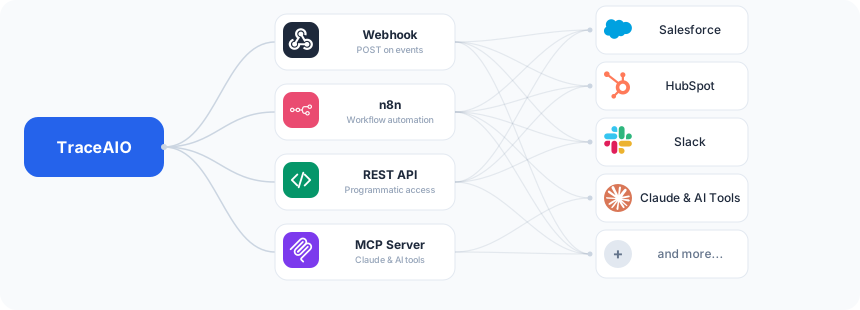
Webhooks, n8n, REST API, and MCP server. Push results where you need them and pull data however you want.
// integrations
Connect to your workflow
Push results where you need them. Pull data however you want.
Webhooks
Get notified when analysis completes. Configure a URL with optional Bearer token auth, and run results arrive as a POST. Pipe them into Slack, n8n, Zapier, or your own backend.
n8n
Community node for n8n. Trigger workflows on analysis completion, sync results to spreadsheets, send reports via email, and connect to 400+ other apps.
REST API
Full API with Swagger docs. Fetch runs, responses, competitors, sources, and metrics. Build dashboards, reports, or feed data into your own analytics pipeline.
MCP Server
16 built-in tools for Claude Code and Claude Desktop. Query your brand data conversationally. Compare models, find citation gaps, track trends across runs.
// get started
Up and running in 60 seconds
Two ways to deploy. Pick whichever fits your workflow.
Requirements
1
**Docker.** That's all the infrastructure you need.
2
**OpenAI or Anthropic API key.** Powers prompt generation and response analysis.
3
**Run models.** Browser models need a runtime; API models just need an API key. Pick at least one — you can also combine:
~1 prompt/min Browser models
Included with Docker Compose. Runs a real browser locally, but may get blocked by anti-bot protections.
or
~15 prompts/min Browser models
Residential proxies via Apify. Different IP per request, no anti-bot issues. Free credits on sign-up.
or
OpenAI + Anthropic No browser needed
Direct provider APIs with built-in web search. Adds OpenAI API and Anthropic API as queryable models.
Option A
Docker Compose
Pull the image and start. Everything runs locally, including the browser automation container.
```
Download and start
curl -O https://raw.githubusercontent.com/jakubsuchy/traceaio/main/docker-compose.yml docker compose up -d
Open http://localhost:3000
```
Create an admin account, add your API key, and configure your brand in the setup wizard. Switch to Apify in Settings → Credentials if you want faster parallel runs.
Option B
Claude Code
Let Claude set it up for you. Paste this into Claude Code and it handles the rest.
```
Tell Claude:
Download docker-compose.yml from https://raw.githubusercontent.com/jakubsuchy/traceaio/main/docker-compose.yml and run docker compose up -d Then open http://localhost:3000 ```
After setup, connect Claude to your data via MCP:
`claude mcp add --transport http brand-tracker http://localhost:3000/mcp`