Realtime Face Swap AI Preview Tool | Vivify


ImageVideo PromptsFace Swap NewPricing
Experience advanced realtime AI face swap technology with a reference photo and your webcam.
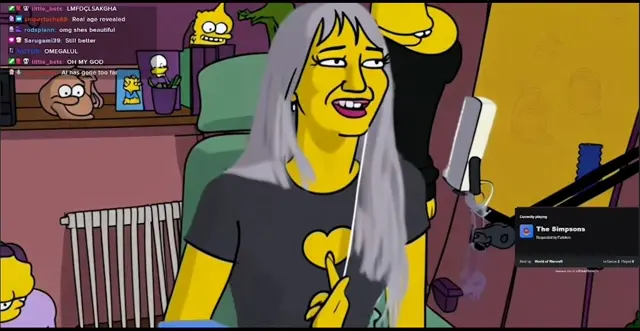
Loading preview
Realtime face swap demo
Pick a face, start, then preview the live output in your browser.
Local webcam preview
Camera
Upload face
or
AI output
Sign up to get a free 30s preview.
How to use Realtime Face Swap
Start with a replacement face, run the live swap, then compare the AI output with your original camera feed.
1. 1
Upload or choose a face
Upload the person photo you want to swap in, or pick one of the preset portraits.
2. 2
Click Start
Start the realtime session and let Vivify replace the person in your live camera feed.
3. 3
Compare the preview
Use the preview area to see the swapped result next to the original camera view.
Realtime live face swap examples
Watch live-camera style examples that show character replacement while motion, framing, and expressions stay readable.
!Image 3: Realtime face swap example thumbnail showing a woman in a bubble bath holding a rubber duck

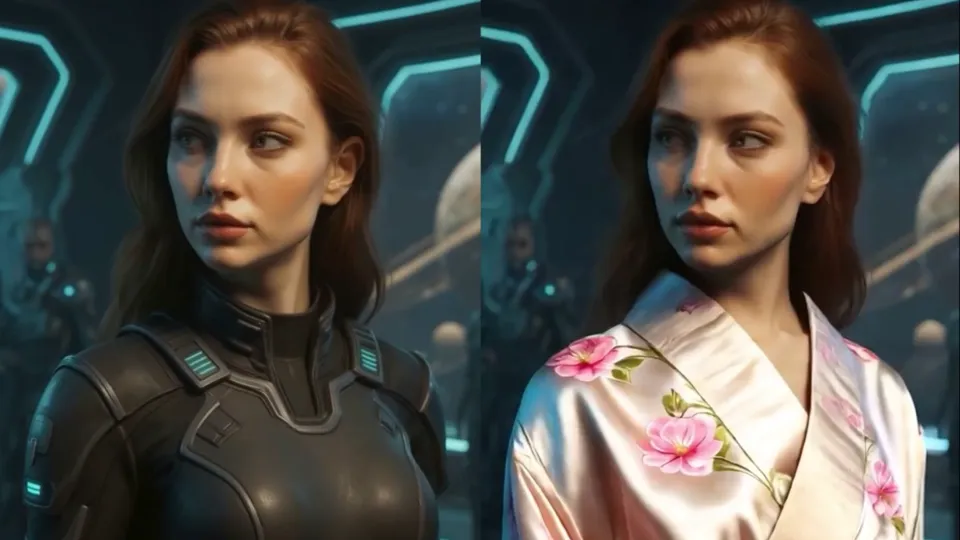
Realtime live try-on examples
See how outfit references apply to a live person feed for creator, shopping, and styling workflows.
Realtime live restyle examples
See how style references transform a live person feed into character, streamer, or branded looks.
!Image 5: Live restyle example thumbnail showing a 3D animated male character at sunset

How the realtime preview works
Your camera stream is sent to the realtime AI server, transformed into new frames, returned to Vivify, and shown beside your original camera view.
1. 01
Send the live camera feed
After you click Start, Vivify streams your webcam frames to a secure realtime AI session. 2. 02
Generate replacement frames
The AI uses your uploaded or preset person photo to render a new live view frame by frame. 3. 03
Return the result
The generated stream comes back to the browser and appears beside your original camera view. 4. 04
Stop to settle
When you stop, the live session closes and usage is settled at 1.5 credits per second.
Vivify Live Client is coming soon
Use realtime face swap as a virtual camera for live streams, video calls, recordings, and creator workflows. Planned for Windows, macOS, iPhone, and Android.
Download apps planned for
Windows macOS iPhone Android
Virtual camera output
Send the AI face swap result into streaming, meeting, and recording tools as a camera source.
Longer live sessions
Run creator workflows beyond the short browser preview with a dedicated client experience.
Desktop and phone workflows
Use desktop builds for production setups and planned phone apps for mobile preview and capture.
Creator presets
Keep common reference faces, live session settings, and creator workflows ready for repeat use.
Built for the platforms creators already use
OBS Studio Zoom TikTok LIVE YouTube Live Discord
Join the client launch list
Join the client launch list
Leave your email and we will let you know when the first Vivify Live Client builds are ready.
No payment today. We will only use this email for Vivify Live Client launch updates.
What this live face swap does
This page is a browser preview for transforming your webcam stream with a selected reference portrait.
One reference face
Pick a preset portrait or upload an image you have rights to use before starting the live session.
Live camera preview
Vivify sends your webcam stream to a short-lived realtime AI session and shows the transformed output beside it.
Preview-only boundary
The first integration is for interactive testing. It does not record, export, or save the transformed stream.
Where to use it
Keep this capability in controlled preview workflows where consent, identity, and usage cost are clear.
Avatar testing
Quickly judge whether a reference face works for a live character or virtual host concept.
Creator ideation
Explore webcam-driven identity and styling directions before making a polished image or video asset.
Product demos
Show the realtime model capability in a short supervised session without storing outputs.
Realtime face swap FAQ
Operational details for this first Vivify integration.
Try the live preview with your Vivify credits
Use a short session first, then stop when you have seen enough of the realtime effect.