Shop Mac Studio
- Apple
*
- Store
Shop
- Mac
- iPad
- iPhone
- AirPods
- Home
Quick Links
Shop Special Stores
- Business
- Mac
Explore Mac
- iMac
- Mac mini
- Displays
Shop Mac
- Shop Mac
More from Mac
- macOS 27
- iCloud+
- iPad
Explore iPad
- iPad Pro
- iPad Air
- iPad
Shop iPad
More from iPad
- iCloud+
- iPhone
Explore iPhone
Shop iPhone
More from iPhone
- iOS 27
- iCloud+
- Watch
Explore Watch
Shop Watch
More from Watch
- Vision
Explore Vision
Shop Vision
- Apple Vision Pro Accessories
More from Vision
- Apple Vision Pro for Enterprise
- AirPods
Explore AirPods
Shop AirPods
More from AirPods
- Home
Explore Home
- HomePod
Shop Home
More from Home
- Apple TV
- Home app
- AirPlay
Explore Entertainment
- Apple TV
Support
Shop by Product
- iPhone
- iPad
- Mac
- AirPods
- Home
- AirTag
- Beats
Shop by Category
- Gaming
- Software
More to Explore
- Support
Explore Support
- iPhone
- Mac
- iPad
- Watch
- AirPods
- Music
- TV
Get Help
- Repair
Helpful Topics
- [](https://www.apple.com/search)
5 total results
Quick Links
- AirPods
- 0+
Mac Studio, M5 Max Chip, 18-core CPU, 40-core GPU, 64GB memory, 1TB storage
Mac Studio, M5 Max Chip, 18-core CPU, 32-core GPU, 36GB memory, 512GB storage
Mac Studio, M5 Ultra Chip, 30-core CPU, 64-core GPU, 96GB memory, 1TB storage
0
Buy from $2499 or $208.25/mo.per month for 12 mo.months Footnote※Lease from From $48.99/mo.per month for 36 mo.months with Apple Upgrade Footnote#
Previous
2-hr hours delivery in most metros ($9)
Free shipping
Pick up from Store
Next
New
Buy Mac Studio
Buy from $2499 or $208.25/mo.per month for 12 mo.months Footnote※Lease from From $48.99/mo.per month for 36 mo.months with Apple Upgrade Footnote#
Add a trade-in to save on your new Mac.Footnote§
Get 3% Daily Cash back with Apple Card.
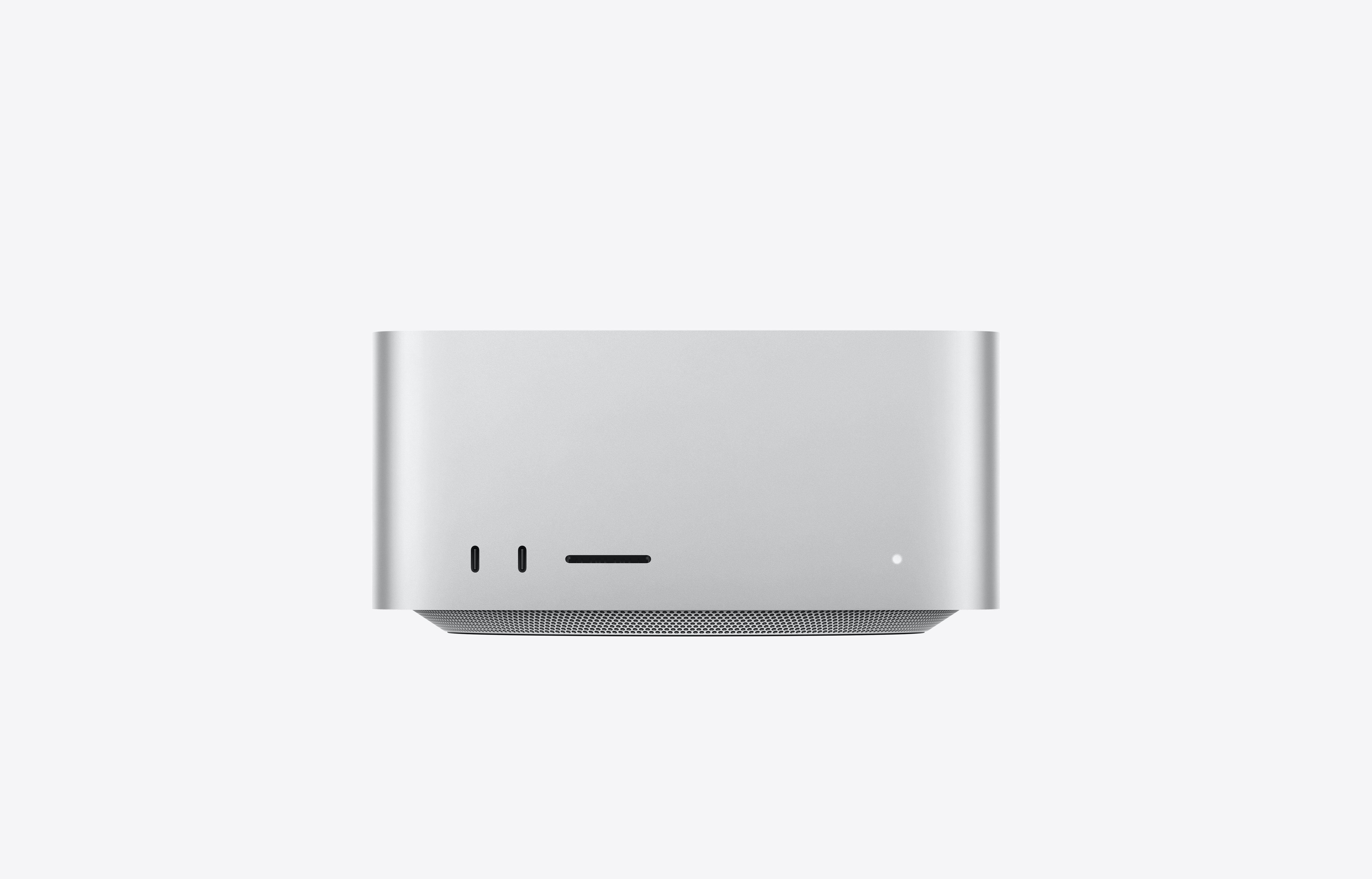
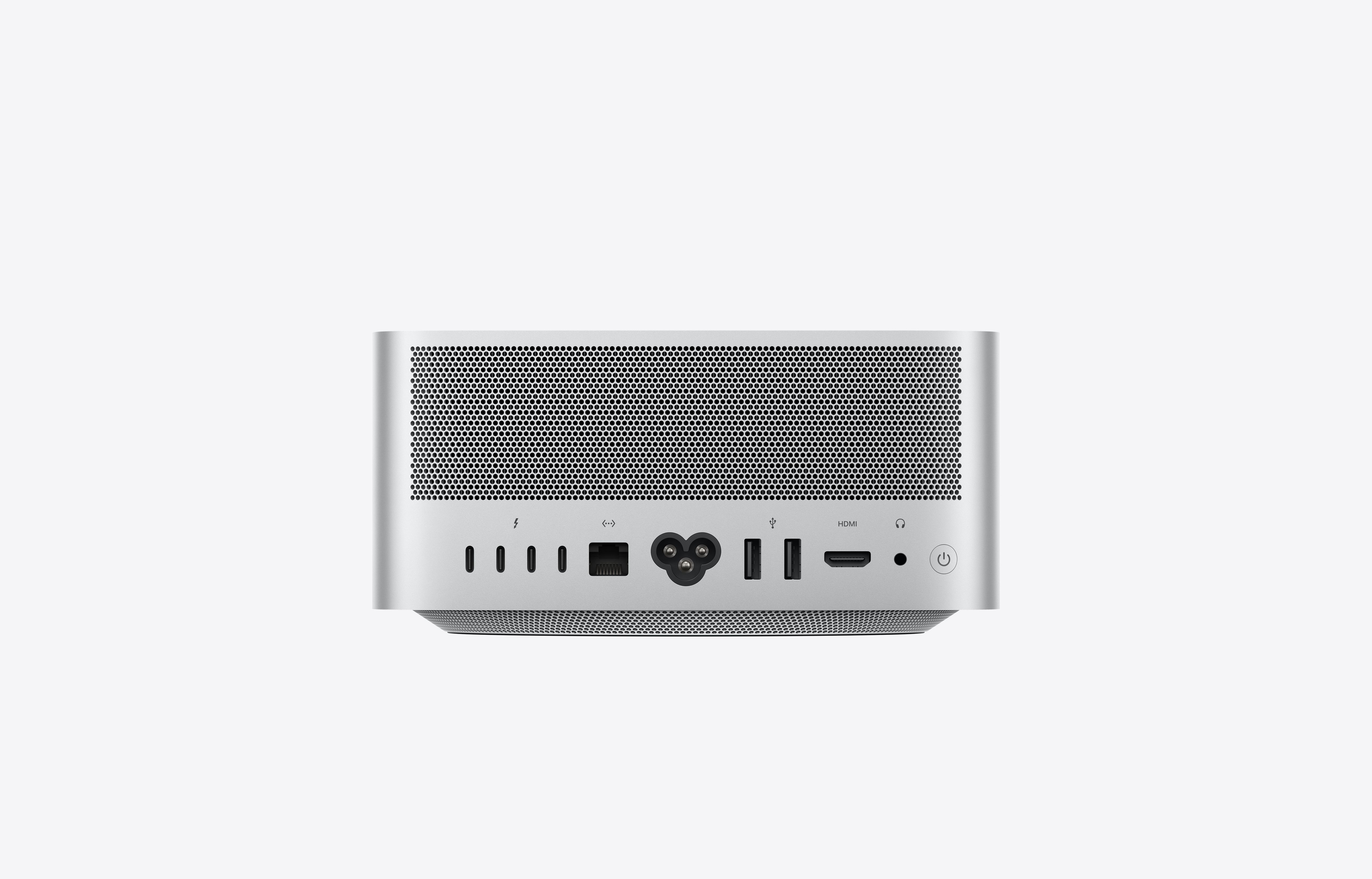
M5 Max and M5 Ultra both feature a next-generation CPU and GPU, and massive unified memory bandwidth. And with powerful Neural Accelerators, these chips deliver phenomenal on-device AI performance.
Previous gallery image Next gallery image
Chip. Choose from these powerful options.
M5 Max chip
Serious speed and capability for creative projects and pro workflows.
2 options with 16‑core Neural Engine Buy from $2499 or $208.25/mo.per month for 12 mo.months Footnote※Lease from From $48.99/mo.per month for 36 mo.months with Apple Upgrade Footnote#
M5 Ultra chip
Our most powerful chip, with unprecedented performance for the most demanding pro workflows.
2 options with 32‑core Neural Engine Buy from $5499 or $458.25/mo.per month for 12 mo.months Footnote※Lease from From $110.10/mo.per month for 36 mo.months with Apple Upgrade Footnote#
Need help choosing a chip?
Compare the options and discover which one is best for you.
Memory. Pick how much is right for you.
36GB
48GB
64GB
96GB
128GB
256GB
512GB
Not sure how much memory to get?
Learn about unified memory and which option is best for how you will use your Mac.
Storage. Choose how much space you’ll need.
512GB
1TB
2TB
4TB
8TB
16TB
Not sure how much storage to get?
Learn about storage and which option is best for how you will use your Mac.
Apple Trade In.Get credit toward your new Mac.Footnote§
Apple Trade In.
Add a trade-in Answer a few questions to get your estimate.
Enter the serial number of your Mac.
Go to the Apple () menu and select About this Mac.
Serial number Verify Serial number
Trade in another type of device
No trade-in
How does trade-in work?
Learn how you can save on your order with a trade-in. Or recycle your device for free.
Payment options. Select the one that works for you.
Edit Payment Options
Buy
Pay with Apple Pay or other payment methods
Finance!Image 8 Apple Card Monthly Installments
- Financed at 0% APR with Apple Card Monthly Installments.Footnote◊ Just choose Apple Card Monthly Installments as your payment option at Apple during checkout.
- Get 3% Daily Cash back up front on the full cost of your Mac
Lease with !Image 9Apple Upgrade
Pay monthly with Klarna. Easily upgrade at the end of your term. Or upgrade early by paying the remainder of your monthly payments plus applicable taxes.
Get Apple Upgrade details Lease with 
Which payment option is right for you?
Learn how to lease or finance your new Mac.
Your new Mac Studio awaits.
Make it yours.
Buy from $2499 or $208.25/mo.per month for 12 mo.months Footnote※Lease from From $48.99/mo.per month for 36 mo.months with Apple Upgrade Footnote#
Get 3% Daily Cash with Apple Card
Continue
Still deciding?
Save all your configurations for later, or share them with a friend.
Save
Share
Link Copied
Have more questions?
Ask a Mac Specialist(Opens in a new window)
Frequently Asked Questions
- ### I’m switching from a PC to a Mac. Is it easy to set up my new Mac and transfer my files?
Yes, switching to Mac is simple, and learning how to use Mac feels just as easy as using your iPhone. Mac pairs seamlessly with your iPhone and other Apple devices.
If you already have an iPhone, setting up your Mac is a snap. Just bring your iPhone near your Mac, and Setup Assistant signs you in to your Wi-Fi network and Apple Account. Your files, photos, messages, passwords, and more are transferred from iCloud right to your new Mac.
Don’t have an iPhone? No problem. With Migration Assistant preinstalled on every Mac, you can easily transfer your documents, apps, accounts, and settings from a PC or an existing Mac. Once the transfer is complete, everything will be ready on your new Mac.
Need more help? With Personal Setup, you get free online, one-on-one sessions with a Specialist who walks you through setup and shows you how to make the most of your new Mac. Best of all, you can join whenever works for you, from wherever you are.
- ### Does Apple offer any special discounts or promotions to higher-education students, parents, and teachers?
Apple has an Education Store dedicated to your needs. You’ll find discounts, promotions, and bundle deals on Mac, iPad, software, and accessories. You can also access tools and resources to learn how you can better use your Apple devices, software, and apps to enhance learning and teaching.
Products eligible for education discounts are marked with a graduation cap icon. You may need to verify your eligibility with an active school email or other documentation during checkout. Verification varies by country.
Shop the Education Store(Opens in a new window)
- ### What’s the fastest way to get my order, and what are my delivery options?
In most metro areas, we offer same-day scheduled courier delivery on available in-stock items from an Apple Store. The two-hour delivery fee is $9. You’ll choose a delivery date and time during checkout. Subject to availability. You can also visit your local Apple Store to check in-stock availability and options for same-day pickup.
Delivery options, which you can select during checkout, depend on your location and the product availability. While many Mac configurations are ready to ship or pick up in a store, some customized selections may impact your delivery estimates and options.
Orders placed on apple.com can only be shipped within the country or region of purchase. Visit the online store of the location where you want your products delivered.
- ### Can I connect my Mac to additional displays?
Yes. The number of additional displays that can be connected will depend on your Mac model and chip, and could also vary depending on display resolution.
Get more details about connecting to external displays for each Mac model:
- MacBook Pro with PROLED XDR Display
- iMac
- Mac mini
- ### How can I pay for my new Mac?
You can buy with a one-time payment, finance with Apple, or lease an eligible Mac with Apple Upgrade.
Apple accepts Apple Pay, most credit and debit cards, PayPal, Apple Gift Cards, and Apple Card. You can also split your payment across multiple cards as long as they share the same billing address.
When you choose to check out at Apple with Apple Card Monthly Installments, you can pay for your new device over time, interest-free,Footnote◊ and you’ll receive 3% Daily Cash back up front.
If you don’t have Apple Card yet, you can apply for one in as little as a minute when you select Apple Card Monthly Installments as your payment option and use it for your purchase.
Learn more about Apple Card Monthly Installments(Opens in a new window)
If you used your Apple Card to pay in full, but you meant to take advantage of interest-free financing using Apple Card Monthly Installments, we can help you get switched over. Contact an Apple Card Specialist at 877-255-5923. You can also chat with one by tapping Apple Card in Wallet, tapping the More button in the upper-right corner, and then tapping Message.
- ### How does Apple Upgrade work?
Apple Upgrade is a leasing program offered in partnership with Klarna. Lease an iPhone or Apple Watch for 12 or 24 months, or an iPad or Mac for 24 or 36 months. Then, easily upgrade to something new at the end of your term. You can even upgrade early by paying the full amount of your remaining lease payments plus applicable taxes. In either case, you must return your original device in good working condition.Footnote∆
Enroll in Apple Upgrade by selecting which Apple product you want, choosing Apple Upgrade as your payment option, selecting the term that works best for you, and filling out your application during checkout.
- ### How does Apple Trade In work?
Apple Trade In makes it easy to get credit toward the purchase of your new Mac. Just answer a few questions about your device and its condition. Based on what you tell us, we’ll provide an estimated trade-in value.Footnote§ If you buy online and choose to pay with Apple Card Monthly Installments, we’ll apply the value as an instant credit to lower the monthly payments of your new device. If you pay in full, we’ll credit your payment method after we receive your trade-in. And if it’s not eligible for credit, we’ll provide a simple way to recycle it for free.
If it’s eligible for trade-in, we’ll mail you a free trade-in kit. You may receive it along with your new device. Otherwise it will be mailed to you separately as soon as your order is ready for delivery or pickup. Once you receive the trade-in kit, you have 14 days to prepare and send in your device.
Once we receive your trade-in, we'll inspect it and verify its condition. If everything checks out, there’s nothing more you need to do. If your device doesn’t match the condition you described, you’ll receive an email with next steps.
If you paid in full and the value of your device was more than the cost of your new Mac, you’ll receive an Apple Gift Card by email with the remaining amount.
The online trade-in process can take up to 2 to 3 weeks. You can also trade in your device at an Apple Store at the point of purchase. However, the trade-in value in-store may be different from the estimated trade-in value you received online.
- ### What protection does AppleCare offer?
AppleCare+ extends the standard warranty for your new Mac. It provides unlimited repairs for accidents like drops and spills, as well as battery replacements at no extra charge. You’ll also get access to 24/7 priority support from Apple experts.Footnote±
If you choose AppleCare One, you get all the same benefits of AppleCare+ for up to three devices, plus theft and loss coverage for iPhone, iPad, and Apple Watch.Footnote†
If you have an active AppleCare+ plan, you can still upgrade to an AppleCare One plan. Other eligible devices are those currently associated with your Apple Account, Apple audio or headphones less than one year old, and other Apple devices that are less than four years old and in good condition. When you switch plans, we’ll automatically cancel your current one and refund any amount owed.
Learn more about AppleCare+ (Opens in a new window)
- ### Can I return or exchange my Mac?
If you change your mind and no longer wish to keep your Mac, you have the option to return it or exchange it. The returned device must be in good condition and in the original packaging, including all accessories, manuals, and instructions. Returns are subject to Apple’s Sales and Refunds Policy.
Learn more about returns, refunds, and exchanges(Opens in a new window)
Your new Mac comes with so much more.
Get 3 months of select services free when you purchase an Apple device.Footnote‡
!Image 13: Apple TV, Apple Music, Apple Arcade, Apple News+
Students and educators — save on a new Mac.
Get special pricing in the Education Store.
Shop now Students and educators — save on a new Mac.
- ## Frequently Asked Questions
- ### I’m switching from a PC to a Mac. Is it easy to set up my new Mac and transfer my files?
Yes, switching to Mac is simple, and learning how to use Mac feels just as easy as using your iPhone. Mac pairs seamlessly with your iPhone and other Apple devices.
If you already have an iPhone, setting up your Mac is a snap. Just bring your iPhone near your Mac, and Setup Assistant signs you in to your Wi-Fi network and Apple Account. Your files, photos, messages, passwords, and more are transferred from iCloud right to your new Mac.
Don’t have an iPhone? No problem. With Migration Assistant preinstalled on every Mac, you can easily transfer your documents, apps, accounts, and settings from a PC or an existing Mac. Once the transfer is complete, everything will be ready on your new Mac.
Need more help? With Personal Setup, you get free online, one-on-one sessions with a Specialist who walks you through setup and shows you how to make the most of your new Mac. Best of all, you can join whenever works for you, from wherever you are.
- ### Does Apple offer any special discounts or promotions to higher-education students, parents, and teachers?
Apple has an Education Store dedicated to your needs. You’ll find discounts, promotions, and bundle deals on Mac, iPad, software, and accessories. You can also access tools and resources to learn how you can better use your Apple devices, software, and apps to enhance learning and teaching.
Products eligible for education discounts are marked with a graduation cap icon. You may need to verify your eligibility with an active school email or other documentation during checkout. Verification varies by country.
Shop the Education Store(Opens in a new window)
- ### What’s the fastest way to get my order, and what are my delivery options?
In most metro areas, we offer same-day scheduled courier delivery on available in-stock items from an Apple Store. The two-hour delivery fee is $9. You’ll choose a delivery date and time during checkout. Subject to availability. You can also visit your local Apple Store to check in-stock availability and options for same-day pickup.
Delivery options, which you can select during checkout, depend on your location and the product availability. While many Mac configurations are ready to ship or pick up in a store, some customized selections may impact your delivery estimates and options.
Orders placed on apple.com can only be shipped within the country or region of purchase. Visit the online store of the location where you want your products delivered.
- ### Can I connect my Mac to additional displays?
Yes. The number of additional displays that can be connected will depend on your Mac model and chip, and could also vary depending on display resolution.
Get more details about connecting to external displays for each Mac model:
- MacBook Pro with PROLED XDR Display
- iMac
- Mac mini
- ### How can I pay for my new Mac?
You can buy with a one-time payment, finance with Apple, or lease an eligible Mac with Apple Upgrade.
Apple accepts Apple Pay, most credit and debit cards, PayPal, Apple Gift Cards, and Apple Card. You can also split your payment across multiple cards as long as they share the same billing address.
When you choose to check out at Apple with Apple Card Monthly Installments, you can pay for your new device over time, interest-free,Footnote◊ and you’ll receive 3% Daily Cash back up front.
If you don’t have Apple Card yet, you can apply for one in as little as a minute when you select Apple Card Monthly Installments as your payment option and use it for your purchase.
Learn more about Apple Card Monthly Installments(Opens in a new window)
If you used your Apple Card to pay in full, but you meant to take advantage of interest-free financing using Apple Card Monthly Installments, we can help you get switched over. Contact an Apple Card Specialist at 877-255-5923. You can also chat with one by tapping Apple Card in Wallet, tapping the More button in the upper-right corner, and then tapping Message.
- ### How does Apple Upgrade work?
Apple Upgrade is a leasing program offered in partnership with Klarna. Lease an iPhone or Apple Watch for 12 or 24 months, or an iPad or Mac for 24 or 36 months. Then, easily upgrade to something new at the end of your term. You can even upgrade early by paying the full amount of your remaining lease payments plus applicable taxes. In either case, you must return your original device in good working condition.Footnote∆
Enroll in Apple Upgrade by selecting which Apple product you want, choosing Apple Upgrade as your payment option, selecting the term that works best for you, and filling out your application during checkout.
- ### How does Apple Trade In work?
Apple Trade In makes it easy to get credit toward the purchase of your new Mac. Just answer a few questions about your device and its condition. Based on what you tell us, we’ll provide an estimated trade-in value.Footnote§ If you buy online and choose to pay with Apple Card Monthly Installments, we’ll apply the value as an instant credit to lower the monthly payments of your new device. If you pay in full, we’ll credit your payment method after we receive your trade-in. And if it’s not eligible for credit, we’ll provide a simple way to recycle it for free.
If it’s eligible for trade-in, we’ll mail you a free trade-in kit. You may receive it along with your new device. Otherwise it will be mailed to you separately as soon as your order is ready for delivery or pickup. Once you receive the trade-in kit, you have 14 days to prepare and send in your device.
Once we receive your trade-in, we'll inspect it and verify its condition. If everything checks out, there’s nothing more you need to do. If your device doesn’t match the condition you described, you’ll receive an email with next steps.
If you paid in full and the value of your device was more than the cost of your new Mac, you’ll receive an Apple Gift Card by email with the remaining amount.
The online trade-in process can take up to 2 to 3 weeks. You can also trade in your device at an Apple Store at the point of purchase. However, the trade-in value in-store may be different from the estimated trade-in value you received online.
- ### What protection does AppleCare offer?
AppleCare+ extends the standard warranty for your new Mac. It provides unlimited repairs for accidents like drops and spills, as well as battery replacements at no extra charge. You’ll also get access to 24/7 priority support from Apple experts.Footnote±
If you choose AppleCare One, you get all the same benefits of AppleCare+ for up to three devices, plus theft and loss coverage for iPhone, iPad, and Apple Watch.Footnote†
If you have an active AppleCare+ plan, you can still upgrade to an AppleCare One plan. Other eligible devices are those currently associated with your Apple Account, Apple audio or headphones less than one year old, and other Apple devices that are less than four years old and in good condition. When you switch plans, we’ll automatically cancel your current one and refund any amount owed.
Learn more about AppleCare+ (Opens in a new window)
- ### Can I return or exchange my Mac?
If you change your mind and no longer wish to keep your Mac, you have the option to return it or exchange it. The returned device must be in good condition and in the original packaging, including all accessories, manuals, and instructions. Returns are subject to Apple’s Sales and Refunds Policy.
Learn more about returns, refunds, and exchanges(Opens in a new window)
Footer
footnotes
- Footnote◊ Apple Card Monthly Installments (ACMI) is a 0% APR payment option that is only available if you select it at checkout in the U.S. for eligible products purchased at Apple Store locations, apple.com (Opens in a new window), the Apple Store app, or by calling 1-800-MY-APPLE, and is subject to credit approval and credit limit. See here for more information about eligible products. (Opens in a new window) Existing customers: See your Customer Agreement for your variable APR. As of October 1, 2026, the variable APR on new Apple Card accounts ranges from 17.74% to 27.99%. You must elect to use ACMI at checkout. If you buy an ACMI-eligible product with a one-time payment on Apple Card at checkout, that purchase is subject to your Apple Card’s variable APR, not the ACMI 0% APR. Taxes and shipping on items purchased using ACMI are subject to your Apple Card’s variable APR, not the ACMI 0% APR. In order to buy an iPhone with ACMI, you must select one of the following carriers (prepaid carrier plans are not supported): AT&T, T-Mobile, or Verizon. An iPhone purchased with ACMI is always unlocked, so you can switch carriers at any time, subject to your carrier’s terms. ACMI is not available for purchases made at the following special storefronts or when using these discounts in-store at Apple: Apple Employee Purchase Plan; participating corporate Employee Purchase Programs; Apple at Work for small businesses; Government and Veterans and Military Purchase Programs; or on refurbished devices. The last month’s payment for each product will be the product’s purchase price, less all other payments at the monthly payment amount. ACMI is subject to change at any time for any reason, including but not limited to installment term lengths and eligible products. See the Apple Card Customer Agreement (Opens in a new window) for more information about ACMI.
To access and use all Apple Card features and products available only to Apple Card users, you must add Apple Card to Wallet on an iPhone or iPad that supports and has the latest version of iOS or iPadOS. Apple Card is subject to credit approval, available only for qualifying applicants in the United States, and issued by Goldman Sachs Bank USA, Salt Lake City Branch.
Apple Payments Services LLC, a subsidiary of Apple Inc., is a service provider of Goldman Sachs Bank USA for Apple Card and Savings accounts. Neither Apple Inc. nor Apple Payments Services LLC is a bank.
All communications from Apple and Goldman Sachs Bank USA about Apple Card (including transactional and marketing communications) and customer service support are available in English. Certain communications about Apple Card can be viewed in another language depending on your device language settings. If you reside in the U.S. Virgin Islands, American Samoa, Guam, Northern Mariana Islands, or U.S. Minor Outlying Islands, please call Goldman Sachs at 877-255-5923 with questions about Apple Card.
- Footnote∆ A damage fee may apply if the device is not returned in good working condition.
- Footnote§ Trade-in values will vary based on the condition, year, and configuration of your eligible trade-in device. Not all devices are eligible for credit. You must be at least the age of majority to be eligible to trade in for credit or for an Apple Gift Card. Trade-in value may be applied toward qualifying new device purchase, or added to an Apple Gift Card. Actual value awarded is based on receipt of a qualifying device matching the description provided when estimate was made. Sales tax may be assessed on full value of a new device purchase. In-store trade-in requires presentation of a valid photo ID (local law may require saving this information). Offer may not be available in all stores, and may vary between in-store and online trade-in. Some stores may have additional requirements. Apple or its trade-in partners reserve the right to refuse, cancel, or limit quantity of any trade-in transaction for any reason. More details are available from Apple’s trade-in partner for trade-in and recycling of eligible devices. Restrictions and limitations may apply.
- Footnote± Service coverage is available only for covered devices and their original included accessories for protection against (i) defects in materials or workmanship, (ii) batteries that retain less than 80% of their original capacity, and (iii) unlimited incidents of accidental damage. Accidental Damage means physical damage from handling due to unexpected and unintentional events. If an iPad is covered in your plan, one compatible Apple Pencil and one compatible Apple-branded iPad keyboard used with your iPad are also covered. AppleCare One is subject to eligibility rules; additions to plan may require inspection and a diagnostic check: Devices must be less than 4 years old and headphones must be less than 1 year old, and only devices in your Apple Account can be covered under AppleCare One. Limit of one (1) Apple Vision Pro can be covered under AppleCare One at a time. Replacement equipment that Apple provides as part of the repair or replacement service may contain new or previously used genuine Apple parts that have been tested and pass Apple functional requirements. There are no service fees for mechanical failures. Each incident of accidental damage protection is subject to a service fee plus applicable tax. If you have a plan with theft and loss coverage, each incident of theft or loss is subject to a deductible plus applicable tax. For complete details, see the AppleCare One Terms and Conditions(Opens in a new window) and the Theft and Loss Insurance Documentation(Opens in a new window) applicable to your state. For AppleCare+, see Terms and Conditions(Opens in a new window) and the Theft and Loss Insurance Documentation(Opens in a new window) applicable to your state.
- Footnote† AppleCare One is a device protection program that provides combined benefits under AppleCare One and a theft, loss, and surge protection insurance policy. The company obligated under AppleCare One is AppleCare Service Company, Inc., an Arizona corporation and wholly owned subsidiary of Apple Inc., doing business in Texas as Apple CSC Inc. Theft, loss, and surge protection insurance coverage is underwritten by New Hampshire Insurance Company (NAIC# 23841; Principal Address 175 Water Street, 18th Floor, New York, NY 10038; Phone (212) 770-7000) and is sold by AppleCare Service Company, Inc. (in California doing business as Brogdan Insurance Services License #0L00763; Iowa License #26) and is sold in New York by Apple Inc. (License #926146). Theft, loss, and surge protection insurance coverage is provided under a group policy issued to AppleCare Service Company, Inc. in all states except New York, where the policy is issued to Apple Inc. Coverage is subject to applicable terms, conditions, and limitations. For complete details, please refer to the certificate of coverage for your state, available at apple.com/legal/applecare/applecareone(Opens in a new window).
- Footnote‡ New and qualified returning subscribers only. $14.99/month after free trial. Apple TV subscription does not include third-party branded subscription services or content available for rental or purchase in the Apple TV app.Only one offer per Apple Account and only one offer per family if you’re part of a Family Sharing group, regardless of the number of devices that you or your family purchase. This offer is not available if you or your family have previously accepted an Apple TV subscription three months free or one year free offer. Offer good for three months after eligible device is activated. Plan automatically renews until cancelled. Restrictions and other termsapply.
New subscribers only. $11.99/month after trial. Offer is available for new Apple Music subscribers with a new eligible device for a limited time only. Offer redemption for eligible audio devices requires connecting or pairing to an Apple device running the latest iOS or iPadOS. Offer redemption for Apple Watch requires connecting or pairing to an iPhone running the latest iOS. Offer good for three months after eligible device activation. Only one offer per Apple Account, regardless of the number of eligible devices you purchase. Plan automatically renews until cancelled. Restrictions and other terms apply.
Apple Arcade offer available to new and qualified returning subscribers only. $6.99/month after free trial. Only one offer per Apple Account and only one offer per family if you’re part of a Family Sharing group, regardless of the number of devices you or your family purchases. This offer is not available if you or your family have previously accepted an Apple Arcade three months free offer. Offer good for 3 months after eligible device activation. Plan automatically renews until cancelled. Restrictions and othertermsapply.
Apple News+ offer available to new subscribers who purchase an eligible device on or after September 7, 2022. $12.99/month after trial. Only one offer per Apple Account and only one offer per family if you’re part of a Family Sharing group, regardless of the number of devices you or your family purchases. Offer good for 3 months after eligible device activation, from December 12, 2022. Plan automatically renews until cancelled. Restrictions and other terms apply.
- Footnote※ Financing available to qualified customers, subject to credit approval and credit limit, and requires you to select Apple Card Monthly Installments (ACMI) as your payment type at checkout at Apple. Financing terms vary by product. Taxes and shipping on items purchased using ACMI are subject to your card’s variable APR, not the ACMI 0% APR. ACMI is not available for purchases made at special storefronts or when using such special discounts in-store at Apple, except ACMI is available at the Education storefront and with the Education discount. The last month’s payment for each product will be the product’s purchase price, less all other payments at the monthly payment amount. ACMI is subject to change at any time for any reason, including but not limited to installment term lengths and eligible products. See the Apple Card Customer Agreement (Opens in a new window) for more information about ACMI.
- Footnote#
Apple Upgrade Lease: This offer is for a consumer lease, not a purchase or loan. Lease provided by Klarna Inc. for 12-, 24-, or 36-month terms. 12- and 36-month terms not available for all device models. Your first monthly payment is due approximately 30 days after device is shipped or available for pickup. Lease approval is subject to eligibility and is based on creditworthiness. Monthly payments are based on the selected device and lease term. For example:
For an iPhone 18 Pro 256GB with a purchase price of $1199 (excluding taxes and any trade-in credit), the typical monthly payment is $34.99 (excluding taxes and any trade-in credit) for a 24-month lease term and $49.99 (excluding taxes and any trade-in credit) for a 12-month lease term.
For an Apple Watch Series 12 42mm with a purchase price of $399 (excluding taxes and any trade-in credit), the typical monthly payment is $11.99 (excluding taxes and any trade-in credit) for a 24-month lease term and $21.99 (excluding taxes and any trade-in credit) for a 12-month lease term.
For an 11-inch iPad Pro 256GB with a purchase price of $1199 (excluding taxes and any trade-in credit), the typical monthly payment is $24.99 (excluding taxes and any trade-in credit) for a 36-month lease term and $31.99 (excluding taxes and any trade-in credit) for a 24-month lease term.
For a 14-inch MacBook Pro 16GB with a purchase price of $1999 (excluding taxes and any trade-in credit), the typical monthly payment is $38.99 (excluding taxes and any trade-in credit) for a 36-month lease term and $53.99 (excluding taxes and any trade-in credit) for a 24-month lease term.
No security deposit required. A trade-in device may reduce monthly payments. Advertised monthly payment amount may not include a trade-in device’s estimated value. Upgrades are not guaranteed and are subject to eligibility and approval.
For iPhone only: In order to lease an iPhone, you must select an eligible carrier (but you cannot use a prepaid carrier plan). A leased iPhone is always unlocked, so you can switch carriers at any time, subject to your carrier's terms.
Terminating your Apple Upgrade Lease: Closing your lease and ret