Plan trips together on a shared map · Places
Add places from a video or article link, share with friends, vote on where to go, add colors, notes, categories. It's like a shared doc, but for maps.
Free to start. No credit card. Invite anyone with a link.
Download on the**App Store**Get it on**Google Play**
!Image 1: A Places map for a Seoul trip: a list of saved spots beside a map of colored pins.
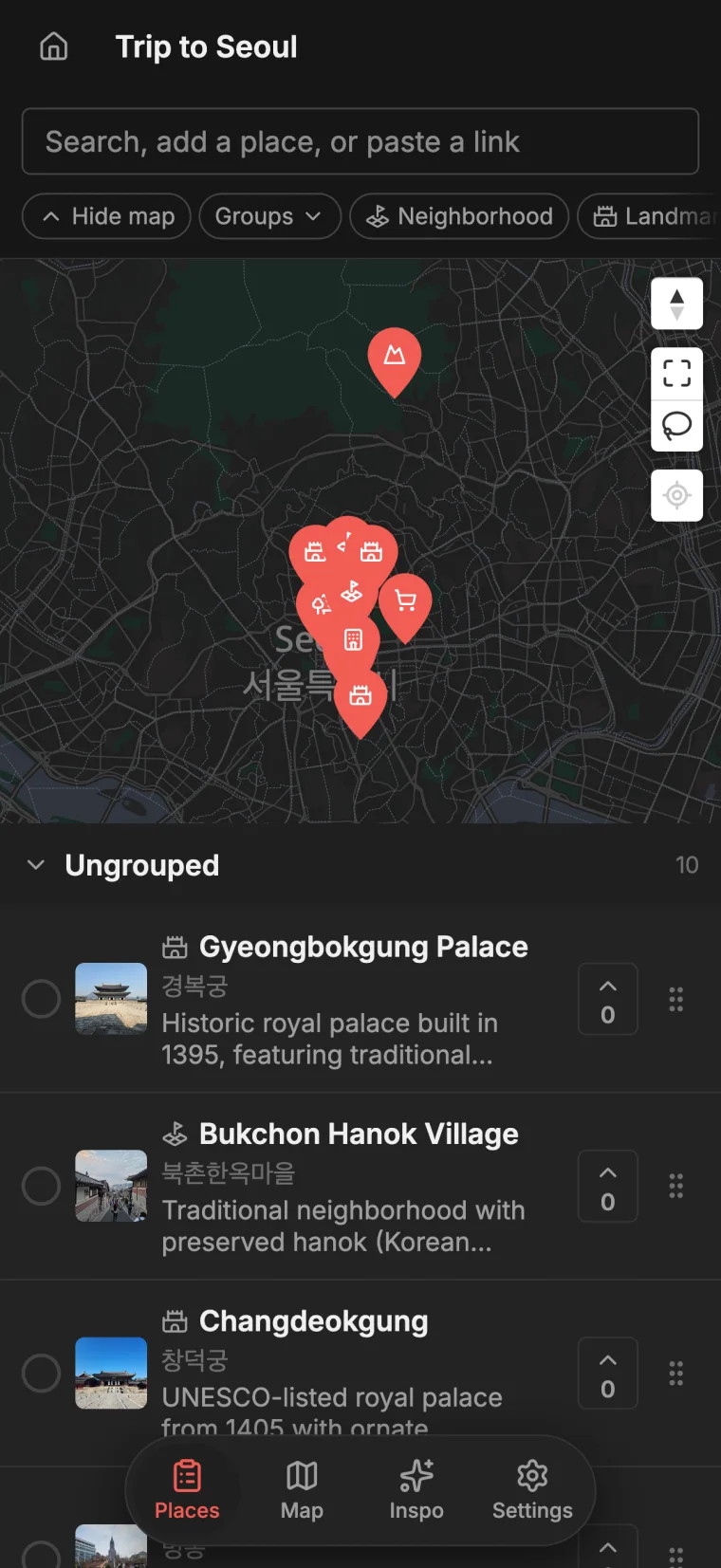
One map for the whole trip
Every spot lands in one place, sorted into lists and color-coded so the whole trip is easy to plan.
Paste a link, get places
Drop a TikTok, a Reel, or an article to convert it to a map. Each spot lands on your map with a photo and a short note written for you.
Better with friends
Share a read-only link or invite people to edit. Everyone's on the same map, and it syncs live.
Make the plan yours
Vote on spots, add your own notes and photos, color your pins, and group them however you think.
Not just for trips
A shared map of places is useful well beyond travel: a restaurant shortlist for the weekend, a coffee crawl, a date-night list, a guide for friends moving to your city, or every spot someone recommended. Add places by searching or by pasting a link, sort them into color-coded lists, and share the whole map with anyone.
Share from anywhere you find a spot
Install the app and Places joins your share sheet, so the moment you spot a place in a TikTok, a Reel, or an article you can send it straight over without leaving the app you're in. Places watches the video or reads the article, looks up every place mentioned, writes a short description for each, and finds a photo, then adds them all to your map.
A map you keep coming back to
Your maps don't expire when the trip ends. Keep a running list of the spots you loved, the ones you still want to try, and the places you send everyone who visits. Reopen a map months later, share it with the next person who asks, and add to it whenever something new comes up.
Common questions
Yes, Places is a free TikTok to map converter. Paste a TikTok link and it reads the video, finds each spot with a photo and a note, and drops them on a map you can share and edit with friends, on the web or in the app. Read the full guide.
Yes. In Places, paste a TikTok, a Reel, or an article link and it finds the places inside and adds them to your map. It is free to start on the web or in the app. Read the full guide.
Create a map in Places, add your spots, and share an invite link. Everyone adds places, votes on where to go, and leaves notes on the same map, and it all syncs live. It is free to start. Read the full guide.
Yes. Places works that way: several people can edit the same map at once, changes sync live, and you get comments, votes, and shared lists of places. It is free to start on the Places website or app. Read the full guide.
A saved list in Google Maps can't be co-edited. Google's My Maps can be, but changes aren't live (everyone has to refresh) and there's no voting. In Places, edits sync in real time, with voting, notes, and photos on each place, and it is free to start. Places vs Google Maps lists.
Places is free to start: unlimited maps, places, and collaborators, 20 link imports a month, an auto-added photo for each place, and up to 1,000 views per shared map. Pro raises imports to 200 a month, removes the view cap, lets you add up to four of your own photos per place, and unlocks exports. See full pricing.
No. On Places you can make as many maps as you like, with unlimited places, groups, and collaborators, on both Free and Pro.
Yes. With Places Pro you can export any map to CSV, PDF, or KML. The KML file opens directly in Google Maps and other map apps.
Yes. In Places, share a read-only link anyone can open without signing up, or invite people to edit, and everyone sees changes live.
No, Places works in any browser. There are also free Places apps for iPhone and Android.